Template details
Shower
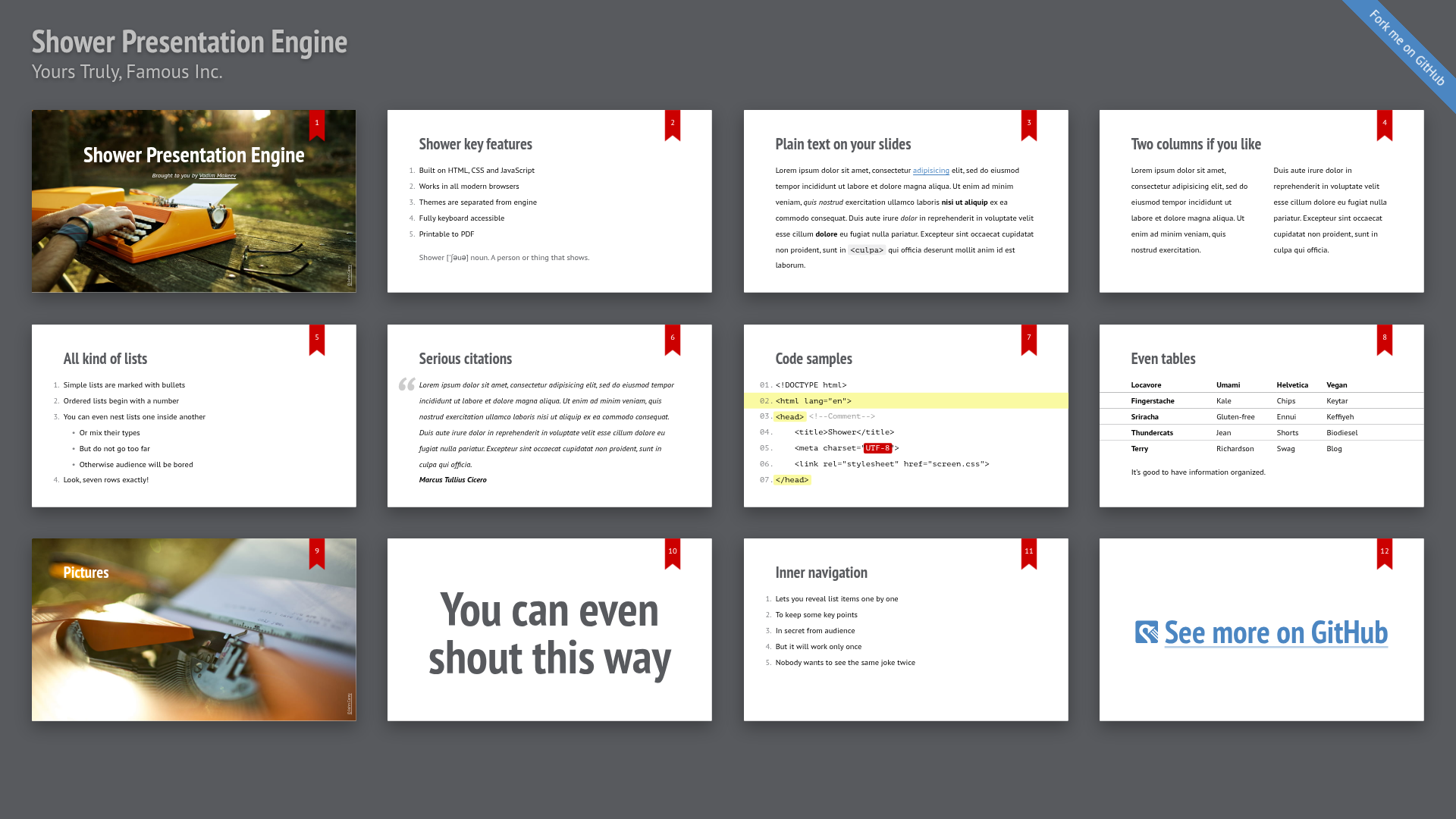
Shower is an HTML presentation engine that builds slide decks from plain HTML, CSS, and JavaScript with themes, CLI tooling, and PDF export.
About this template
Shower is an open-source HTML presentation engine that turns plain HTML, CSS, and vanilla JavaScript into browser-based slide decks with keyboard navigation and PDF export.
What is Shower?
Shower is a presentation engine and ready-to-use template distributed as npm packages under the MIT License. It takes an HTML file with slide markup as input and produces a full interactive presentation that runs in any modern browser, with optional PDF output. The project is led by Vadim Makeev (pepelsbey) with contributions from jahson, miripiruni, kizu, and others, and is available on GitHub with a live demo at https://shwr.me/.
Key Features
- HTML, CSS, and vanilla JavaScript core — no framework dependencies; the engine (@shower/core) handles slide management, navigation, a progress bar, and a timer.
- Theme separation — themes are isolated from the engine; included Ribbon and Material themes can be swapped or replaced with custom designs.
- Keyboard accessibility — the full presentation can be controlled with a keyboard, supporting standard slide navigation.
- PDF printing — presentations are printable to PDF directly from the browser, enabling offline handout creation.
- CLI tooling — the @shower/cli package can create, serve, bundle, and publish presentations from the command line.
- Ready-to-use template — the @shower/shower package is a complete starting point; download shower.zip, edit index.html, and present.
- Modern browser support — the latest stable versions of Chrome, Edge, Firefox, and Safari are supported.
Who is it for?
- Web developers who want to build slides with the same HTML and CSS skills they already use.
- Conference speakers who need a lightweight, version-control-friendly format for talk slides.
- Educators and trainers who want to publish slide decks as static web pages or PDFs for students.
- Teams using CI/CD who can leverage the CLI to automate presentation builds and publishing.
What can you do with Shower?
- Create a presentation from a zip — download shower.zip, open index.html in a text editor, and write slides as HTML sections.
- Generate a project via CLI — run
shower createafter installing@shower/cliwith npm to scaffold a new presentation. - Customize the look — choose the Ribbon or Material theme, or build your own theme because styles are separated from the engine.
- Publish to the web — use the CLI to bundle and publish the presentation as static assets.
How does Shower work?
Two quick-start paths exist. The manual path: download and unzip shower.zip, then open index.html in any text editor and edit the slides. The CLI path: install Node.js, run npm install -g @shower/cli, then run shower create to generate a project.
Browser Support
Shower works in the latest stable versions of Chrome, Edge, Firefox, and Safari. No legacy browser support is claimed.
Contributing and License
Contributions are welcome via forking the project and sending a pull request, but it's recommended to file an issue first. The code is licensed under the MIT License, so it can be freely used, modified, and redistributed.