Template details
Adding Response Headers in Edge Middleware
Learn to add response headers at the edge.
About this template
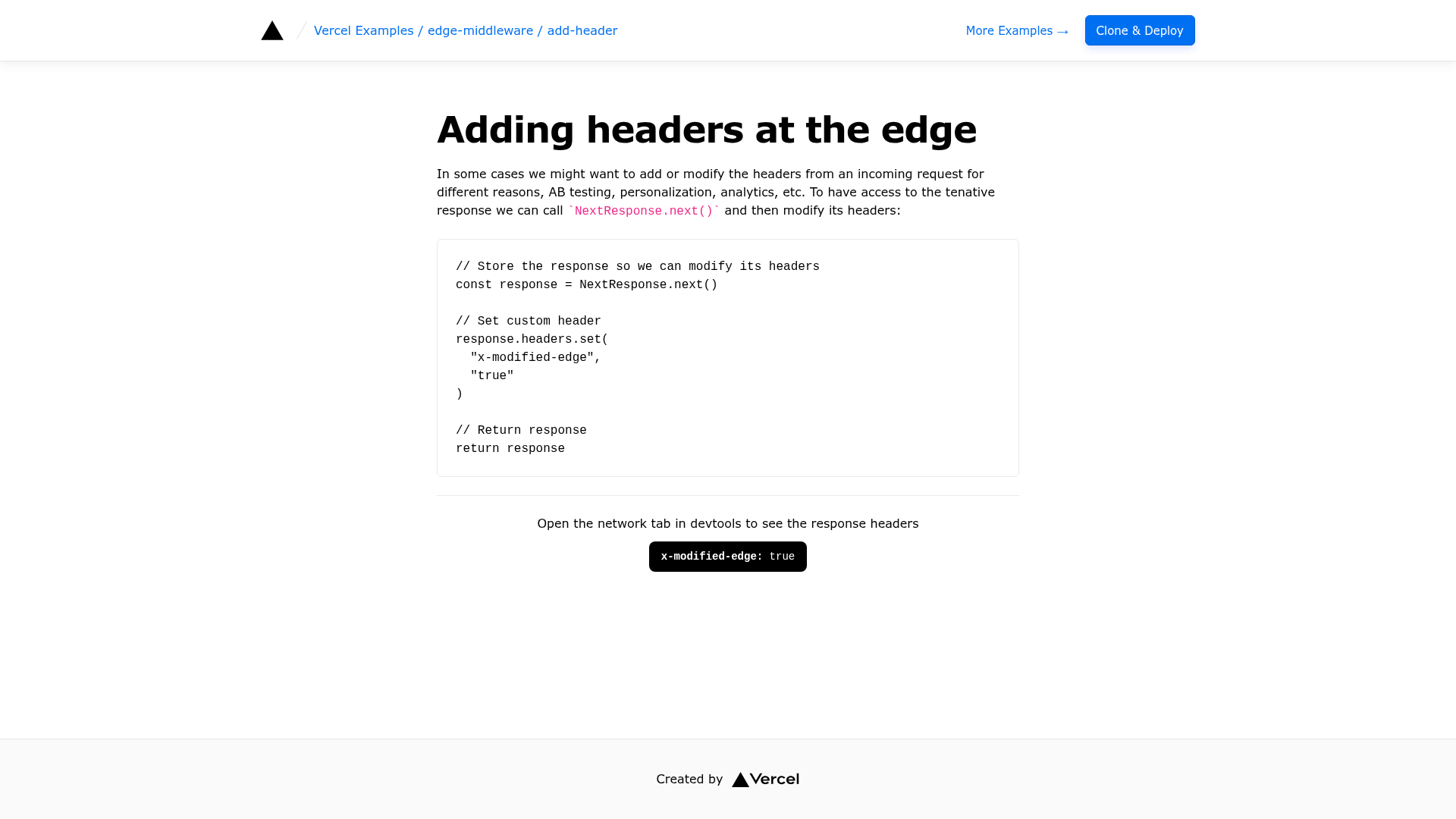
Adding Response Headers in Edge Middleware is a minimal Next.js example from Vercel's official vercel/examples repository that demonstrates how to set custom response headers on every request using Edge Middleware. The template supplies a single middleware.ts file, a one-click Vercel deployment URL, and a live demo.
What is this template?
This template is a focused learning resource that shows the shortest possible middleware implementation: it creates a response with NextResponse.next(), sets a custom header x-modified-edge to true, and returns the response. The logic lives in one TypeScript file with no UI components, so the only way to confirm the middleware ran is to inspect response headers in the browser. The example is published in the vercel/examples GitHub repository under the edge-middleware folder.
Key Features
- Single-file middleware — The entire example consists of middleware.ts, making the request/response flow easy to trace from start to finish.
- Custom response header — Sets the x-modified-edge header to true, a verifiable marker that the edge middleware executed.
- One-click deployment — The example includes a "Deploy with Vercel" button that clones the repository and deploys it to Vercel without local setup.
- Live demo — The demoUrl points to a deployed version where you can open browser devtools and see the added header on network requests.
- Local bootstrap — Use the command
pnpm create next-app --example https://github.com/vercel/examples/tree/main/edge-middleware/add-header add-headerto scaffold a local copy, then runpnpm dev. - Uses Next.js middleware API — Imports NextResponse from 'next/server' and modifies headers with the standard Headers.set method.
Who should use this template?
- Next.js developers who want to understand Edge Middleware with the smallest possible code example.
- Frontend engineers who need to add HTTP headers such as CORS, security, or cache headers to every response without touching application code.
- Teams moving to Vercel that want a reference pattern for intercepting requests at the edge before copying it into their own apps.
Use cases
- Security header injection — Add X-Frame-Options or Content-Security-Policy to every response by extending the same headers.set call.
- Feature flagging — Set a version header that identifies which deployment or experiment group a request is served from.
- API versioning — Attach an x-api-version header so clients can differentiate between response schemas.
How does it work?
The middleware.ts file exports a default function that Next.js runs before any route is handled. Inside, NextResponse.next() creates an empty response, response.headers.set('x-modified-edge', 'true') writes the custom header, and returning that response passes it to the application. Because the middleware has no matcher config, it runs for every request and adds the header globally.
FAQ
How do I see the added header?
Deploy or run the example, open the page, and look at the network tab in your browser devtools. Any request's response headers will include x-modified-edge: true.
Can I modify other headers?
Yes — the same Headers.set method can set or update any response header. You can also call delete on the headers object to remove an existing header.
Does this template include a UI?
No, the example has no visual components; its entire output is the middleware behavior, which you verify via network inspection.
Can I use this with my existing Next.js project?
Copy the middleware.ts file into the root of any Next.js project, then deploy to Vercel or any platform running the Edge Runtime. The middleware will apply to all routes.