Template details
Hugo Progression
A Hugo template to render progression frameworks (career ladders, competency matrices) using the same YAML data format as the Monzo progression framework.
About this template
Hugo Progression is a Hugo template that renders progression frameworks (career ladders, competency matrices) as a static website, using the same YAML data format as the open-source Monzo progression framework. It produces a site with per-level pages, a menu of levels, and topic-based criteria, so organizations can publish their career pathways without building a custom application.
What is Hugo Progression?
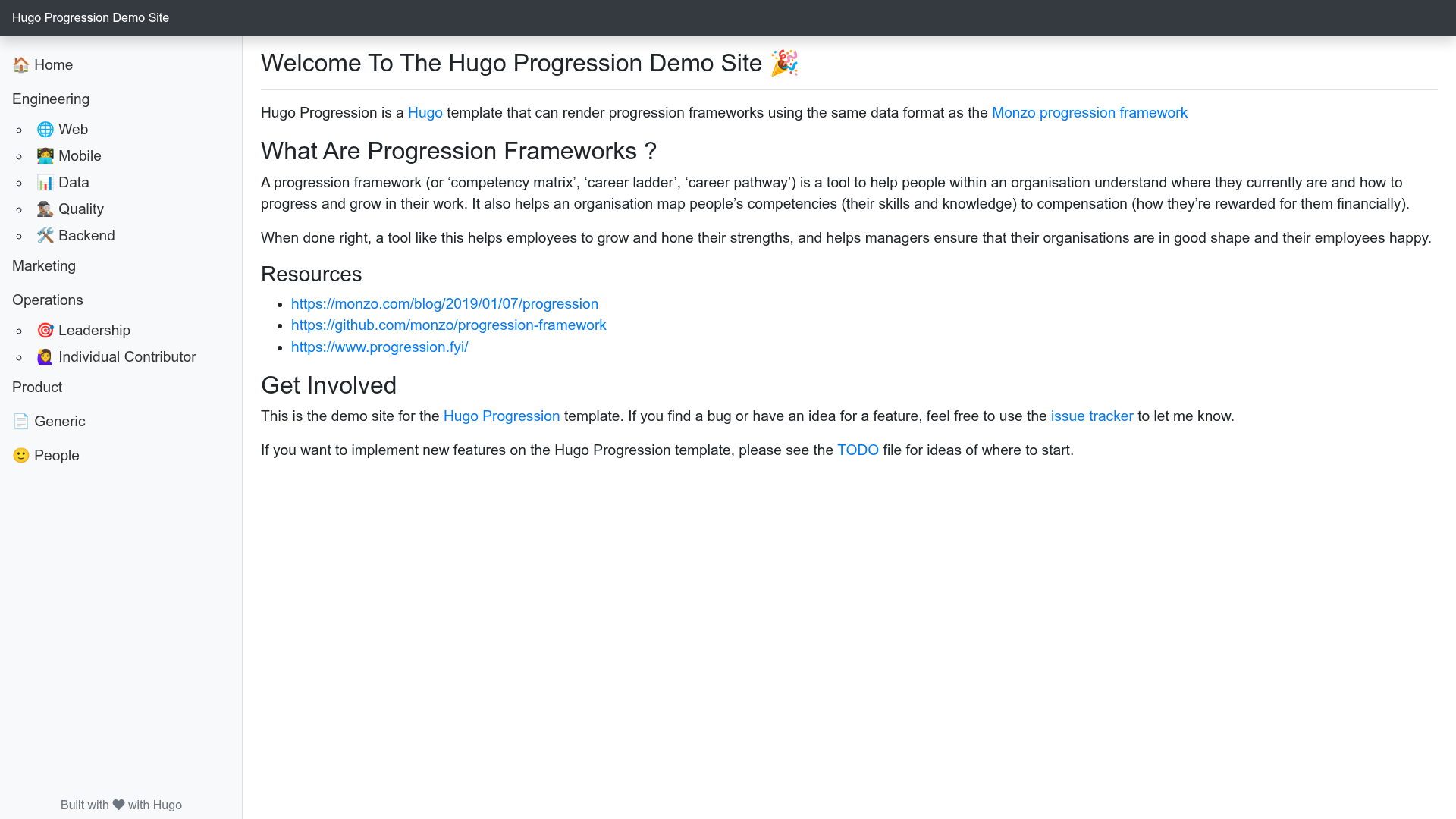
Hugo Progression is a theme for the Hugo static site generator that converts YAML data files describing a progression framework into a navigable website. Its inputs are YAML files with topics, levels, and criteria (plus optional example criteria) and markdown pages with front matter; its output is a generated site with a homepage and per-level pages for each framework. The template is maintained on GitHub by leeturner and includes a full demo site and an exampleSite folder.
Key Features
Hugo Progression provides the core features needed to publish a progression framework site with minimal setup. The most notable features are:
- Monzo-compatible YAML data — Data files follow the same structure as Monzo's progression framework (topics, levels, criteria, example criteria), so existing Monzo-format data can be reused.
- Per-framework homepage and menus — A markdown page with front matter defines each framework; the
levelsfield controls how many level entries appear in the generated menu. - Data file linking via partials — Because Hugo front matter cannot reference data files directly, each framework needs a small HTML partial; the
datafilepartialfield in front matter points to it. - Flexible data organization — YAML files can be placed in subfolders under the
datadirectory, and partials mirror that structure, supporting multiple frameworks (engineering, operations, product, etc.). - Example content included — The repository ships an exampleSite folder with complete YAML data files, markdown pages, and partials for several frameworks, plus a live demo site.
- Production build support — The template supports
HUGO_ENV=productionfor production builds, with a separate command variant for Windows. - Easy installation — The theme can be installed by cloning the repository into the
themesfolder or adding it as a git submodule.
Who is it for?
Hugo Progression is built for teams that need a simple static site to communicate career progression criteria. It is primarily useful for HR and people-ops teams publishing career ladders, engineering managers documenting role expectations, and any organization adopting Monzo-style progression frameworks.
What can you do with it?
With Hugo Progression you can turn YAML career framework data into a polished static website. Typical use cases include:
- HR / People teams: Publish a multi-department career ladder site with separate frameworks for engineering, product, marketing, and operations, each with its own URL and menu.
- Engineering leaders: Document engineering-specific progression levels (e.g., backend, mobile, quality analyst) using YAML files organized under
data/frameworks/engineering. - Adopters of Monzo's framework: Reuse existing Monzo-format YAML data directly, adding only the required Hugo markdown page and partial for each framework.
How does it work?
Hugo Progression follows a three-step content model: create a YAML data file describing topics and levels, add a markdown page in the content folder that sets the framework title, level count, and partial path, and write a small Hugo partial that ranges over the data. Running hugo server generates the site locally, and HUGO_ENV=production hugo produces the production build.
FAQ
What data format does Hugo Progression use?
Hugo Progression uses YAML data files that follow the Monzo progression framework format. Each file defines a list of topics; each topic has a name, a title, and content with one entry per level. Each level includes a list of criteria and may include example criteria with optional examples.
Can I have multiple progression frameworks on one site?
Yes. The template supports multiple frameworks by placing each framework's YAML file in a subfolder of the data directory, creating a matching HTML partial, and adding a markdown page for each framework with a unique datafilepartial value.
Does the template include example content?
Yes. The repository contains an exampleSite folder with complete YAML data files, markdown pages, and HTML partials for several frameworks. A full demo site is also available online at the Hugo Progression Demo Site.
Is there a production build command?
Yes. Set the HUGO_ENV environment variable to production before running Hugo. On Unix-like systems use HUGO_ENV=production hugo; on Windows use set HUGO_ENV=production followed by hugo.