Template details
Apache Airflow Website
Official Hugo-based source repository for the Apache Airflow project website at airflow.apache.org.
About this template
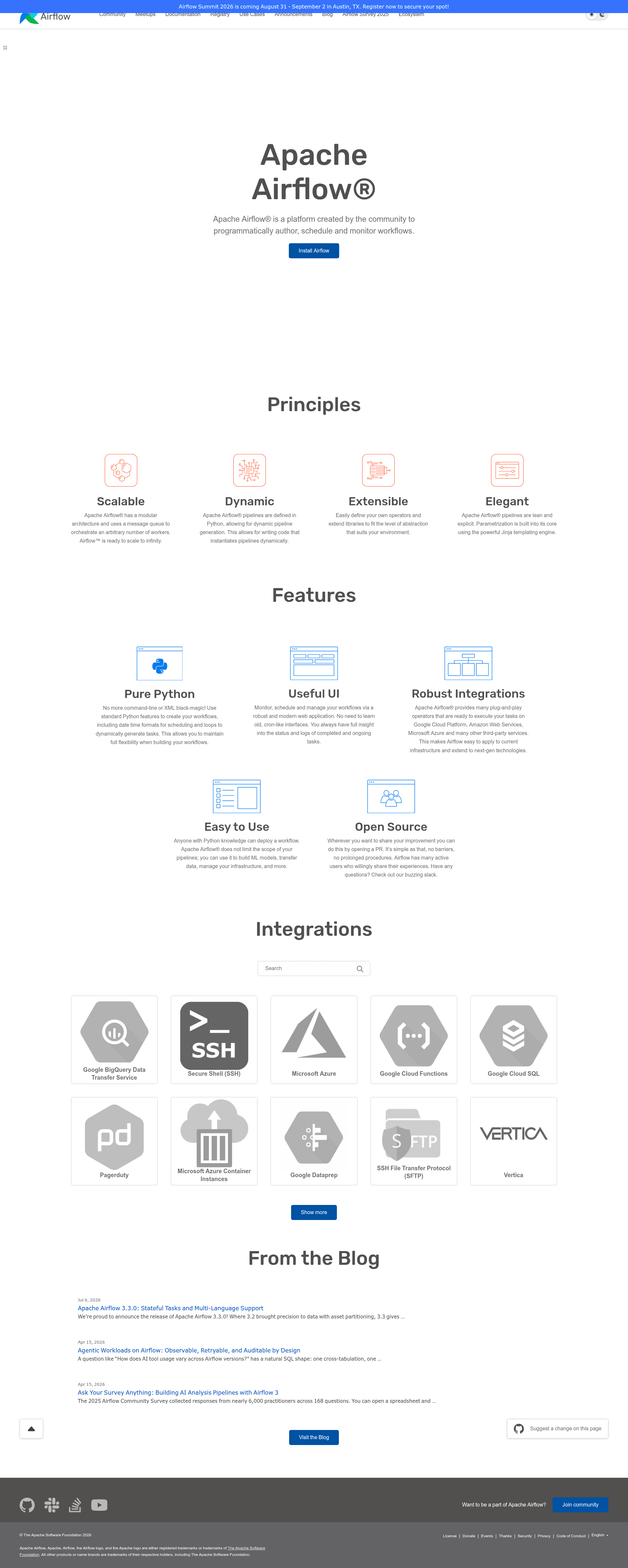
Apache Airflow Website is an open-source Hugo-based website repository maintained by the Apache Software Foundation (ASF) that powers the official Apache Airflow project site at https://airflow.apache.org. The repository contains all source files needed to build the site, including landing pages, archived documentation, license templates, and a custom Sphinx theme, and is built with the Hugo static site generator.
What is Apache Airflow Website?
The Apache Airflow Website repository is the source code behind airflow.apache.org, the official website for the Apache Airflow workflow orchestration platform. It takes Markdown content, Hugo templates, and Sphinx documentation as inputs and produces a static HTML website as output. The project is maintained by contributors to the Apache Airflow open-source community under the Apache License 2.0, as stated in the repository's license header.
The repository is organized into four main directories: docs-archive (archived documentation versions plus a shell script that generates the docs index), landing-pages (source code of the marketing and landing pages), license-templates (license text templates), and sphinx_airflow_theme (the custom Sphinx theme used for the documentation portion of the site).
Key Features
- Hugo static site generator — The site is built with Hugo, with the Docsy theme included as a git submodule that must be initialized with
git submodule update --init --recursiveafter cloning. - Landing pages directory — The
landing-pagesfolder holds the source for the marketing-style pages and can be previewed independently with the scriptsite.sh preview-landing-pages. - Sphinx Airflow theme — A dedicated Sphinx theme lives in
sphinx_airflow_theme, used for the documentation sections of the site, with its own README for customization. - Documentation archive index — The
docs-archivedirectory stores old documentation versions and includes a shell script that automatically generates the documentation index. - Build automation via site.sh — A single script,
site.sh, provides commands to build the site (build-site) and preview landing pages (preview-landing-pages), with detailed usage in the contributor's guide. - GitHub Actions CI — The repository includes a build workflow (
.github/workflows/build.yml) that continuously builds the site; the Hugo version recommended for local builds matches the one used in that CI job.
Who is it for?
- Apache Airflow contributors who want to propose changes to the website, documentation, or landing pages and test them locally before submitting a pull request.
- Website maintainers who need to rebuild the site, manage archived documentation versions, or update the versioned docs index using the provided scripts.
- Documentation writers who want to customize the Sphinx theme or add new content to the Apache Airflow documentation site.
What can you do with Apache Airflow Website?
- Local site building: Install Node.js, NPM, and Hugo, then run
site.sh build-sitefrom the root directory to generate the full static website locally. - Landing page preview: Use
site.sh preview-landing-pagesto preview the landing pages without building the entire documentation site. - Documentation theming: Modify the
sphinx_airflow_themedirectory to change how documentation pages look, following the instructions in its readme. - Docs index management: Run the shell script inside
docs-archiveto regenerate the list of archived documentation versions.
How does Apache Airflow Website work?
The build process starts by cloning the repository and updating the Docsy theme submodule with git submodule update --init --recursive. Then, after installing Node.js, NPM, and the matching Hugo version, running <ROOT DIRECTORY>/site.sh build-site compiles the Hugo site and the documentation into the final static files served at airflow.apache.org.
FAQ
Is Apache Airflow Website free?
Yes, the repository is open source under the Apache License 2.0. Anyone can use, modify, and contribute to it, subject to the license terms shown in the license header of each file.
What do I need to build the site locally?
You need Node.js and NPM, plus Hugo. After cloning the repo, run git submodule update --init --recursive to fetch the Docsy theme, then execute <ROOT DIRECTORY>/site.sh build-site to build the site.
Where is the live Apache Airflow website?
The live website is hosted at https://airflow.apache.org. The source code in this repository builds that site, and the GitHub Actions workflow automatically rebuilds it on changes.