Template details
Advanced Discord Bot Website
Discord Bot Website Template By Abhay557
About this template
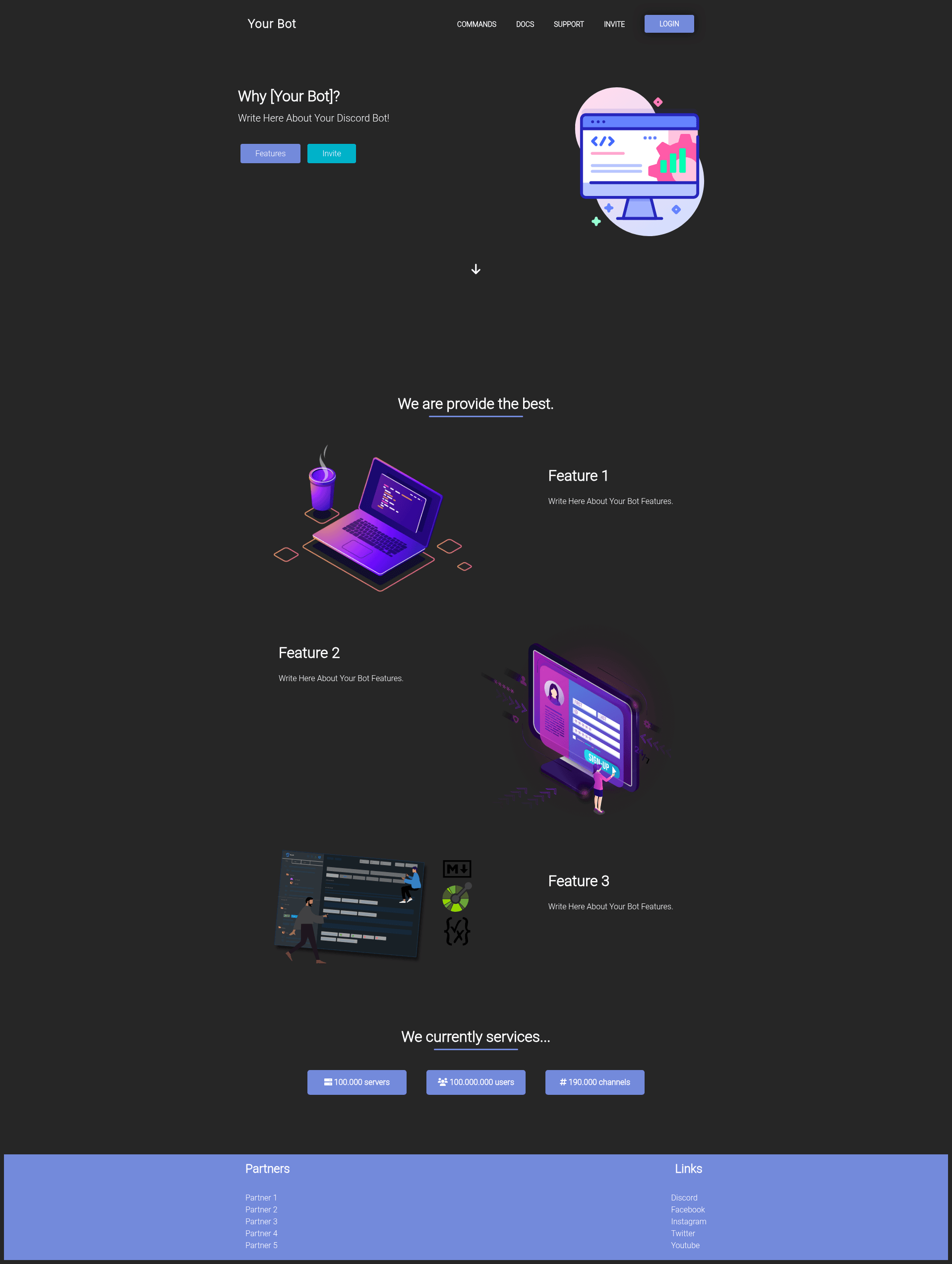
Advanced Discord Bot Website is a Bootstrap-based website template for Discord bots, offering ready-made pages that you can edit and host yourself. The template is built by GitHub user Abhay557 and distributed through a public repository, with a community Discord server for support.
What is Advanced Discord Bot Website?
Advanced Discord Bot Website is a front-end template that gives Discord bot developers a complete website without writing a site from scratch. It provides a main landing page and a commands page, both styled with Bootstrap and ready to be filled with your bot's name, description, and command list. The template runs as plain static HTML/CSS, so no build tools or server-side setup are required.
Key Features
- Bootstrap-based layout — The UI is built on Bootstrap's grid and components, making the template responsive on desktop and mobile.
- Ready-made main page — A landing page tailored for a Discord bot, with sections for your bot's branding and features.
- Commands page — A dedicated, responsive page for listing bot commands, designed to adapt to smaller screens.
- Easy customization — You control the source code; the README documents three design areas: background (color, texture, or image), color palette, and text style (sizes, colors, and styles for titles, menus, and paragraphs).
- Custom cursor — The template includes a custom cursor effect as a visual signature.
- New fonts and favicon — Custom font choices and a favicon image are bundled so the site doesn't rely on browser defaults.
- View source easter egg — A hidden "view source" interaction adds a playful detail for curious visitors.
- No server-side dependencies — Because it's pure front-end HTML and Bootstrap, there is no database or authentication layer to configure.
Who is it for?
- Discord bot developers who need a public presence for their bot and want a clean starting point without learning a web framework.
- Hobbyist bot projects that want a presentable landing page and command reference quickly.
- Developers who prefer editing HTML directly rather than configuring a CMS, static site generator, or dashboard.
What can you do with it?
- Bot developers: Create a website that introduces your bot, then link the commands page from your Discord server's welcome channel or a bot status page.
- Open-source maintainers: Fork the repository, replace branding, and deploy the static files to GitHub Pages, Netlify, or any other static host.
- Students learning web design: Use the template as a hands-on example of Bootstrap customization and static site deployment.
How does it work?
The template is a static site: download or clone the repository, open the HTML files, and edit the content in the three documented customization areas—background, colors, and text style. Once edited, you can run the site locally or deploy it to any static hosting service; the README's final step is simply getting the website online.
FAQ
Is the template free?
Yes. The repository is publicly available on GitHub under the account Abhay557, with no mention of a paid license, so you can download and modify it freely. The repository has 40 stars at the time of writing.
What do I need to run it?
Only a web browser and a text editor. Because the template is built with Bootstrap and plain HTML, there is no Node.js or build step, and any static web host can serve the files.
Can I use it for a bot platform other than Discord?
The template is designed specifically for Discord bots, with pages and command listings tailored to that use case. Adapting it to another chat platform would require renaming sections and changing the Discord-specific language.
Does the template include a dashboard, blog, or pricing page?
The preview shows a main page and a commands page only. Other page types such as a dashboard, blog, or pricing page are not documented in the source, so you would need to build them yourself.
How do I get support?
The README links to a Discord server and to the author's GitHub profile for contact. The Discord community is the primary place to ask questions.