Template details
Alpha Jekyll Theme
A Jekyll version of the 'Alpha' theme by HTML5 UP.
About this template
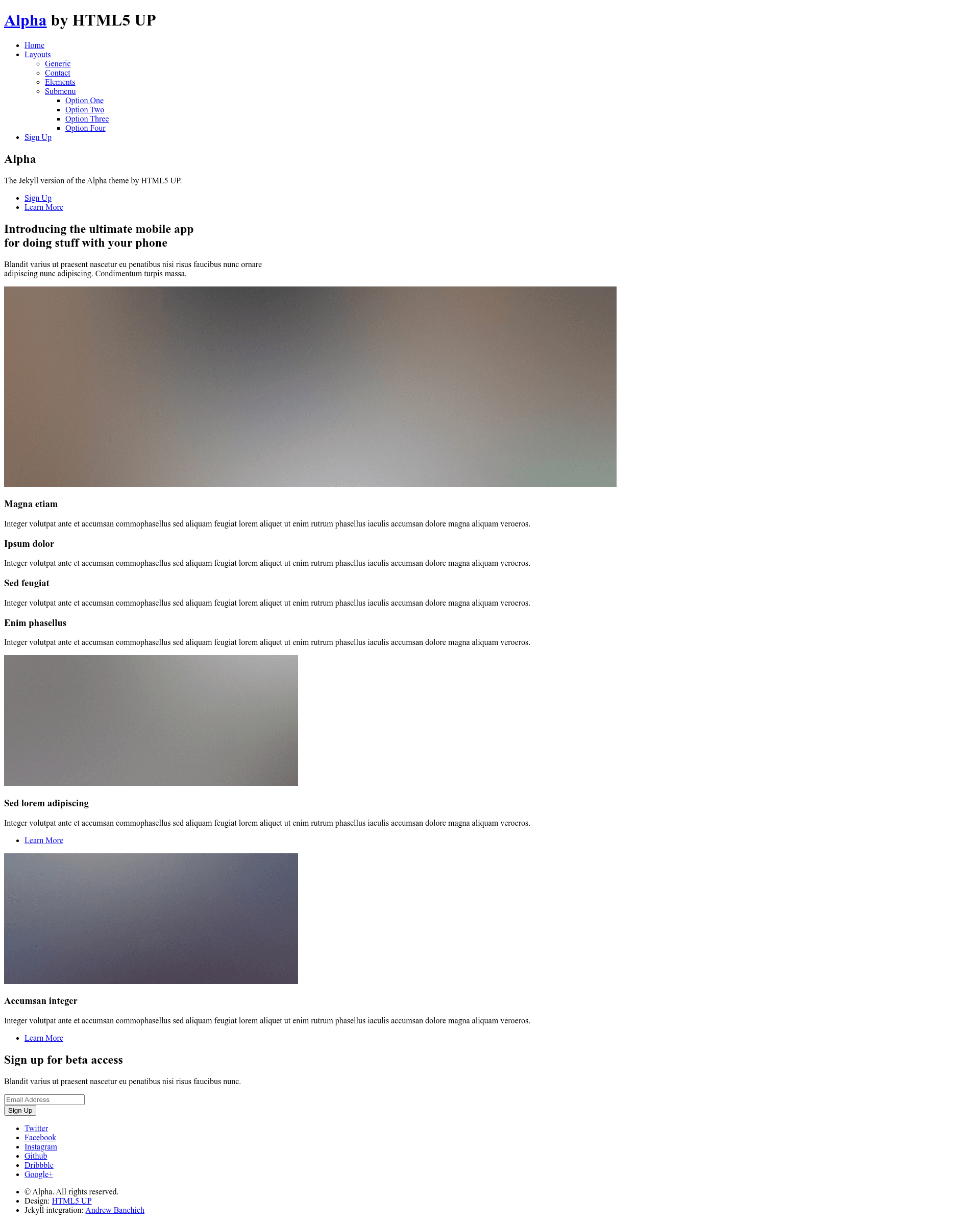
Alpha Jekyll Theme is an open-source Jekyll port of the 'Alpha' website template by HTML5 UP, designed to create a static, minimal, responsive site for startups and app developers.
What is Alpha Jekyll Theme?
Alpha Jekyll Theme converts the HTML5 UP Alpha design into a Jekyll project. It accepts Markdown posts and pages with YAML front matter, along with site configuration in _config.yml, and produces a static HTML site. The theme is maintained by Andrew Banchich and hosted on GitLab, with a GitHub mirror; the repository is labeled "WIP" (work in progress). Pages included are a landing page, a generic page, a contact page, and an elements page with pre-styled components.
Key Features
- Jekyll-based — Content is written in Markdown and configured through YAML front matter, then compiled to static HTML by Jekyll.
- Page set from HTML5 UP Alpha — Includes landing, generic, contact, and elements pages, all responsive and minimal.
- Sass sources included — The theme ships with Sass files so you can customize styles directly from the source, as credited in the original HTML5 UP README.
- Free and open source — Released under the CCA 3.0 license, usable for personal and commercial projects without payment.
- Multiple deployment paths — On GitLab you fork and edit
_config.yml; on GitHub you create agh-pagesbranch after forking. - Third-party assets — The original credits list Font Awesome for icons, jQuery, html5shiv.js, CSS3 Pie, Respond.js, and Skel for responsive behavior.
Who is it for?
- Startup founders — build a clean landing page with a contact form (using Formspree) and a generic page to explain their product.
- App developers — get a minimal, static site for an app that needs no server-side rendering or database.
- Jekyll learners — the theme is a small, focused project that demonstrates how to structure Jekyll posts, pages, and configuration.
What can you do with it?
- Launch a product site — edit
_config.ymland the default Markdown content to change the site title, tagline, and menu. - Generate a contact page — the included contact page can be paired with Formspree.io to receive form submissions on a static host.
- Prototype UI styles — the elements page showcases buttons, forms, tables, and other HTML components you can reuse.
How does it work?
- Fork the repository (GitLab directly, or GitHub then create a
gh-pagesbranch). - Open
_config.ymland update site metadata. - Add or edit Markdown files with front matter for posts and pages.
- Build with Jekyll or push to a static hosting service like GitHub Pages.
Pros and cons
- Pros — Free open-source license, no backend required, Sass customization, multiple page layouts, and a familiar Jekyll workflow.
- Cons — The theme is a work in progress; demo images from the original HTML5 UP version are not included; contact form needs a third-party endpoint.
FAQ
Is Alpha Jekyll Theme free?
Yes, it is free for personal and commercial use under the Creative Commons Attribution 3.0 license from HTML5 UP.
Does the theme include the demo images?
No, the demo images in the HTML5 UP preview are not part of the repository; they were from Unsplash and are not included.
How do I set up the contact form?
There is no built-in form backend. The original README recommends Formspree.io, which lets you point the form to your email address without custom server code.
Can I use it with GitHub Pages?
Yes, fork the repository and create a gh-pages branch, then edit _config.yml and commit; GitHub Pages will build the Jekyll site.
What does WIP mean on this theme?
The repository title includes "(WIP)", meaning the author still considers it a work in progress, so some features may be incomplete or change in the future.