Template details
Next.js Chatbase Template
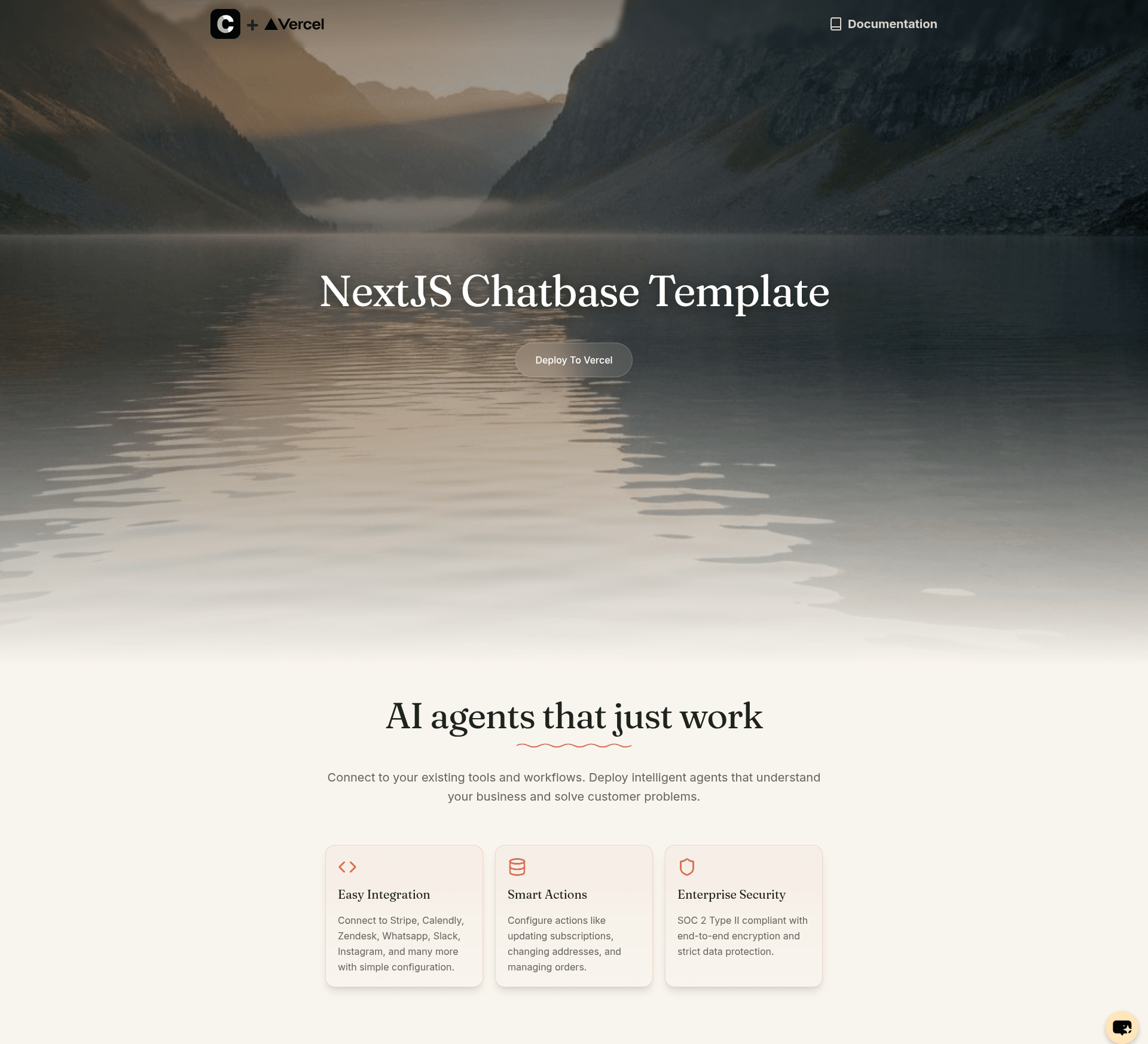
A Next.js starter template that embeds a Chatbase AI agent, requiring only a chatbot ID environment variable to go live.
About this template
The Next.js Chatbase Template is a boilerplate Next.js site that embeds a Chatbase AI agent, letting you ship a chatbot-backed website by setting a single environment variable.
What is the Next.js Chatbase Template?
The Next.js Chatbase Template is a starter repository from Chatbase-co that pairs a Next.js frontend with the Chatbase AI agent integration. It takes a Chatbase chatbot ID as its main input and produces a deployable website with an embedded chat widget. The template runs on any Next.js-compatible host, with one-click deploy support for Vercel, and is maintained by the Chatbase team.
Key Features
- Pre-configured Chatbase integration — The repo ships with the Chatbase agent wired in, so there is no additional SDK setup beyond providing your chatbot ID.
- Single environment variable — Only
NEXT_PUBLIC_CHATBOT_IDis required; store it in.env.localor pull it from Vercel withvercel env pull .env.local. - One-click Vercel deploy — The included deploy button clones the repository, asks for the chatbot ID, and provisions the integration automatically.
- pnpm-based workflow — Quick start uses
pnpm installandpnpm dev, indicating a pnpm-friendly setup. - Chatbase dashboard customization — Upload documentation and FAQs, then tweak the agent's personality and responses from the Chatbase dashboard.
- Official resources linked — The README links to Chatbase's Quick Start docs and API Reference for deeper control.
Who is it for?
- Developers — Build a chatbot-equipped site quickly without writing chat UI code from scratch.
- Product teams — Launch an AI support assistant trained on their docs and FAQs.
- Founders and marketers — Stand up a landing page with a live AI agent in minutes using the Vercel deploy flow.
What can you do with it?
- Customer support agents: Train the Chatbase agent on your help center and embed it so visitors get instant answers.
- Content-guided assistants: Upload your documentation and FAQs as training data, then let the agent address user questions with that material.
- Branded chat experiences: Adjust the agent's personality and responses in the dashboard so the chat voice matches your brand.
How does the template work?
The README walks through a four-step setup: create a Chatbase account and chatbot, copy your chatbot ID, set the NEXT_PUBLIC_CHATBOT_ID environment variable, then customize the agent's training data and persona from the Chatbase dashboard. Once configured, the chatbot appears on the generated site automatically.
FAQ
What environment variable does this template require?
Only NEXT_PUBLIC_CHATBOT_ID. You can create a .env.local file manually or run vercel env pull .env.local to fetch it from Vercel.
How do I get a Chatbot ID?
Log into your Chatbase dashboard, create a new chatbot (or pick an existing one), and copy its ID from the dashboard.
Can I customize the chatbot's responses?
Yes. From the Chatbase dashboard you can upload documentation and FAQs, and adjust the agent's personality and response behavior.
Does the template require a specific package manager?
The quick start commands use pnpm (pnpm install, pnpm dev), so pnpm is the intended package manager, though the project may work with others.
Is deployment limited to Vercel?
No, it is a Next.js template, so it can run on any host that supports Next.js. The README provides a dedicated one-click Vercel deploy flow, but other platforms are possible.