Template details
Antares
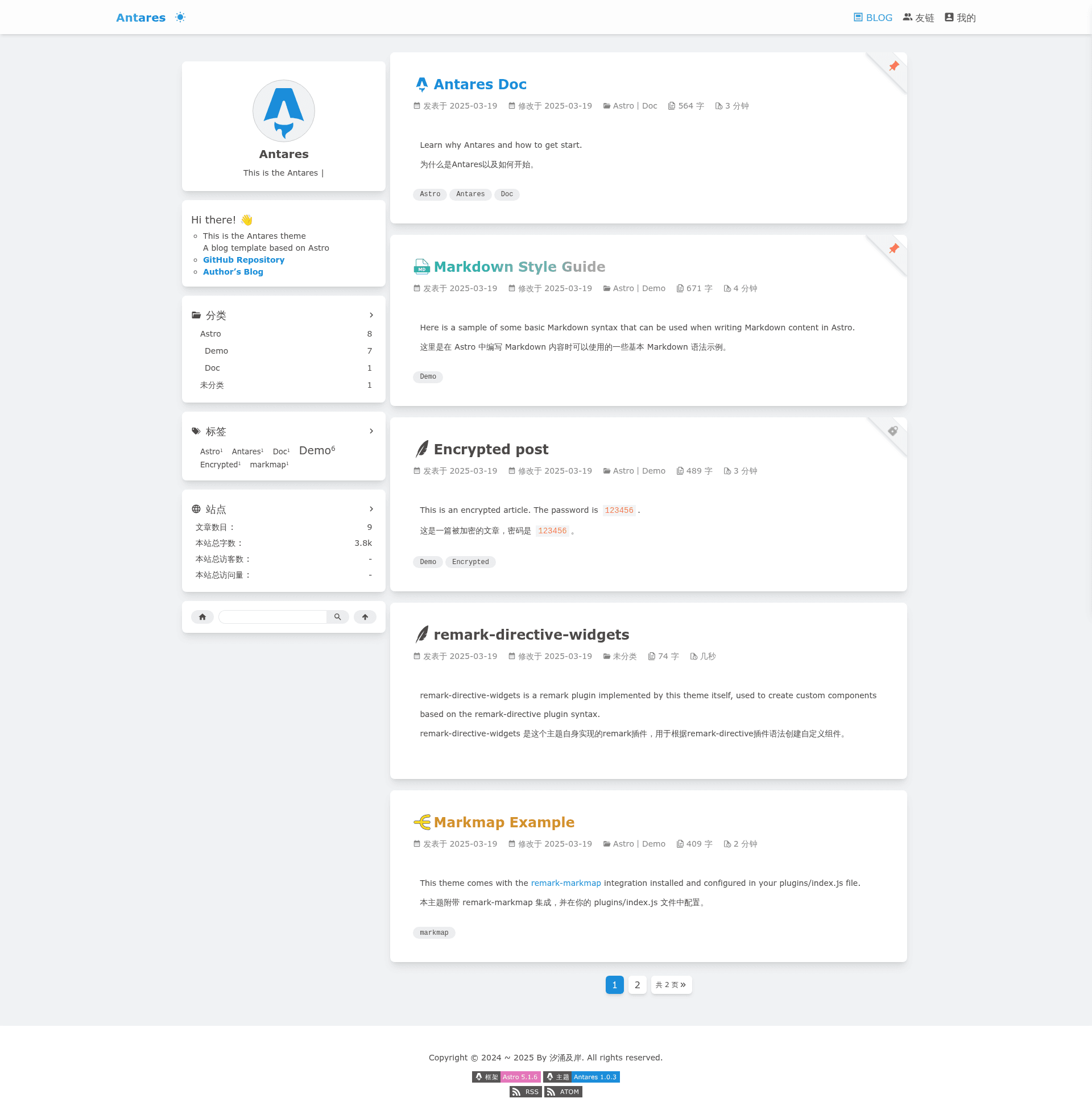
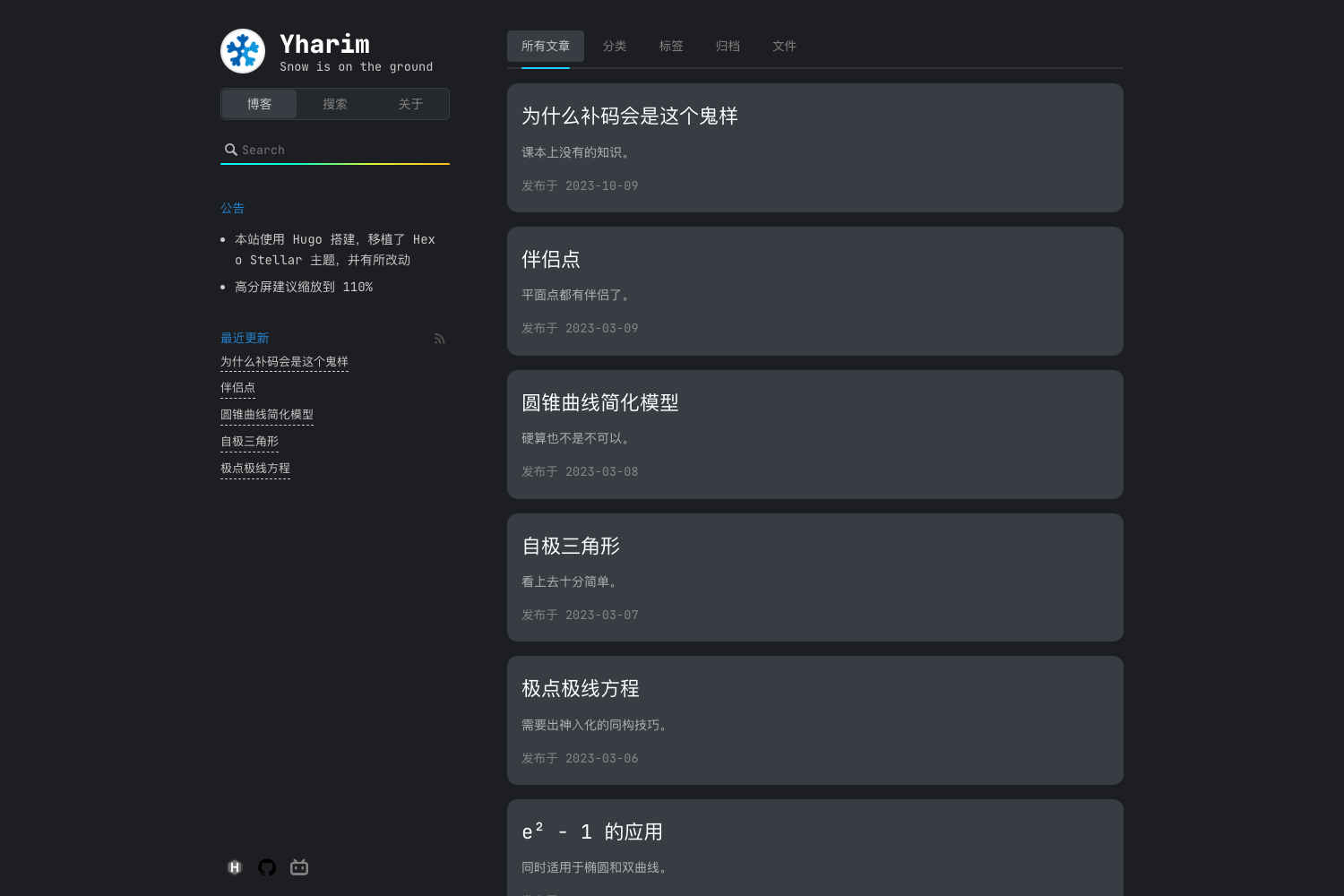
A blog template based on Astro, clean and simple.
About this template
Antares is an open-source blog template built on the Astro framework, designed to produce a clean, minimalist personal blog with built-in dark mode, RSS feeds, and configurable sidebar cards.
What is Antares?
Antares is a blog template created by the developer coderxi1, distributed on GitHub and installable via the pnpm create astro CLI. It takes your Markdown or MDX posts and produces a static blog with generated sitemaps, RSS feeds, and a responsive, dark-mode-capable layout. The template's configuration is centralized in a single src/config.ts file, and custom pages can be added as .astro or .mdx files.
Key Features
- Simple, minimalist style — The template intentionally keeps a clean, stripped-down visual design with no extraneous decoration.
- Dark mode — Toggling
<html class="dark">switches the entire site to a dark color scheme for night readers. - Responsive design with UnoCSS — Layouts adapt to different screen sizes using the UnoCSS utility framework.
- Built-in sitemap and feeds — Generates
rss.xml,feed.xml,baidusitemap.xml, andsitemap-index.xmlfor search engines and RSS subscribers. - Centralized configuration —
src/config.tscontrols site info, post page size, sidebar settings, aside cards, navigation items, footer content, and friend links. - Rich post frontmatter — Posts support title icons, title gradient colors, publish/update dates, tags, categories, descriptions, plus a
topfield for pinning posts and apasswordfield for protecting posts. - Markdown concatenation — The
bodyJoinfrontmatter field lets you merge another Markdown document into a post by providing a file path.
Who is it for?
- Independent bloggers — Set up a personal blog quickly without writing layout code from scratch.
- Developers who want a customizable Astro starter — Use the page creation examples (
archives.astro/archives.mdx) and config file to build custom archive, tag, or category pages. - Content writers needing post-level controls — Publish posts with pinning (
top), password protection (password), and custom title styling without touching global theme files.
What can you do with Antares?
- Create an archive page — Copy the provided
.astroor.mdxpattern that usesPageLayout,CardRecentPost,CardCategroies, andCardTagCloudaside cards together withPostListSimple. - Port a README into a blog post — Use the
bodyJoinfrontmatter field to point to a local Markdown file such as./README.md, and its content will be merged into the post body. - Protect premium or private posts — Assign a
passwordfrontmatter value so readers must enter it to view the post.
How does it work?
After installing with Git or pnpm create astro, run pnpm install and pnpm run dev to start a local development server. Content lives in posts/*.md files with YAML frontmatter; the template compiles them into static HTML pages at build time. For deployment, a standard Astro build (pnpm build) generates a static site with the included sitemap and feed files.
FAQ
Is Antares free to use?
The template is published as a public GitHub repository, so you can clone it and use it as the base for your own blog without paying a license fee.
How do I install Antares?
Use git clone https://github.com/coderxi1/astro-antares blog or run pnpm create astro@latest -- --template coderxi1/astro-antares, then move into the directory and run pnpm install and pnpm run dev.
What frontmatter fields are available for posts?
Posts can define title, titleIcon, titleColor, publishDate, updatedDate, tags, categories, description, top (for pinning), password (for encryption), and bodyJoin (to merge another Markdown file).
Does Antares support dark mode?
Yes. The template includes a dark mode switch that applies the dark class to the <html> element, and the UnoCSS-based responsive styling adapts the layout to the chosen theme.
Can I change the sidebar and navigation?
Yes. The src/config.ts file includes SIDEBAR_SETTINGS, ASIDE_CARDS, and NAV_ITEMS blocks that control which sidebar cards and navigation links appear, so you can freely adjust the layout without touching template components.