Template details
Antiquity
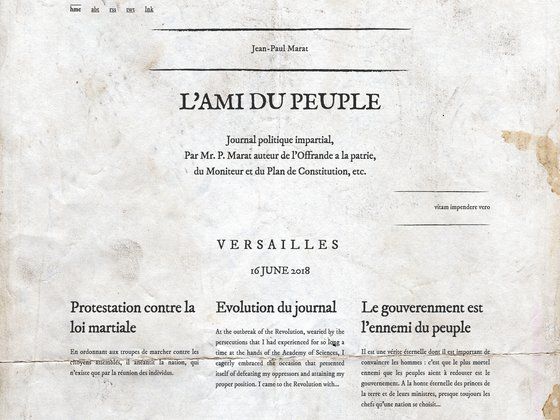
A free Hexo blog theme with an ancient Chinese aesthetic, featuring Fancybox, customizable widgets, and multiple code highlight styles.
About this template
Antiquity is a free, open-source Hexo blog theme that gives personal blogs an ancient Chinese aesthetic, built by front-end developer 一路烟霞 and published on GitHub.
What is Antiquity?
Antiquity (hexo-theme-antiquity) is a theme for Hexo, the Node.js static site generator. It transforms a standard Hexo blog into a site with a classic Chinese visual style, offering configurable sidebar widgets, Fancybox image lightbox, and multiple code highlighting panel styles. The theme is developed by 一路烟霞 and its repository has 115 stars, with a live preview available at https://yiluyanxia.github.io/.
Key Features
- Fancybox integration — Displays post images in a lightbox with captions, usable via Markdown syntax or a dedicated
fancyboxtag. - Configurable code highlight panels — Choose between three panel styles:
cloud,doorframe, andmac, set in thehighlightPanelconfig option. - Adjustable sidebar — Set the sidebar to
left,right, orfalse, and select widgets such as category, tag, tagcloud, archives, and recent_posts. - Background image support — Add a custom background image via
background_imageand a hover text viabackground_title. - Gitment comments — Integrate GitHub Issue-based comments by providing owner, repo, client_id, and client_secret.
- Analytics and verification — Support for Google Analytics, Gauges, Google Site Verification, and Baidu Site Verification.
- Blogroll and navigation — Add friend links through
blogrolland configure menus for Home and Archives with RSS.
Who is it for?
- Hexo bloggers — Users who want a simple, lightweight theme with a Chinese classical touch for their personal blog.
- Chinese-language content creators — The theme's UI labels and configuration comments are in Chinese, making it approachable for Chinese-speaking users.
- Front-end developers — Developers who want a customizable Hexo theme that can be tweaked via
_config.ymland have a GitHub preview to reference.
What can you do with Antiquity?
- Set up a personal blog with an antique aesthetic: Install the theme via
git clone, change thethemefield in Hexo's config toantiquity, and start writing posts. - Showcase images in posts: Use Fancybox to let readers click through larger image versions with captions.
- Customize the blog's layout and widgets: Change sidebar position and select which widgets appear (categories, tags, archives, recent posts, tag cloud).
- Integrate GitHub-based comments: Configure Gitment so readers can leave comments via GitHub Issues.
How does Antiquity work?
- Clone the repository into your Hexo
themesdirectory. - Modify the
themesetting in your site's_config.ymltoantiquity. - Add optional configuration values under the theme's config block for menus, widgets, analytics, and other options.
- Regenerate your site with Hexo to see the theme applied.
FAQ
Is Antiquity free?
Yes, Antiquity is open-source and hosted on GitHub, so you can download and use it freely. The repository has 115 stars, indicating community interest.
How do I install Antiquity?
Run git clone https://github.com/yiluyanxia/hexo-theme-antiquity.git in your Hexo project's themes directory, then set theme: antiquity in the site's _config.yml. Update by running git pull in the theme folder.
Does Antiquity support comments?
Yes, it includes Gitment integration, which uses GitHub Issues for comments. You need to supply your GitHub owner, repository, client ID, and client secret in the theme config.
Can I change the sidebar or widgets?
Yes, the sidebar option accepts left, right, or false to control placement, and the widgets list lets you show or hide category, tag, tagcloud, archives, and recent_posts widgets.
What code highlighting styles are available?
Antiquity offers three code panel styles: cloud, doorframe, and mac. Set the highlightPanel option to one of these values.