Template details
Marat
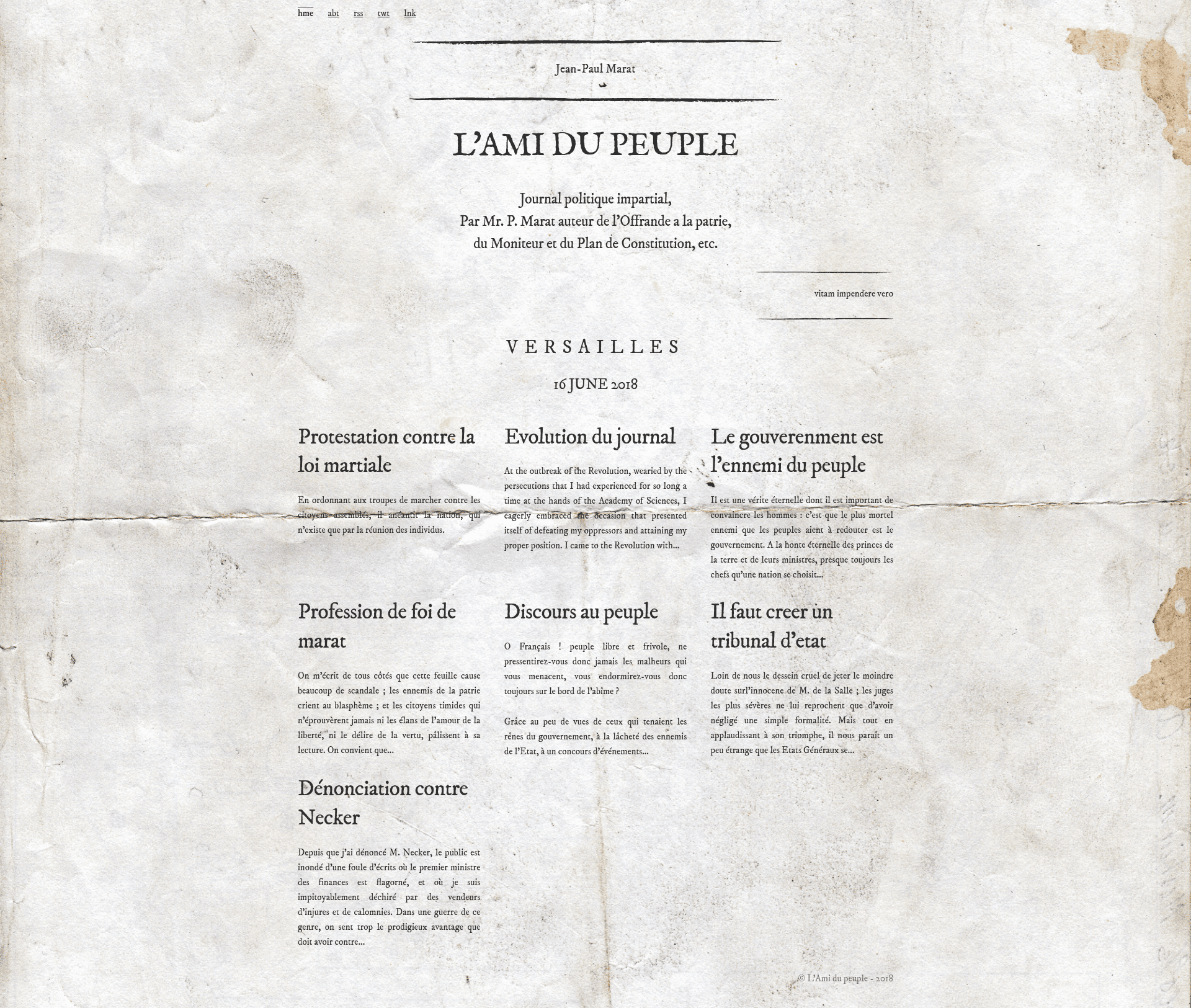
A Jekyll theme for blogging inspired by L'Ami du Peuple, Jean-Paul Marat's French Revolution newspaper.
About this template
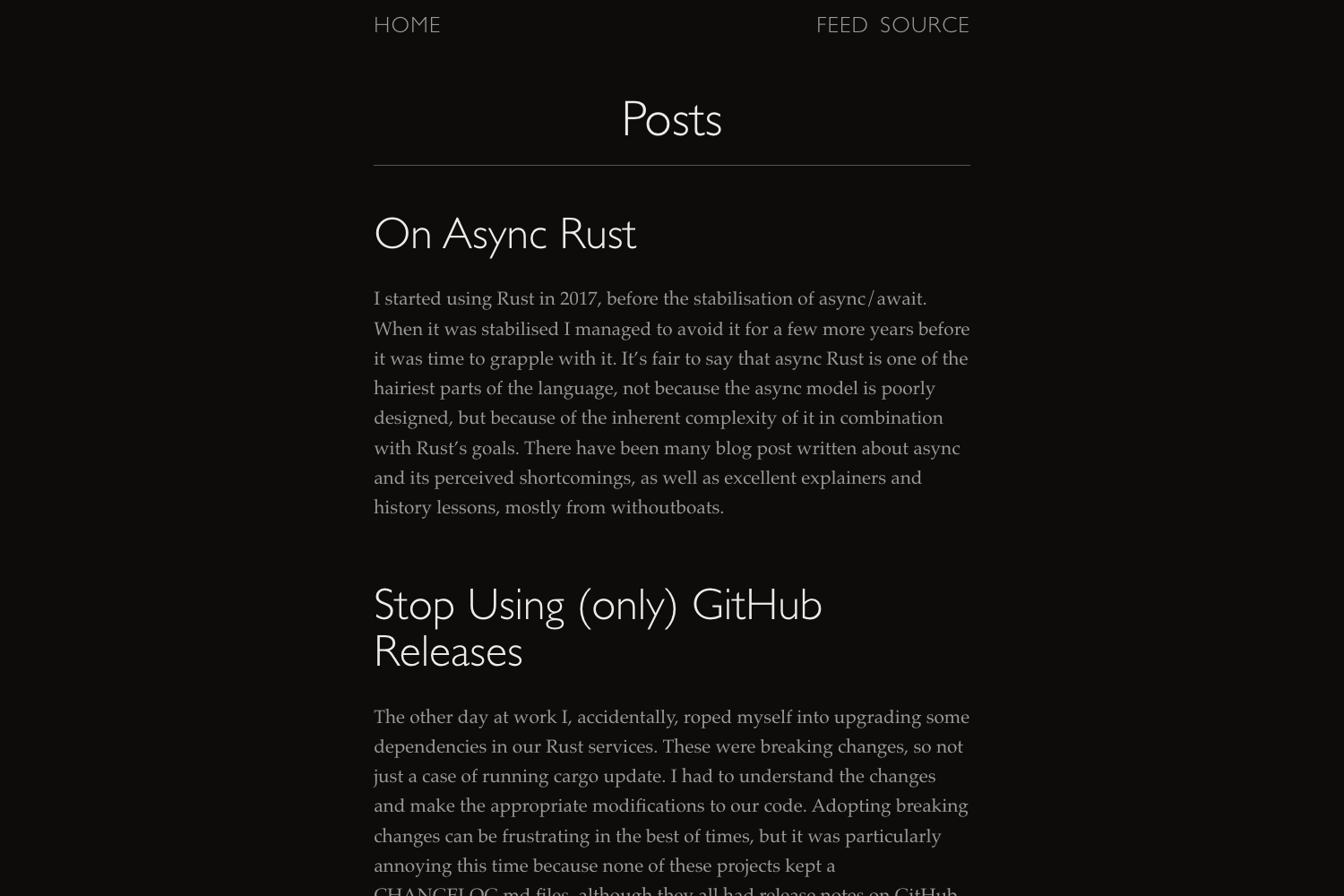
Marat is a Jekyll theme for publishing a blog with the look and tone of L'Ami du Peuple, the newspaper Jean-Paul Marat wrote during the French Revolution. It runs on Jekyll, the static site generator, and is maintained by John Coene on GitHub. The theme takes Markdown posts, configuration files, and data files as input, and outputs a fully responsive static website with automated SEO metadata and Roman numeral support.
What is Marat?
Marat is a Jekyll blog theme that recreates the editorial style of L'Ami du Peuple, a revolutionary newspaper published by Jean-Paul Marat. It is built for static site generation: you write posts in Markdown, adjust a few configuration and data files, and Jekyll compiles everything into a fast, responsive website. The theme was created by John Coene and is available as a public GitHub repository.
Key Features
- Responsive layout — The README explicitly states the theme is fully responsive, so it adapts to mobile, tablet, and desktop viewports.
- jekyll-seo-tag integration — Automatically inserts SEO metadata into each page and post to improve search engine visibility.
- jekyll-roman integration — Adds the jekyll-roman plugin, which converts Arabic numerals to Roman numerals for sections, lists, or citations.
- Custom navigation — The main menu is defined in
_data/nav.yml, so you can change navigation links without editing layout templates. - Easy content replacement — The README lists the files to modify:
_config.yml, sample posts,about.md,favicon.ico, and404.md, making site personalization straightforward. - Dedicated about page — An
about.mdpage is provided for author background or publication details. - Custom 404 page — A
404.mdfile in the root directory lets you brand the not-found page with matching styling.
Who is it for?
- History and literature bloggers — Publish essays and commentary with an 18th-century editorial aesthetic while using a modern static-site generator.
- Academics — Share research notes or course materials and use Roman numerals for classical numbering conventions.
- Jekyll learners — Explore a minimal, hackable theme whose customization process is explicitly documented in the README.
What can you do with Marat?
- Bloggers: Write and organize posts in Markdown, then run
bundle exec jekyll serve --watchto preview the site locally before deploying. - Educators: Build a course or publication page using the included about page and the
_data/nav.ymlnavigation to structure topics. - Open-source contributors: Fork the repository, customize branding, and deploy a static blog to GitHub Pages or any Jekyll-compatible host.
How does Marat work?
The README provides a seven-step setup: edit _config.yml, replace or delete the sample posts, change about.md, update your links in _data/nav.yml, replace favicon.ico, customize 404.md, then run bundle exec jekyll serve --watch to serve the site locally.
FAQ
Does Marat require any special build tools?
Marat is a standard Jekyll theme, so you need Ruby, Jekyll, and Bundler installed. The project files manage the jekyll-roman and jekyll-seo-tag plugins, and you start the local server with bundle exec jekyll serve --watch.
Can I change the navigation menu?
Yes. Navigation links are stored in _data/nav.yml. Edit that file to add, remove, or rename menu items without modifying the layout templates.
Is Marat responsive?
The theme's README explicitly states that unlike Marat's pamphlets, the theme is fully responsive, so it adapts to mobile, tablet, and desktop viewports.
What plugins does Marat include?
Marat bundles two Jekyll plugins: jekyll-roman, which converts numbers to Roman numerals, and jekyll-seo-tag, which generates SEO metadata for pages and posts.