Template details
Argon React Native
React Native app template with 200+ Galio components, example screens, and Expo support for building e-commerce mobile apps.
About this template
Argon React Native is a fully coded, MIT-licensed e-commerce mobile app template built on Galio.io, React Native, and Expo by Creative Tim.
What is Argon React Native?
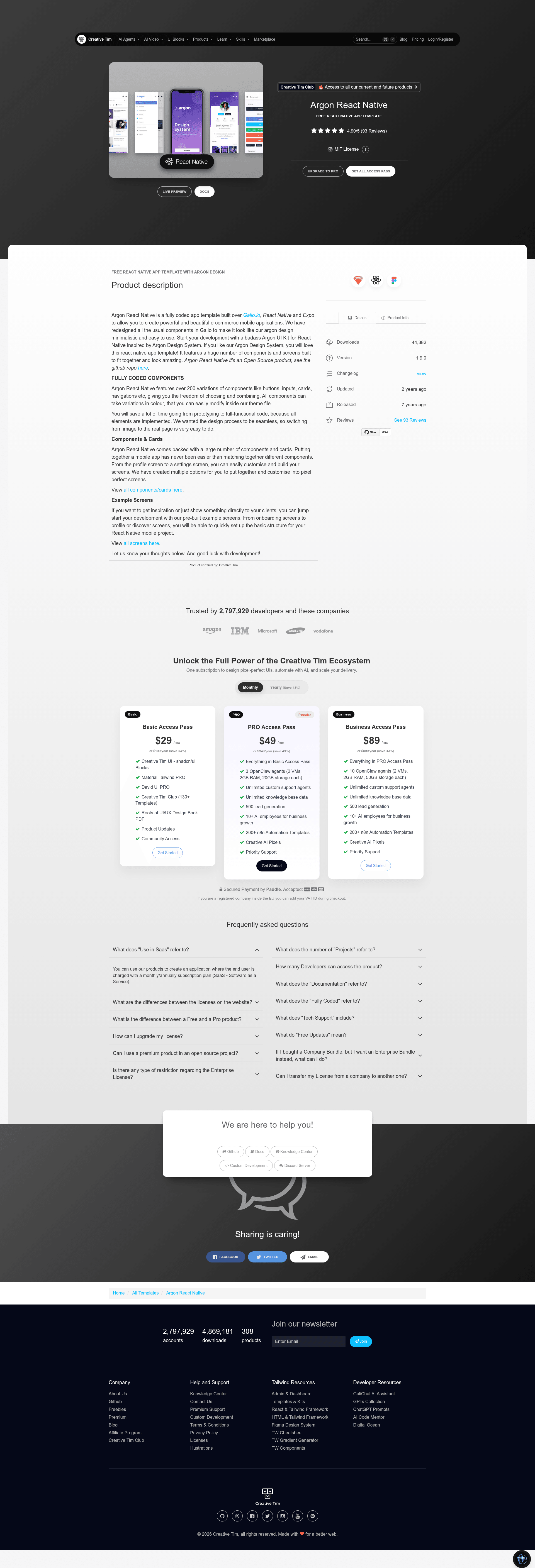
Argon React Native is a fully coded e-commerce mobile application template created by Creative Tim, built on the Galio.io UI framework, React Native, and Expo. It takes the Argon Design System and translates it into a working React Native codebase with over 200 component variations, example screens, and a theme file for color customization. The template outputs a complete mobile app project with screens for onboarding, home, profile, elements, articles, register, and a Pro screen, plus components like buttons, inputs, cards, and navigation.
Key Features
- Over 200 component variations — buttons, inputs, cards, navigations, and more, all customizable with color variations through the theme file.
- Pre-built example screens — includes Onboarding, Home, Profile, Elements, Articles, Register, and Pro screens to jump-start development.
- Built on Galio.io — the UI framework is redesigned to match the Argon Design System's minimalistic look.
- React Native + Expo — runs on Expo for easy testing on iOS simulators and Android physical devices.
- Organized file structure — components, constants, navigation, and screens directories with a central App.js entry point.
- MIT licensed — free to use under the MIT license (Copyright 2020 Creative Tim).
- Fully coded elements — all components are implemented, so you can go from prototype to functional code.
Who is it for?
- Mobile app developers — want a starting point for a React Native e-commerce app without building UI components from scratch.
- Startups and product teams — need a polished, Argon-style design system to quickly prototype and ship an MVP.
- Designers — who want to see how an Argon Design System translates into a real React Native implementation.
- Freelancers — building client projects can use the pre-built screens and components to accelerate delivery.
What can you do with Argon React Native?
- E-commerce app builders: assemble a storefront with the Home, Articles, and Register screens, using the cards and inputs to showcase products and capture user signups.
- Onboarding flow designers: use the Onboarding screen to introduce users to the app and guide them to registration.
- Prototype demos for clients: show the example screens directly to clients to collect feedback before investing in custom development.
- Custom theme development: modify the theme file to change colors across all components and screens, matching a brand.
How does Argon React Native work?
You can try the template on Expo directly without downloading, using an iOS simulator or an Android physical device. Alternatively, download the project from Creative Tim, install dependencies, and run it in your React Native environment. The file structure includes App.js as the entry point, with components in the components folder, screen definitions in screens, navigation config in navigation, and theme variables in constants/Theme.js.
Pricing
Argon React Native is free and open source under the MIT license (Copyright 2020 Creative Tim), as stated in the repository's license file.
FAQ
Is Argon React Native free?
Yes, Argon React Native is licensed under the MIT license, so it is free to use and modify for personal and commercial projects. The copyright is held by Creative Tim.
What tech stack does Argon React Native use?
The template is built with React Native, Expo, and Galio.io. The UI components are inspired by the Argon Design System, and the codebase includes a theme file for color customization.
Which screens are included?
The template includes Onboarding, Home, Profile, Elements, Articles, Register, and Pro screens. There are also example components and cards that you can reassemble to build custom screens.
Does Argon React Native support both iOS and Android?
Yes. The quick start instructions say you can try it out on Expo with an iOS simulator or an Android physical device. The official OS support covers the last two versions of Android and iOS.
How do I get started?
You can either try the live demo on Expo directly from the Quick start section, or download the project from the Creative Tim product page and run it locally using the included App.js entry point and package.json dependencies.