Template details
Astro Bob's Blog
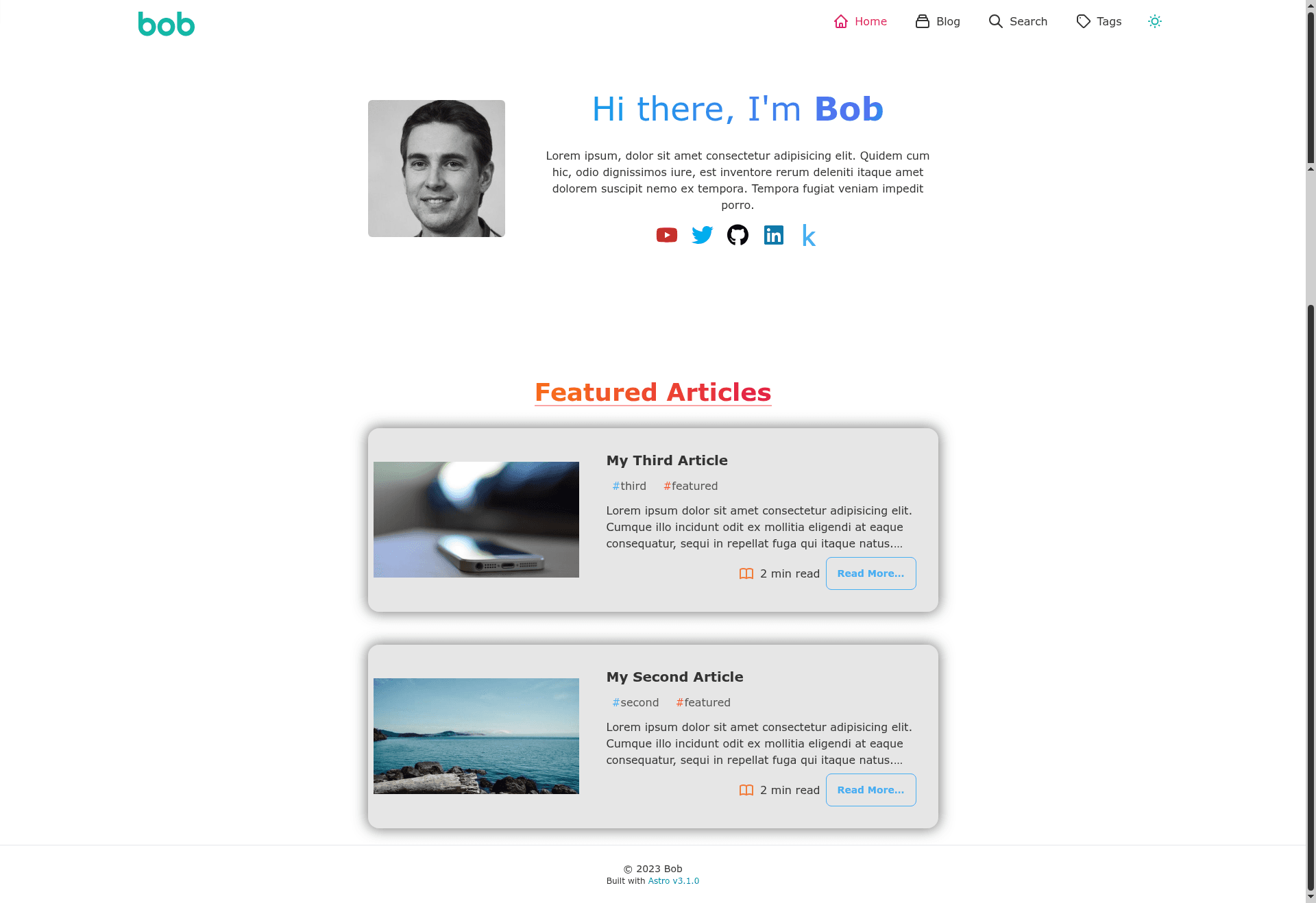
A simple blog template built with Astro and Tailwind CSS, featuring tags, dark mode, pagination, and client-side search.
About this template
Astro Bob's Blog is an open-source personal blog template built on the Astro static-site generator with Tailwind CSS and daisyUI, purpose-built for publishing tagged Markdown posts with dark mode and client-side search.
What is Astro Bob's Blog?
This template is a responsive blog starter that compiles Markdown content into a static site. It takes post files with frontmatter (title, date, tags, description, optional image and draft flag) as input and outputs a production-ready site into the dist folder when you run npm run build. The template runs on Astro and uses Tailwind CSS plus daisyUI for styling, with all site-wide options set in src/config.js.
Key Features
- Tagged blogging — Assign tags to each post; tag pages are generated automatically and tag colors are configured in the tagNames and tagColors arrays.
- Dark and light mode — Theme switching is handled by daisyUI, so both color schemes are available out of the box.
- Client-side search — Uses Fuse.js for instant search, with options located in src/pages/search.astro.
- Pagination — The blog index and tag pages paginate results; the page size is set in src/config.js, defaulting to 5.
- Draft posts — Set the frontmatter field draft to true to keep a post out of the production build.
- SEO metadata — Configure author name, summary, category, keywords, and favicon in the metaData section of src/config.js.
- Full site configuration — Navigation links, social icons with SVGs, tag colors, page size, and base site URL are all editable in one place.
- Simple post workflow — Each new post is a Markdown file that follows the template at src/pages/blog/articles/template.md.
Who is it for?
- Astro developers — Use it as a starter to quickly launch a personal blog without building pagination, tags, and search from scratch.
- Technical writers — Publish Markdown posts directly; the frontmatter schema is shown in the template file.
- Designers who want a themed blog — daisyUI support makes changing the color scheme and toggling dark mode straightforward.
- Hobbyists self-hosting — A static build in dist can be deployed to any static host with no server side code.
What can you do with Astro Bob's Blog?
- Publish posts with tags — Add a Markdown file to src/pages/blog/articles and define title, date, tags, description, and optional image or draft fields; the build generates the page and tag listings.
- Customize navigation and socials — Edit the navLinks and social arrays in src/config.js to change header links and home-page social icons, each with optional SVG icons.
- Brand the site — Replace the SVG logo in BaseLayout.astro and the author image in index.astro to personalize the header and home page.
- Deploy to any static host — Run npm run build to produce a dist folder that can be hosted on Netlify, Vercel, GitHub Pages, or similar.
How does it work?
The template uses npm scripts for development and build. Run npm install to install dependencies, npm run dev to start a local server at localhost:4321, npm run build to generate the production site into dist, and npm run preview to test the build locally before deploying. The site URL and base path are set in astro.config.mjs, where you can also change or delete the base option for root-level deployments.