Template details
Hugo Indigo
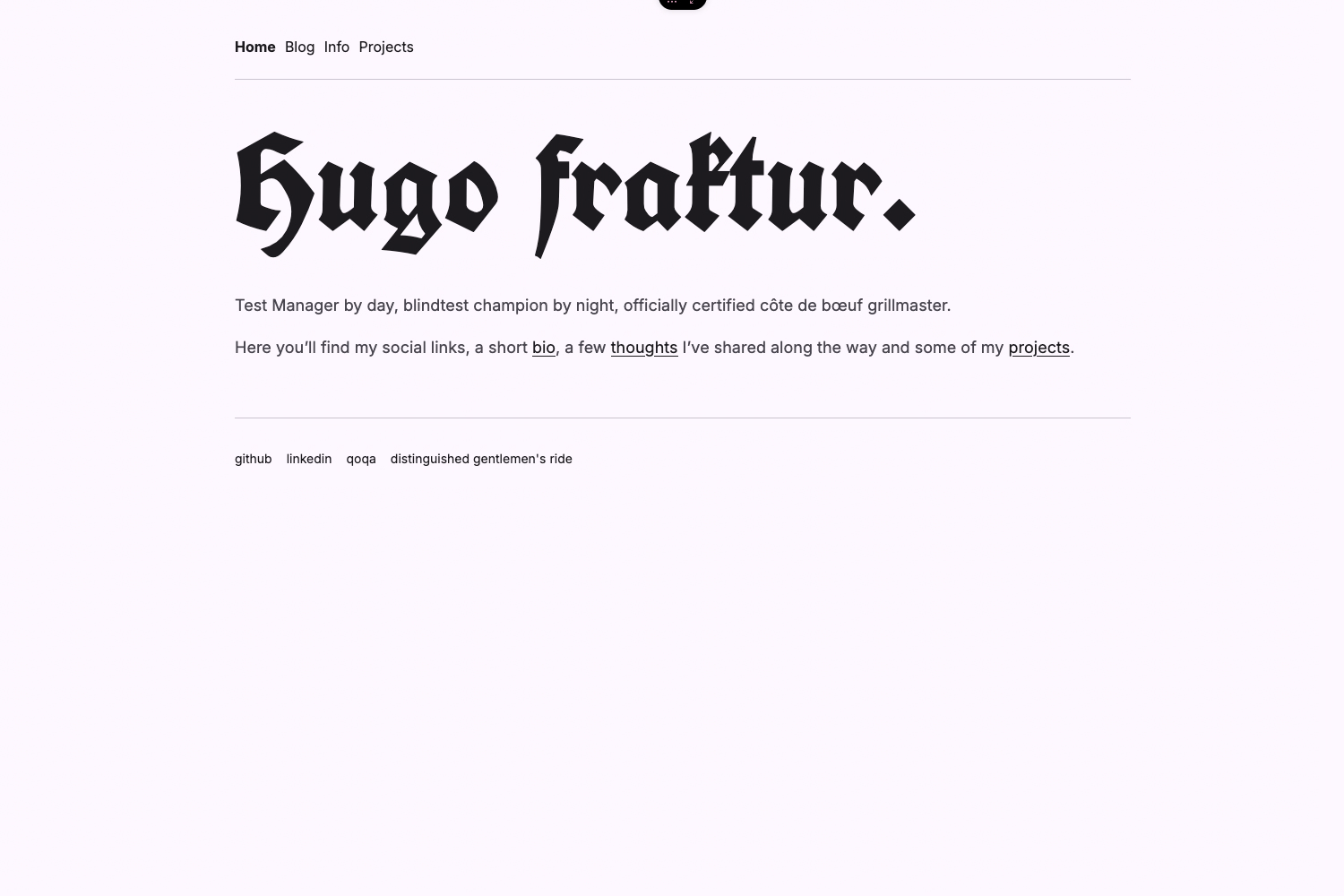
An IndieWeb-friendly, typography-first Hugo theme with microformats2 markup and IndieAuth support.
About this template
Indigo is a lightweight, responsive, typography-first theme for the Hugo static site generator, built for IndieWeb publishing with microformats2 markup and IndieAuth support.
What is Indigo?
Indigo is a theme for Hugo that converts Markdown content files into a static blog website with a strong emphasis on readability. It requires Hugo version 0.58 or newer and is maintained by Angelo Stavrow, with source code available on GitHub. As output, the theme generates a fast, mobile-friendly HTML site that includes semantic microformats2 annotations for IndieWeb interoperability.
Key Features
- Lightweight and responsive — No JavaScript framework is required; the theme adapts to screen sizes with pure CSS, keeping pages fast to load.
- Typography-first design — Bundles open-source fonts Fira Sans (headings), Charter (body), and Fira Code (monospace) inside the theme's static/fonts folder.
- IndieWeb support — Includes microformats2 markup for posts, IndieAuth integration, and a social footer with configurable links.
- Custom CSS override — Drop a custom.css file into your site's static/css folder to add or override styles without forking the theme.
- Configurable content lists — The mainSections parameter lets you specify which content types, such as posts and updates, appear in your site's list views.
- Author bio toggle — Show or hide an author bio using the ShowBio parameter in config.toml.
- Sample configuration — A config.toml.example file is included, along with a demo site at hello-indigo.glitch.me.
Who is it for?
- IndieWeb enthusiasts — Those who want their blog to publish with microformats2 and support IndieAuth for decentralized identity.
- Typography-focused bloggers — Writers who prioritize a clean, readable reading experience over layout complexity.
- Hugo developers — Users who need a simple, customizable theme that stays compatible with recent Hugo releases.
- Personal site owners — Anyone looking for a minimal, fast personal blog that loads quickly and looks great on any device.
Use cases
- IndieWeb participants: Publish posts with microformats2 markup and enable IndieAuth to establish independence from third-party silos.
- Bloggers: Set up a fast, typography-first blog in minutes by copying the sample config and updating social links.
- Developers: Customize the theme's look with a custom.css file and control which content types appear in list views.
How does it work?
After cloning the theme into your Hugo site's themes folder, copy config.toml.example to the site root as config.toml. Set the theme parameter to "indigo", configure social and indieWeb parameters, then run Hugo to generate your static site. The theme watches for a custom.css file in static/css and automatically includes it in the rendered pages.
Pricing
Free and open source under the MIT License, allowing commercial and personal use without restrictions.
FAQ
Is Indigo free to use?
Yes, Indigo is released under the MIT License, so you can use, modify, and redistribute it freely, including in commercial projects.
What version of Hugo does Indigo require?
Indigo requires Hugo version 0.58 or later. Run hugo version to check your installation, and follow the upgrade instructions on the Hugo website if you need a newer version.
How do I customize the theme's appearance?
Create a custom.css file in your site's static/css directory. Indigo automatically loads it, letting you override default styles without editing the theme's source files.
What IndieWeb features does Indigo include?
Indigo uses microformats2 markup for posts, supports IndieAuth, and offers a configurable social footer with icons from Font Awesome and services like Micro.blog and Glitch.
Can I show only certain content types in lists?
Yes, set the mainSections parameter in your config to an array of content types, such as ["posts", "updates"], to control which sections appear in the site's list views.