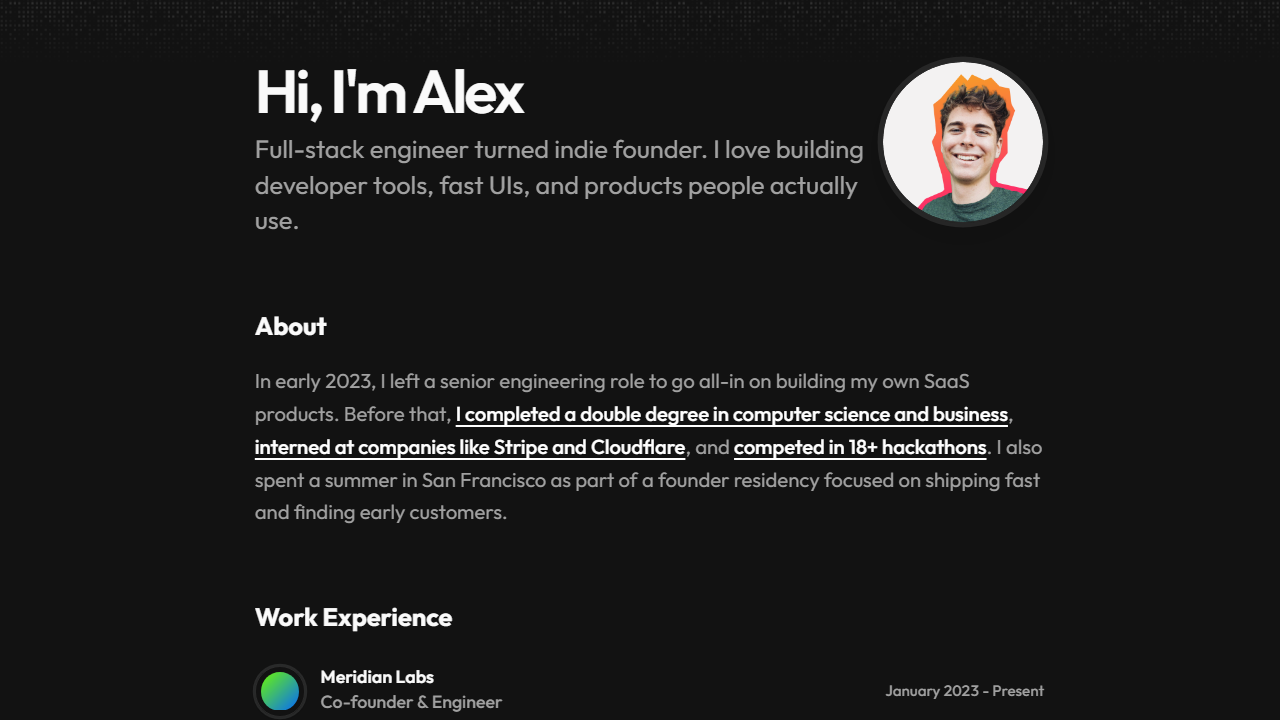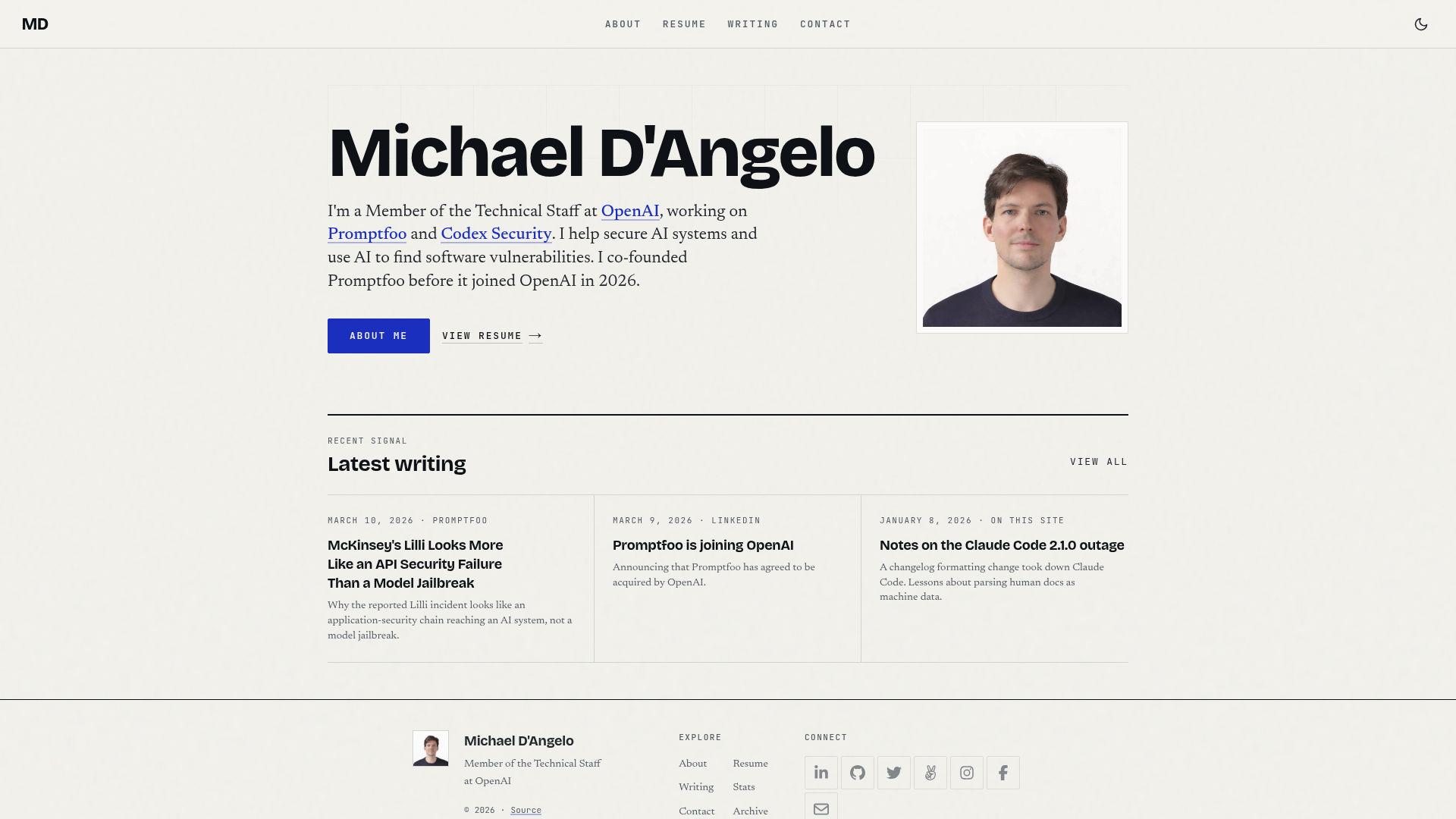
Template details
Astro Scholar
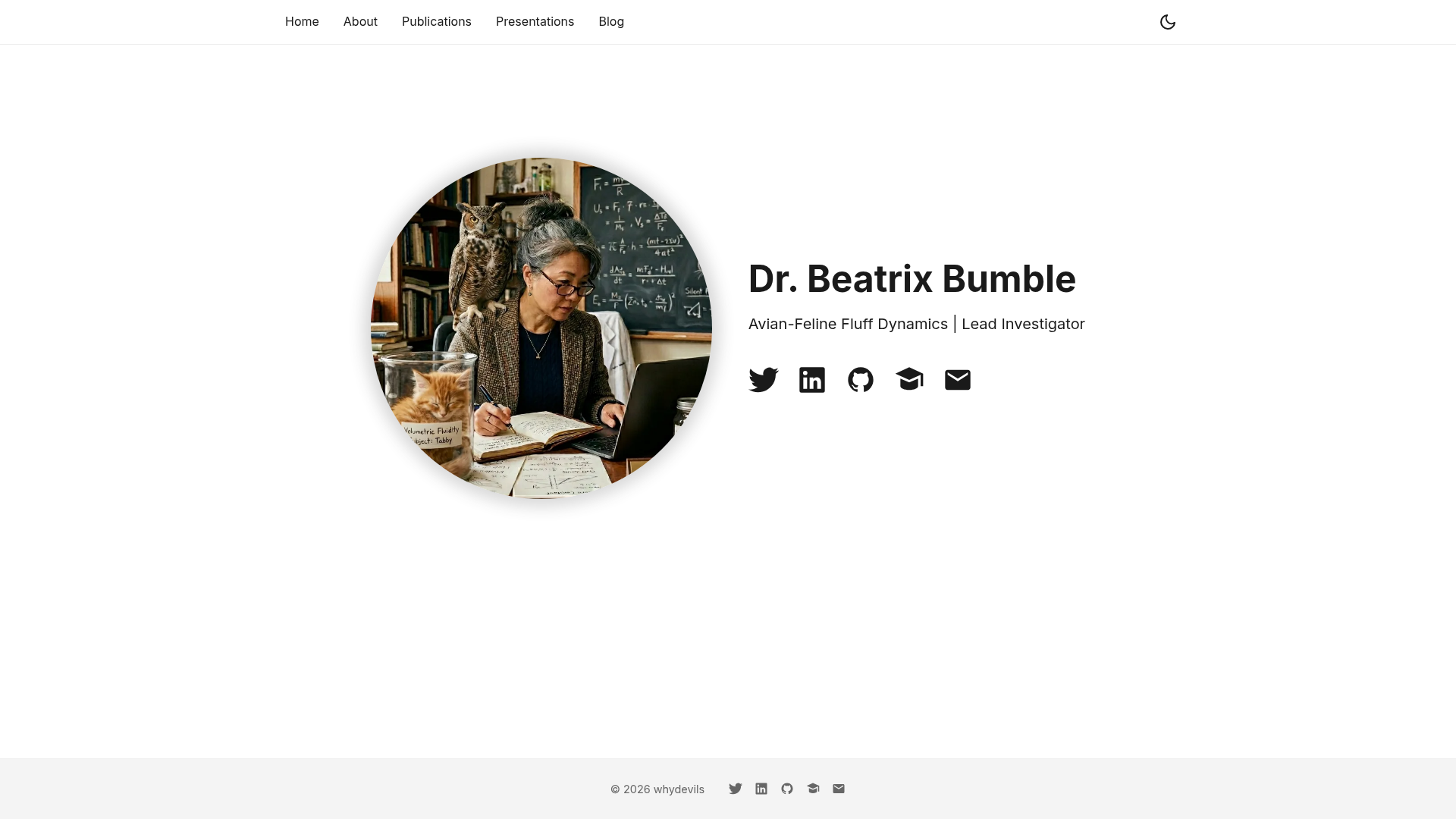
Simple academic personal homepage built with Astro, with pages for bio, publications, presentations, and a blog.
About this template
Astro Scholar is a free, MIT-licensed academic personal homepage template built with Astro, designed to publish an introduction, publications, presentations, and a blog from static files.
What is Astro Scholar?
Astro Scholar is a static-site template for academics and researchers who need a personal homepage. It takes your bio, publication records, talk slides, and blog posts as inputs — stored in editable JSON, Markdown, and .astro files — and produces a fast, deployable static website. It runs on the Astro framework (Node.js 18+ for local builds), is created by whydevils, and is licensed under MIT. The template includes pages for homepage, about, publications, presentations, and blog, with a filterable publication list and tag-filterable blog index.
Key Features
- Astro framework — The site is built with Astro, producing static HTML with no client-side JavaScript overhead for content pages.
- Publication filter UI — The publications page reads
src/data/publications.json, where each entry can include title, authors, journal, year, link, abstract, DOI, authorship (first, last, or other), and publicationType; each unique publicationType automatically becomes a filter button. - Blog with tag filters — Blog posts are Markdown files under
src/pages/blog/with frontmatter for layout, title, date, description, and tags; tags become clickable filters on the blog index. - Single-file configuration — Name, tagline, and social links are set in
src/constants.ts, and any field can be hidden by setting it to an empty string. - Automatic GitHub Pages deployment — A GitHub Actions workflow at
.github/workflows/deploy.yamldeploys the site to GitHub Pages on every push tomain, after a one-time setup that sets the Pages source to GitHub Actions. - Customizable colors and fonts — Accent color and font are defined in
src/styles/global.css; the font is loaded from Google Fonts and can be swapped by changing the import andfont-familydeclaration. - Extensible page structure — Any
.astrofile added tosrc/pages/becomes a route; copying an existing page and adding a nav link insrc/components/Navigation.astrois the documented way to add pages. - Portrait asset slot — Profile photo is a single replaceable file,
src/assets/portrait.png, with the docs recommending a square image at least 400×400px.
Who is it for?
- Early-career researchers and PhD students — publish a bio, CV-style position/education/awards details, and a publication list with filtering by authorship and publication type.
- Academics who need a blog — write methodology notes or field notes as Markdown posts, with tag filtering to group them.
- Developers who want a fast static academic site — the Astro-based setup stays buildable with Node.js 18+ and can deploy to Netlify, Vercel, Cloudflare Pages, or any static host via
npm run build.
What can you do with Astro Scholar?
- Maintain a filterable publication list — Add entries to
src/data/publications.jsonwith fields like DOI and authorship; visitors can filter by first/last author and by publication type such as Journal or Conference. - Present talks and slides — Use the presentations page for talk metadata and place HTML slide decks in
public/presentations/so they're served alongside the site. - Publish a blog with images — Write Markdown posts with tag filters; images go in
public/images/blog/, with the path adjusted for root vs sub-path deployments (e.g.,/repo-name/images/blog/filename.png). - Deploy to GitHub Pages automatically — Push to
mainand the included GitHub Actions workflow rebuilds and publishes the site, after configuringastro.config.mjswith the correctsiteandbasevalues.
How does Astro Scholar work?
To get started, fork the repository and edit the files listed in the README: update src/constants.ts with your details, replace src/assets/portrait.png, edit the .astro page files, add publications to src/data/publications.json, and write blog posts as Markdown in src/pages/blog/. If you want to preview locally, install Node.js 18+, run npm install, then npm run dev to serve at http://localhost:4321. For production, push to main and the included GitHub Actions workflow deploys to GitHub Pages automatically.
FAQ
Is Astro Scholar free to use?
Yes, the template is released under the MIT license, so it is free to use, modify, and distribute, including for commercial purposes.
What do I need to build the site locally?
You need Node.js version 18 or later. Then run npm install followed by npm run dev to preview at http://localhost:4321, or use npm run build to produce a static dist/ folder.
How do I deploy to GitHub Pages?
The repo includes a GitHub Actions workflow. After pushing to main, go to Settings → Pages → Build and deployment and set the source to "GitHub Actions". You also need to edit astro.config.mjs to set site and, for sub-path repos, base to the repo name.
How do I add a new blog post?
Create a new .md file in src/pages/blog/ with frontmatter containing layout, title, date, description, and tags. Place any images in public/images/blog/ and reference them with the correct base path for your deployment.
Can I change the accent color and font?
Yes. Open src/styles/global.css, where the accent color and font are defined. The font is loaded from Google Fonts; change the import and the font-family declaration to use a different typeface.