Template details
Starfolio
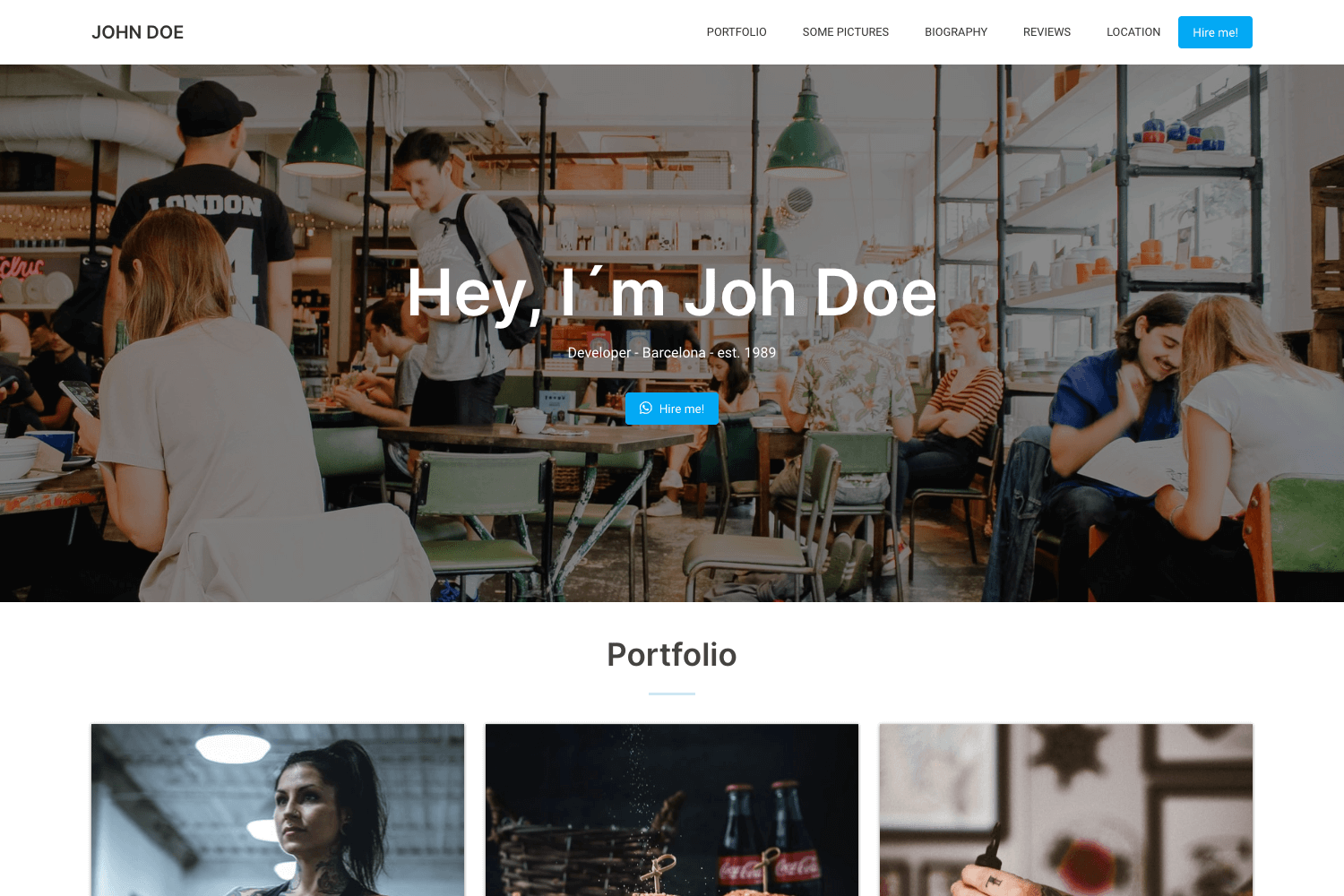
A modern, minimal Astro v6 portfolio template with Tailwind CSS v4, shadcn/ui, and MDX blog. Edit three files, deploy anywhere.
About this template
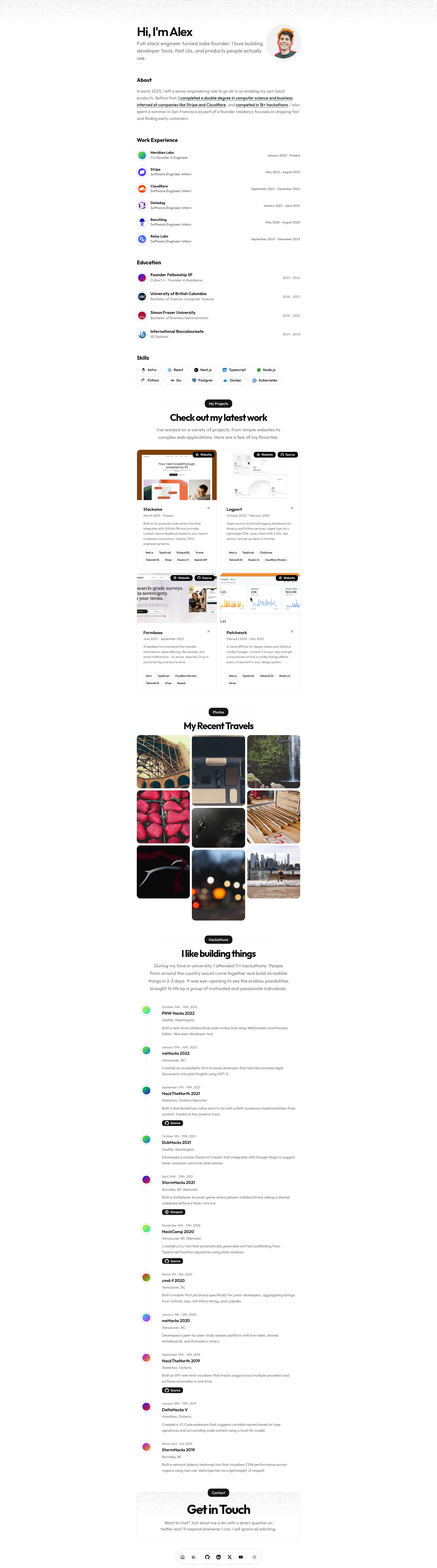
Starfolio is a developer portfolio template built on Astro v6 that generates a complete resume website — bio, work history, projects, skills, hackathons, social links, and an MDX blog — from three editable files.
What is Starfolio?
Starfolio is a modern, minimal portfolio template built on Astro v6 with React for interactive islands, Tailwind CSS v4 for styling, shadcn/ui for accessible UI primitives, and MDX for blog content. It takes your personal data from a single typed TypeScript data file plus a site config file and outputs a static, responsive website that ships zero JavaScript by default. The template is pre-configured for Cloudflare Pages via the @astrojs/cloudflare adapter and is published on GitHub at github.com/webrating/starfolio, with a live demo at astro-portfolio-template.stackrater.io.
Key Features
- Three-file customization — Your name, bio, work, education, projects, skills, hackathons, and social links live in
src/data/resume.tsx; site URL, SEO settings, theme colors, and font size live insrc/data/config.ts; blog posts live insrc/content/blog/*.mdx. You never touch component files. - Astro v6 static-first — The template ships zero JavaScript by default; React is only loaded for interactive islands, keeping pages fast.
- Tailwind CSS v4 + shadcn/ui — Styling uses Tailwind v4 utility classes with shadcn/ui components, including configurable border radius and theme variables.
- Light and dark mode — Automatic system detection with CSS variables for light and dark themes defined in one place in the config.
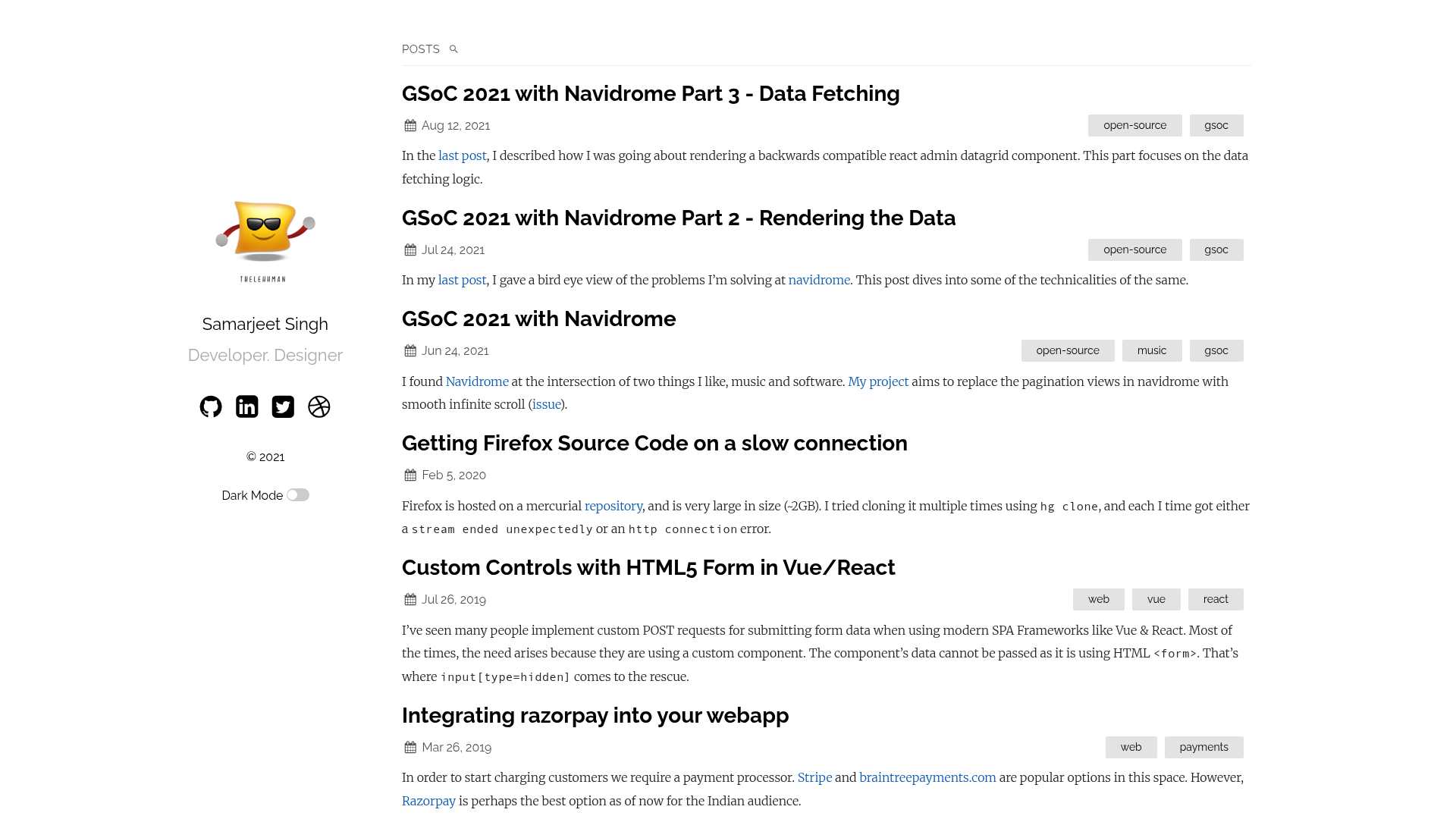
- MDX blog — Full MDX support with components, syntax highlighting, and code blocks; each post uses frontmatter for title, published date, summary, and optional cover image.
- SEO-ready — Includes meta tags, Open Graph images, sitemap, robots.txt, and configurable title template and Twitter card settings.
- Type-safe — TypeScript throughout, including the typed resume data file, so invalid fields are caught at build time.
- Variable fonts — Swap fonts quickly via Fontsource packages; both a sans and a mono font are required for headings/body and code blocks respectively.
- Pre-configured deployment — Cloudflare Pages adapter is set up out of the box, swappable for Vercel, Netlify, GitHub Pages, Node, or static hosting via
astro.config.mjs.
Who is it for?
- Software developers looking to launch a personal portfolio site quickly can edit the resume data file and deploy in minutes without writing components.
- Technical bloggers who want a writing space alongside their resume can publish MDX posts with code highlighting and frontmatter metadata.
- Students and recent graduates can showcase education, hackathons, projects, and skills in a clean, mobile-first layout.
- Design-minded developers who want a modern, minimal aesthetic with light/dark mode and variable typography can customize the theme colors and fonts from a single config file.
What can you do with Starfolio?
- Create a resume site: Fill in the DATA object in
resume.tsxwith your name, bio, social links, work history, education, projects, and hackathons, and the homepage, hero, and sections render automatically. - Publish a blog: Drop a Markdown or MDX file with frontmatter into
src/content/blog/to add a post with syntax highlighting and inline components. - Customize the theme: Copy any theme from ui.shadcn.com/themes or tweakcn.com into the
light/darkblocks inconfig.ts, and adjust global font size with a percentage inbaseFontSize. - Deploy anywhere: Run
pnpm buildto output adist/folder, then deploy to Cloudflare Pages, Vercel, Netlify, GitHub Pages, or any static host after swapping the adapter.
How does Starfolio work?
Clone the repository, install dependencies with pnpm install (Node.js 22.12.0 or newer and pnpm are required), then run pnpm dev to start the dev server at localhost:4321. Edit the three configuration files to replace placeholder content, then run pnpm build and deploy the dist/ folder to your chosen host.
Pros and cons
Pros:
- Edit three files instead of hunting through components.
- Static-first with zero JS by default for fast pages.
- MIT licensed — free for personal and commercial use.
- Pre-configured Cloudflare adapter with one-click deploy badge.
Cons:
- Requires pnpm as the package manager and Node.js 22.12.0 or newer.
- Font customization requires installing both a sans and a mono variable font from Fontsource.
Pricing
Starfolio is released under the MIT license, so it is free to use for both personal and commercial projects. There are no paid tiers or subscription fees.
Alternatives
- dillionverma/portfolio — the original Next.js portfolio template that inspired Starfolio; it uses a different framework (Next.js instead of Astro) and is not built on the three-file data model.
FAQ
Is Starfolio free?
Yes, the template is licensed under MIT, meaning it is free for personal and commercial use. You can modify and redistribute it without restriction, though attribution to the original project is appreciated.
What files do I need to edit?
You only need to edit three places: src/data/resume.tsx for your personal information, src/data/config.ts for site settings and theme, and src/content/blog/ for blog posts. The components, layouts, and styles are designed to read from these files, so you never edit them.
Can I deploy to Vercel or Netlify?
Yes. The template is pre-configured for Cloudflare via @astrojs/cloudflare, but you can swap the adapter in astro.config.mjs for Vercel, Netlify, GitHub Pages, Node, or static hosting. The pnpm build command always produces a dist/ folder you can upload anywhere.
What Node.js version is required?
Node.js 22.12.0 or newer is required, along with pnpm as the package manager. Using an older version of Node or npm may cause install or build errors.
Does the template include dark mode?
Yes, Starfolio ships with automatic light and dark mode based on system preference. Both themes use CSS variables defined in config.ts, so you can override the colors without touching CSS files.