Template details
Astro Shopify Polaris
Astro template for Shopify's Polaris Design System
About this template
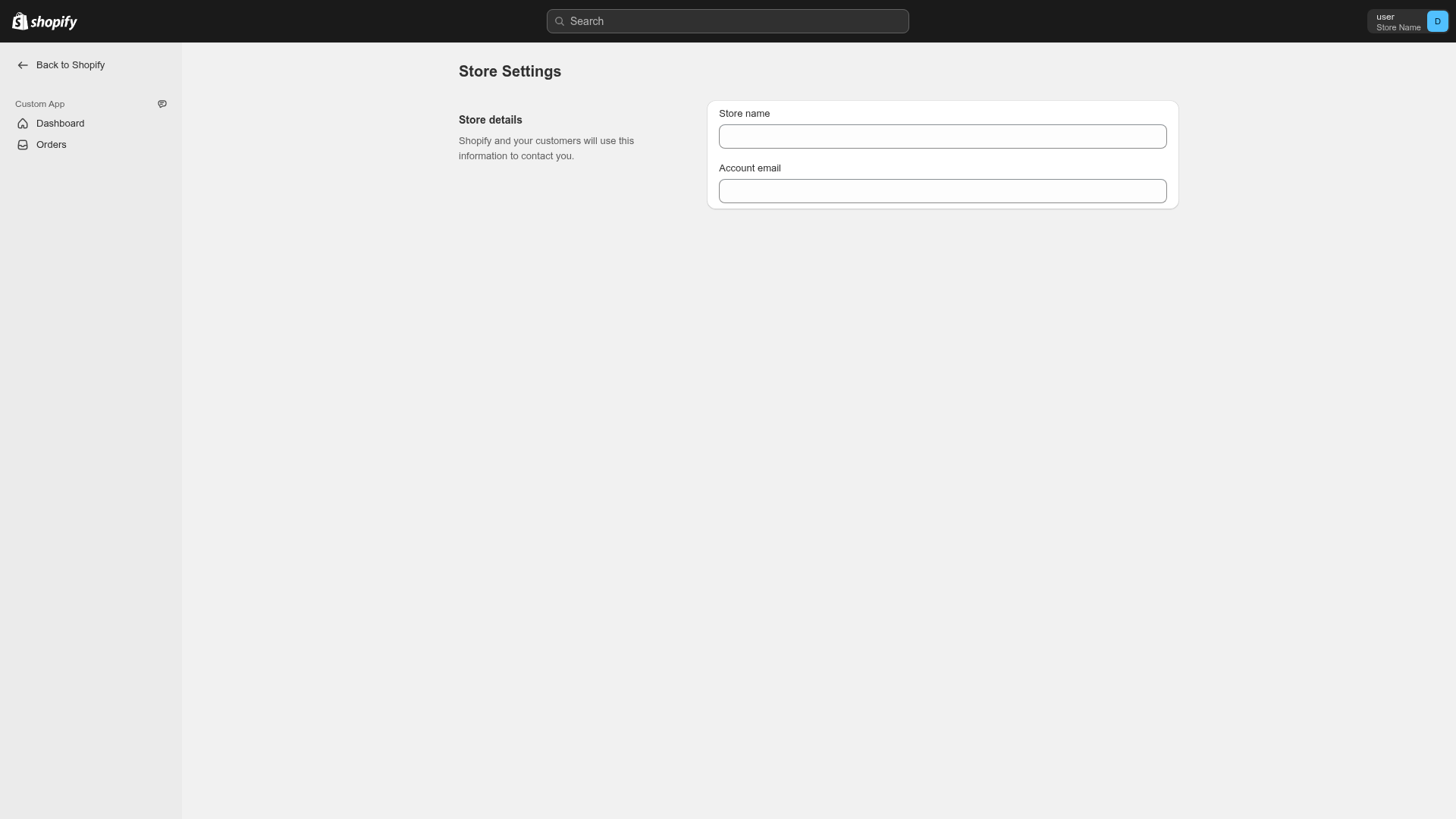
Astro Shopify Polaris is an Astro template that integrates Shopify's Polaris design system and React components into an Astro project for building Shopify admin app interfaces. Created by getmarkus, it gives developers a starting point to experiment with Polaris inside the static-site Astro framework. The template can be installed with npm create astro@latest -- --template getmarkus/astro-shopify-polaris and includes a live demo at https://www.christophermarkus.com/astro-shopify-polaris/. The project is explicitly a work in progress and not yet functionally complete.
What is the Astro + Shopify Polaris template?
Astro Shopify Polaris is an Astro template that combines Shopify's Polaris design system and React components with the Astro framework, targeting the creation of Shopify admin interfaces. It takes as input an empty Astro project and produces a preconfigured site with Polaris components wired up, ready for experimentation. The template runs on Astro, which ships zero client-side JavaScript by default, and uses Shopify's official Polaris React component library for the UI layer.
Key features
- Astro framework — The template is built on Astro, a static site generator that supports UI components from multiple frameworks, including React.
- Polaris React components — It uses Shopify's official Polaris React component library, which provides the design language for Shopify admin apps.
- AppProvider requirement — All Polaris components must be wrapped in the Polaris AppProvider utility, and the template demonstrates this integration.
- Standard Astro commands — Includes the usual Astro CLI commands:
npm install,npm run dev(local server at localhost:4321),npm run build(outputs to./dist/), andnpm run preview. - Scaffolding via CLI — Developers can create a new project directly with
npm create astro@latest -- --template getmarkus/astro-shopify-polaris. - Experimental roadmap — The template documents three steps: verifying Polaris works with Astro (so far successful), exploring Shopify app integration (work in progress), and complying with Shopify's App Design Guidelines (not yet started).
Who should use it?
- Shopify app developers who want to evaluate Astro as an alternative to Shopify's official Remix or Node app templates.
- Astro enthusiasts looking for a reference implementation showing how to combine Astro with Shopify's Polaris components.
- Prototypers who need a quick scaffold to mock up Shopify admin interfaces using Polaris without setting up a full Shopify backend.
What can you do with Astro Shopify Polaris?
- Experiment with Polaris in Astro: Developers can run the template and inspect how Polaris components behave alongside Astro's static output.
- Prototype admin UIs: Use the template to quickly build admin pages that follow Shopify's design language while staying within a static-site workflow.
- Build a foundation for a Shopify app: Although incomplete, the template aims to eventually integrate with Shopify's app system and App Design Guidelines, making it a candidate for future admin extension work.
How does the template work?
The project breaks down into three broad steps. First, it verifies that Polaris React components work inside Astro, which has succeeded so far; the key constraint is wrapping components in the Polaris AppProvider. Second, it explores integration with Shopify's system, which is still work in progress since Shopify recommends its official Remix and Node templates. Third, it aims to comply with Shopify's full App Design Guidelines, also not yet completed.
FAQ
Is this template production-ready?
No. The README states the project is a work in progress and not functionally complete, so it should be treated as an experimental starting point rather than a production solution.
How do I install the template?
Run npm create astro@latest -- --template getmarkus/astro-shopify-polaris in your terminal, then follow the Astro CLI prompts to scaffold a new project.
Does it require Polaris AppProvider?
Yes. The implementation requires that all Polaris components be wrapped in the AppProvider utility component, which is a Polaris requirement for context provisioning.
What Astro commands are available?
The template supports the standard Astro commands: npm run dev starts the local dev server on port 4321, npm run build generates a static build to ./dist/, npm run preview serves the built site locally, and npm run astro runs CLI utilities.