Template details
Astro Status Page
A free open-source status page built with Astro that displays uptime from the OpenStatus API.
About this template
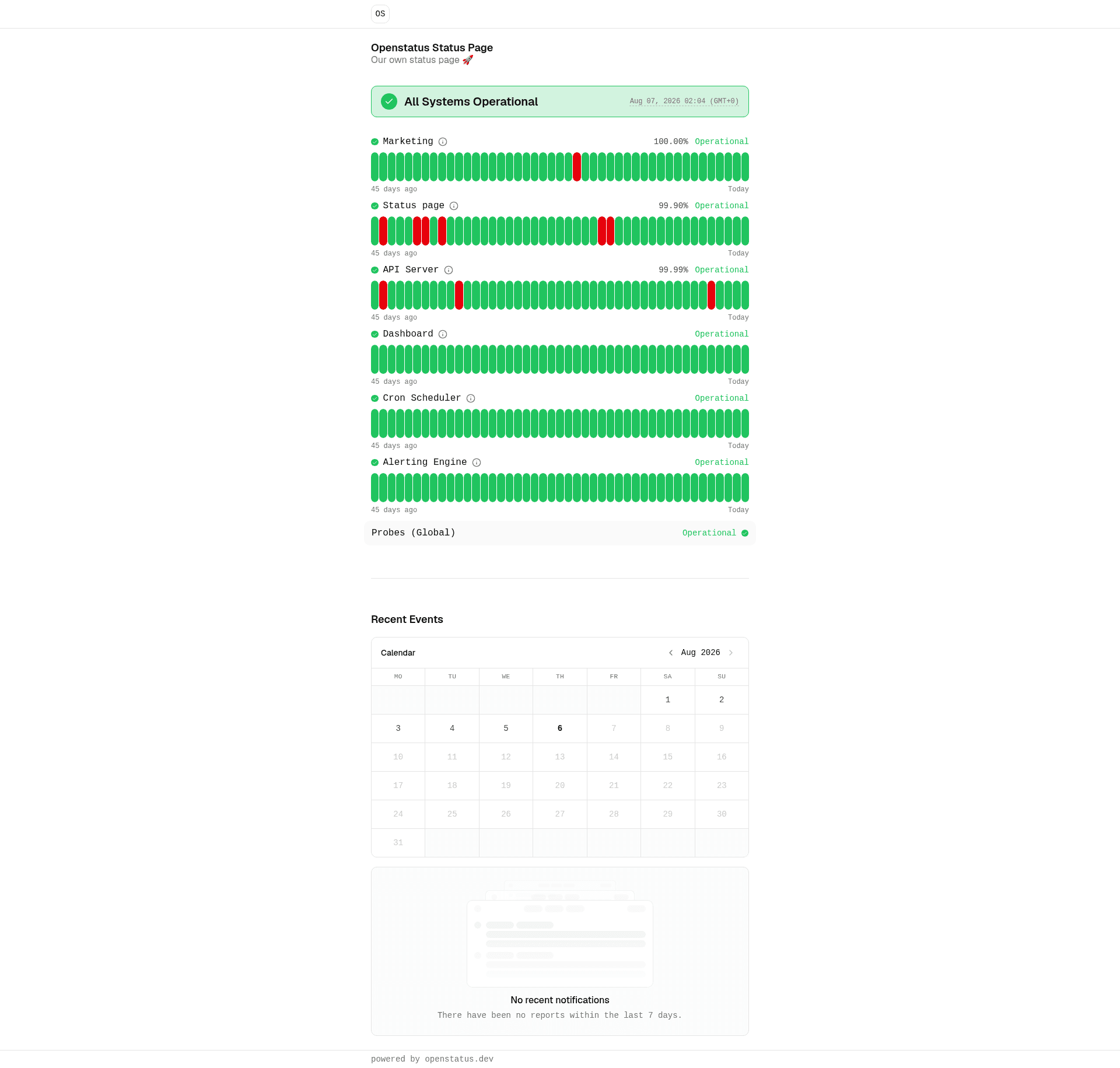
Astro Status Page is an open-source status page template built with Astro that fetches uptime data from the OpenStatus API and renders it as a public status page. It is created by OpenStatus and designed to be forked and customized. You can view a live demo at https://astro.openstat.us.
What is Astro Status Page?
Astro Status Page is a minimal status page starter that connects to the OpenStatus API instead of managing its own monitoring backend. You provide an API key, and the template pulls monitor statuses and displays them on a clean web page. It is built on Astro, styled with Tailwind CSS, and intended to be deployed to Cloudflare Workers.
Key Features
- OpenStatus API integration — Display uptime and status details from monitors you've already created on OpenStatus, using an API key stored as an environment variable.
- Astro framework — A static-first web framework that produces fast, lightweight pages with minimal JavaScript by default.
- Tailwind CSS — Utility-first styling that makes it easy to customize the look of the status page without writing custom CSS.
- Cloudflare Workers deployment — The project includes a wrangler configuration and a deploy command (
pnpm run deploy) that ships the page to Cloudflare's edge network. - Simple setup — Clone the repository, run
pnpm install, copy.dev.vars.exampleto.dev.vars, fill in yourAPI_KEY, and start developing withpnpm dev. - Forkable and customizable — Built as a starter, so you can fork the repo, change content, and tailor the page to your own brand.
Who is it for?
- Developers who need a status page — Set up a public page showing your service's uptime without building a monitoring system from scratch.
- Teams using OpenStatus — If you already rely on OpenStatus for monitoring, this template turns your monitor data into a customer-facing page.
- Solo makers with Cloudflare accounts — Deploy a polished status page on Cloudflare Workers quickly, using the free tier and the provided wrangler secret workflow.
What can you do with Astro Status Page?
- Show service status — Display the operational state of your monitored endpoints on a public page that updates based on OpenStatus data.
- Self-host your status page — Run the template on your own Cloudflare Workers account, keeping your status page under your control.
- Customize the branding — Edit the Astro components and Tailwind classes to match your site's design and add your own copy.
How does Astro Status Page work?
The workflow starts with an OpenStatus account: create monitors, then create an API key in the settings. In the local project, set the API key as the API_KEY environment variable (in .dev.vars for development, or as a Cloudflare secret for production). Run pnpm dev for local editing, then pnpm run deploy to publish to Cloudflare Workers.
FAQ
Is Astro Status Page free?
The template is open source and free to use. Deployment to Cloudflare Workers has a free tier, though you'll need an OpenStatus account and API key to fetch monitor data.
How do I get an OpenStatus API key?
Sign up at OpenStatus, create the monitors you want to track, then navigate to settings and generate a new API key. Copy that key into the template's environment variables.
Can I deploy this without Cloudflare Workers?
The project includes instructions for Cloudflare Workers and uses wrangler for deployment. While Astro sites are portable, the provided commands and secrets workflow are specific to Cloudflare Workers.
What does the template output?
It produces a static status page that lists your OpenStatus monitors and their current status, styled with Tailwind CSS and served from Cloudflare's edge network.