Template details
Astronotion Starter SSG
Opinionated starter site to make Astro sites with content from Notion, Markdown, and more
About this template
Astronotion Starter SSG is an opinionated Astro starter theme that builds static websites from content stored in Notion, using the Astronotion library to fetch, transform, and render Notion pages as Astro components. It combines the Astro static site generator with Notion as a headless CMS, giving you a fast, accessible site that generates entirely to HTML files.
What is Astronotion Starter SSG?
Astronotion Starter SSG is a GitHub template by ekafyi that creates a production-ready Astro site powered by Notion content. It takes public Notion page IDs and Markdown files as input, runs an Astro build, and outputs a static dist/ folder ready to deploy. The starter is currently limited to static site generation (SSG) only, meaning it pre-builds every page at build time rather than rendering on the server.
Key Features
- Notion as CMS — Uses the Astronotion library to fetch pages from Notion and render them as Astro components; sample standalone and collection page structures are included.
- Tailwind CSS and daisyUI theming — Multiple customizable colour modes are available out of the box, configurable through Tailwind and daisyUI utility classes.
- SEO and accessibility — Ships with sitemap generation, metadata handling, web manifest, semantic HTML markup, and lazy-loaded images.
- A+ Lighthouse score — The starter is designed to achieve an A+ rating in Lighthouse performance audits, according to its documentation.
- Markdown fallback — Includes Markdown example pages so you can build content without Notion if you prefer.
- One-click deployment — Deploy directly to Vercel or Netlify with platform-specific buttons, or via their CLI commands (
netlify deploy,vercel deploy --prebuilt). - Simple configuration — A single config file at
src/configs/an-starter-config.mjscontrols site content and data, and placeholder branding assets live in thepublic/folder.
Who is it for?
- Developers who want to use Notion as a CMS — Set up a blog or content site where editors write in Notion and the site rebuilds statically.
- Static site enthusiasts — Those already comfortable with Astro who want a pre-configured project with SEO, theming, and deployment wiring.
- Creators or small teams needing a fast, low-cost site — The SSG output can be hosted anywhere, and the one-click deploys make launching straightforward.
What can you do with Astronotion Starter SSG?
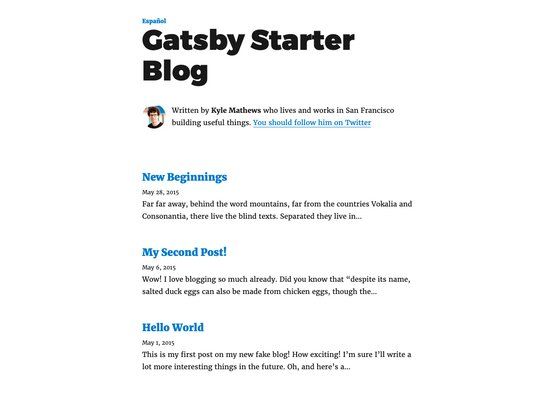
- Launch a blog or journal — The included collection example shows how to create a journal with index and dynamic slug pages fed from a Notion parent page.
- Build a kitchen-sink demo page — A standalone page example renders all Notion block types to showcase how content appears on your site.
- Customize the look — Swap Tailwind/daisyUI themes and replace the sample favicon, manifest, and branding icons with your own assets.
- Deploy to a static host — After running
npm run buildyou can host thedist/directory on Netlify, Vercel, or any static file server.
How does Astronotion Starter SSG work?
After creating a repo from the template, you run npm install and npm run dev to start a local server at localhost:3000. To point the site at your own content, you edit the config file, replace the public assets, and update the sample Notion page IDs — making sure each Notion page is publicly shared. Then run npm run build to generate the static site in dist/.
FAQ
Is Astronotion Starter SSG free to use?
Yes, the starter is an open-source GitHub template, so you can clone it, modify it, and use it for personal or commercial projects without license fees.
How do I deploy it to Vercel or Netlify?
You can use the one-click deploy buttons provided on the GitHub page, or run the CLI commands vercel deploy --prebuilt or netlify deploy after building. Automatic deployments trigger when you push to a connected repository.
Do I need to make my Notion pages public?
Yes, the Astronotion library only fetches pages that are shared publicly on Notion. The starter's example pages link to public Notion pages you can test with.
What is the difference between the standalone and collection page examples?
A standalone page (e.g., kitchen-sink-notion.astro) renders a single Notion page. Collection pages (journal/index.astro and journal/[...fullSlug].astro) fetch a parent Notion page and generate individual URLs for each child page, useful for blogs or documentation sections.