Template details
AstroPico
A minimal, static Astro theme styled with Pico CSS for blogs and simple websites.
About this template
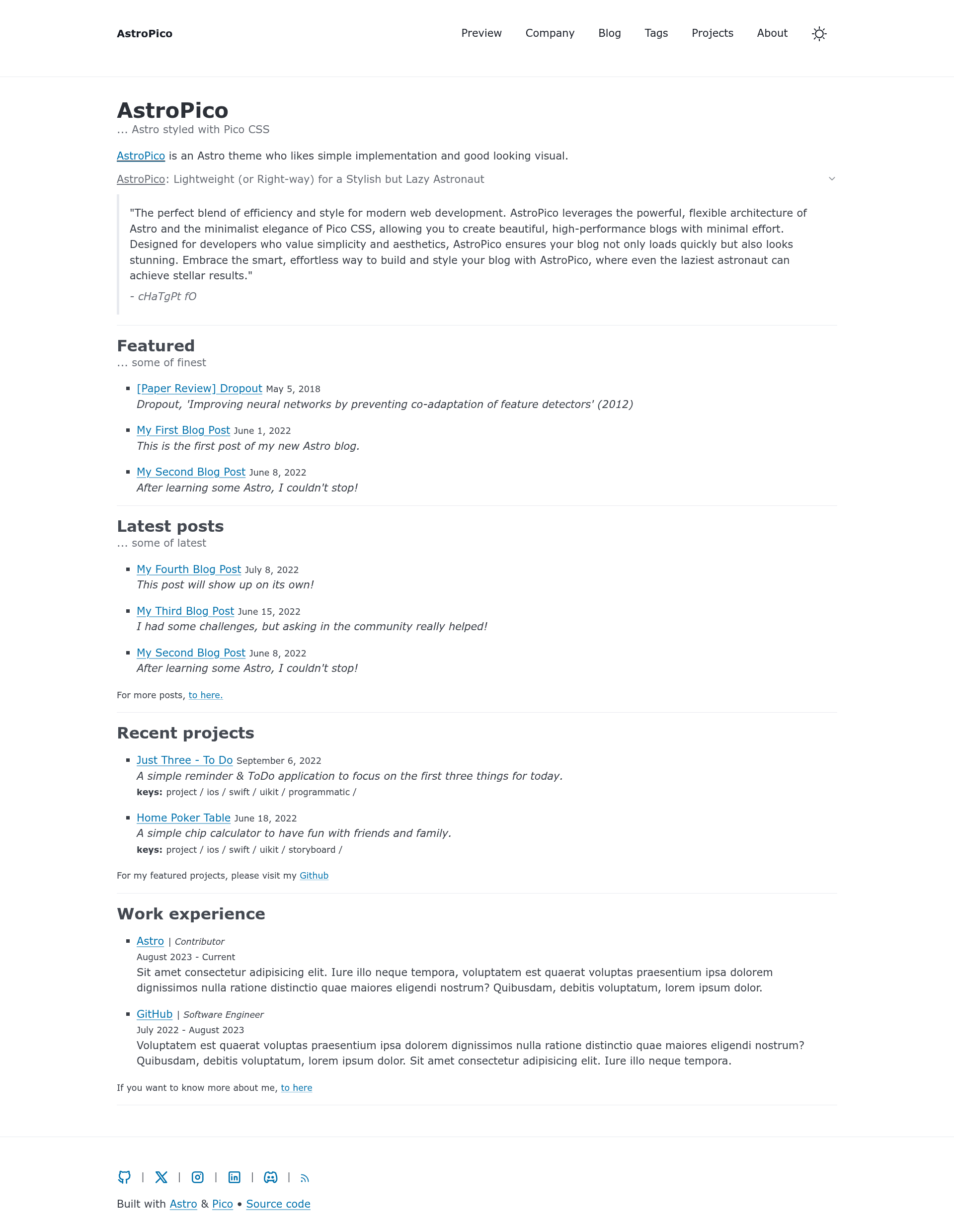
AstroPico is a static, minimal Astro theme styled with Pico CSS for building lightweight blogs and simple websites.
What is AstroPico?
AstroPico is a free, MIT-licensed Astro template created by GitHub user san-ghun that pairs Astro with Pico CSS to produce a static, fast-loading blog or simple website. It accepts Markdown files for blog posts and MDX files for project posts, and outputs a fully static site with an auto-generated RSS feed and sitemap. The template is written in TypeScript with Astro components and optional React components, and it runs on any static host; the included demo deploys to Netlify.
Key Features
- Light/Dark theme — Toggle between light and dark modes using Pico CSS's built-in theming.
- Markdown and MDX content — Blog posts are written in Markdown (src/content/posts), project posts in MDX (src/pages/projects).
- Auto-generated RSS feed — rss.xml.js builds an RSS feed from your posts without manual XML.
- Auto-generated sitemap — Astro's built-in sitemap integration outputs a sitemap for search engines.
- Typesafe development — TypeScript is included (tsconfig.json, env.d.ts) and the codebase is written with full type checks.
- Fast and responsive — The static output has no server dependencies; the template is designed to be lightweight and mobile-friendly.
- Tabler Icons — Social icons and an RSS icon are bundled via Tabler Icons.
- Pre-configured project structure — Includes layouts, components, content collections, and a 404 page.
Who is it for?
- Personal bloggers — Publish Markdown posts and get a fast, responsive site with automatic RSS for readers.
- Developers — Use Astro and TypeScript with a simple structure to build a minimal site without learning a complex framework.
- Portfolio owners — Create project case studies with MDX, embedding React components as needed.
- Minimalists — Anyone who wants a clean, lightweight site with no JavaScript-heavy frontend.
What can you do with AstroPico?
- Start a blog: drag-and-drop Markdown files into src/content/posts, and the site generates an index, tags page, and RSS automatically.
- Showcase projects: write MDX project posts that can include interactive React components for demos or documentation.
- Deploy quickly: run the npm build command and host the output anywhere static files are served, such as Netlify.
How does AstroPico work?
Install the template with npm create astro@latest -- --template san-ghun/astro-pico. Then use npm run dev to start a local server at localhost:4321, npm run build to build to ./dist/, and npm run preview to test the build locally. Content is added as Markdown or MDX files, and the auto-generated routes serve them as pages.
Pros and cons
- Pros: lightweight static output; automatic RSS and sitemap; typesafe codebase; MIT license for free use.
- Cons: SEO, pagination, and accessibility features are still unchecked in the template's own feature list.
Pricing
AstroPico is free and open source under the MIT license, with no paid tiers mentioned.
FAQ
Is AstroPico free?
Yes, AstroPico is released under the MIT license, so it is free to use, modify, and distribute.
What content formats does AstroPico support?
AstroPico supports Markdown for blog posts and MDX for project posts. MDX lets you embed React components in your content.
Does AstroPico include SEO features?
As of the template's feature checklist, SEO is not yet implemented. The sitemap is auto-generated, but other SEO optimizations are missing.
How do I install AstroPico?
Run npm create astro@latest -- --template san-ghun/astro-pico in your terminal, then install dependencies with npm install.
What is the project structure like?
The template uses src/content/posts for Markdown blog posts, src/pages/projects for MDX project pages, and includes layouts, components, a 404 page, and an rss.xml.js feed generator.