Template details
Wrighter
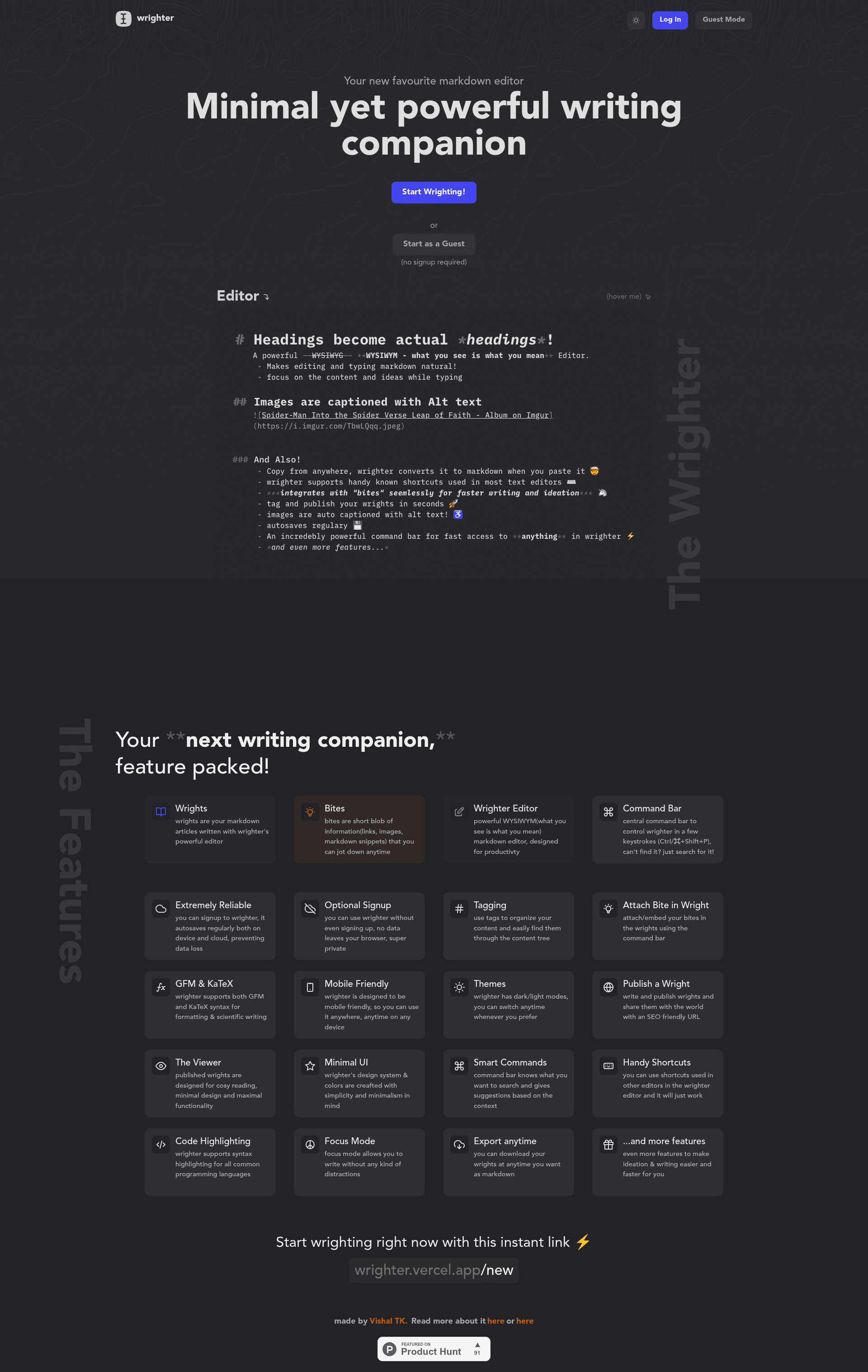
Wrighter is an open-source markdown blogging platform with a WYSIWYM editor, offline support, and a bites feature for collecting ideas.
About this template
Wrighter is an open-source markdown blogging platform that combines a WYSIWYM editor with a renderer, optional signup for offline use, and a bites feature for collecting ideas.
What is Wrighter?
Wrighter is a full-stack markdown blogging application with a Next.js client and a Fastify server, styled with Chakra UI. It provides a WYSIWYM (What You See Is What You Mean) markdown editor and a separate renderer, letting writers work in markdown while previewing the final output. The project is MIT-licensed, hosted on GitHub, and has a live demo at wrighter.vercel.app.
Key Features
- WYSIWYM markdown editor — Write and preview markdown in a single interface, with a renderer that displays the formatted result.
- Optional signup — Use Wrighter without an account; it works offline, and you can fork the repo for standalone use.
- Bites — A feature to gather and organize bite-sized ideas, which can later be expanded into full blog posts.
- Full-stack architecture — Separated
wrighter-client(Next.js) andwrighter-server(Fastify) codebases, using Prisma for database access. - MySQL database support — Configuration examples use a MySQL connection string, with environment variables for database URL, secret key, and cookie secret.
- MIT License — Free to use, modify, and redistribute, with contributions and feature ideas welcome.
Who is it for?
Wrighter is aimed at developers and writers who want a self-hostable blogging platform with a markdown-first workflow. Bloggers can publish posts using a clean editor and renderer. Developers can fork the repository to build custom writing tools or study the Next.js, Fastify, and Prisma stack. Writers who prefer local, offline work can use Wrighter without creating an account.
What can you do with Wrighter?
- Writers and bloggers: Write and edit markdown blog posts in the WYSIWYM editor, previewing the rendered output as you type.
- Developers: Fork the repository and run the app locally to customize the editor, add features, or use it as a full-stack TypeScript boilerplate.
- Idea collectors: Use the bites feature to store small ideas and later incorporate them into blog posts.
How does Wrighter work?
To run Wrighter locally, clone the repository, install dependencies with yarn, create environment configuration files for the client and server, and run yarn dev to start both processes concurrently. The client runs on localhost:3000 and connects to the server API via the configured API_BASE_URL.
FAQ
Is Wrighter free?
Yes, Wrighter is released under the MIT License, so it is free to use, modify, and distribute. The live demo is also available without payment.
Can I use Wrighter offline?
Yes, because signup is optional, you can use Wrighter offline or fork the project and run it standalone without a remote server.
What is the bites feature?
Bites is a feature in Wrighter that lets you gather and organize bite-sized ideas. You can later use these saved ideas when writing blog posts.
What technologies does Wrighter use?
Wrighter uses Next.js for the client, Fastify for the server, Chakra UI for styling, and Prisma for database access. The setup examples use MySQL as the database.