Template details
Autumn
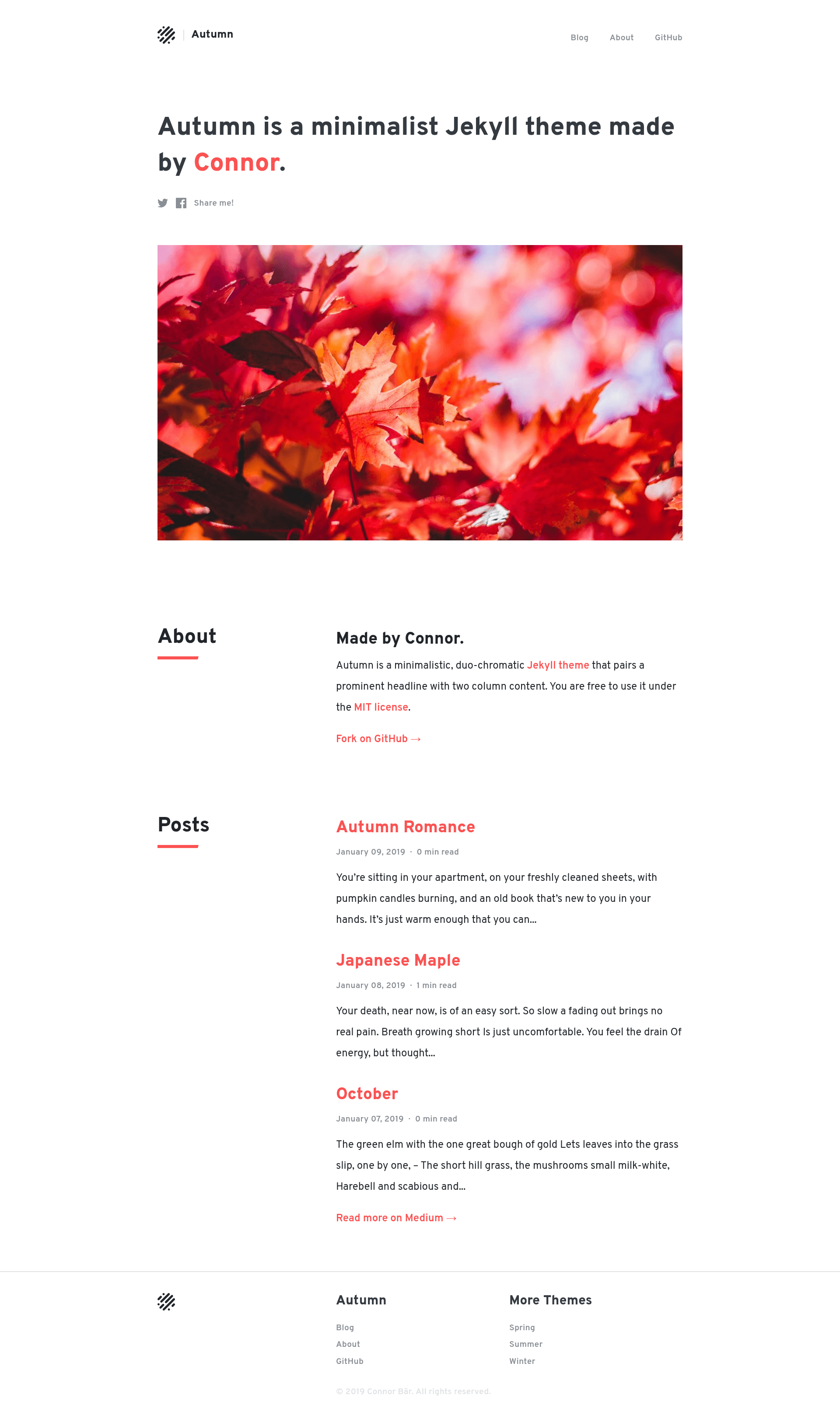
Autumn is a minimalistic, duo-chromatic Jekyll theme that pairs a prominent headline with two column content.
About this template
Autumn is a minimalistic, duo-chromatic Jekyll theme created by Connor Baer that pairs a prominent headline with two-column content. It is a fully furnished Jekyll setup—you clone the repository, install Ruby gems with bundle install and Node modules with yarn (or npm), then run yarn start to launch a local server on port 4000. The theme is open-sourced under the MIT license and, while no longer actively maintained, still works as-is and accepts pull requests and issues. It is designed for static sites generated by Jekyll, taking Markdown content and producing a clean blog or portfolio layout.
What makes Autumn stand out?
The standout trait is its duo-chromatic design: only two colors define the visual palette, giving the site a restrained, focused look. The prominent headline plus two-column content structure immediately orients readers. Autumn also includes a dark theme, which can be enabled through options in the _config.yml file—the same file where all customizable options live. For a theme, it ships with a complete toolchain: Ruby gems via Bundler and front-end dependencies via yarn/npm, so setup is scripted rather than manual. The repository includes a screenshot on its gh-pages branch and has earned 39 stars on GitHub.
Who should use Autumn?
Jekyll developers who want a minimal starting point can use Autumn as a base and override its configuration. Bloggers who prefer a two-column reading layout with a strong headline can publish Markdown posts without writing any HTML. Design-curious users can experiment with the duo-chromatic palette and dark theme toggle by editing _config.yml settings. Because it is unmaintained, developers who are comfortable maintaining open-source themes themselves will get the most value.
What can you do with Autumn?
- Bloggers: clone the repo, run
bundle installandyarn, thenyarn startto serve a blog locally on port 4000. - Portfolio owners: leverage the prominent headline and two-column content sections to showcase projects with visual hierarchy.
- Theme tinkerers: edit
_config.ymlto switch on the dark theme or adjust other options, then rebuild the site with Jekyll. - Self-hosters: deploy the generated static files anywhere Jekyll outputs, since it produces plain HTML.
How does Autumn work?
Autumn works like a standard Jekyll theme. After cloning the repository, you install the Ruby gems defined in the Gemfile with bundle install and the Node packages with yarn. Running yarn start starts the Jekyll server with the theme's defaults. Content is authored in Markdown, and Jekyll builds the site using the theme's layouts and styles. The configuration file _config.yml controls options like the dark theme.
Pros and cons
- Pros: minimalistic duo-chromatic design, dark theme option, fully furnished setup with Bundler and yarn/npm, MIT-licensed free usage.
- Cons: no longer actively maintained, so it may not receive updates for newer Jekyll versions or security fixes.
Pricing
Autumn is free and open source under the MIT license. There are no paid tiers or premium features.
FAQ
Is Autumn free?
Yes, Autumn is released under the MIT license, so you can use, modify, and redistribute it freely without cost.
Is Autumn still maintained?
No, the repository is no longer actively maintained, but the theme should work as-is. The original author welcomes bug fixes and feature requests through pull requests, and issues can be opened for help.
How do I install Autumn?
Clone the repository, run bundle install to install Ruby gems and yarn to install Node modules, then run yarn start to start the Jekyll server on port 4000.
Does Autumn include a dark theme?
Yes, Autumn supports a dark theme that can be enabled via options in the _config.yml file. The specific option name is visible in that file.
What is a duo-chromatic theme?
A duo-chromatic theme uses exactly two colors in its design palette. Autumn pairs this restrained color scheme with a prominent headline and two-column content to create a minimalistic look.