Template details
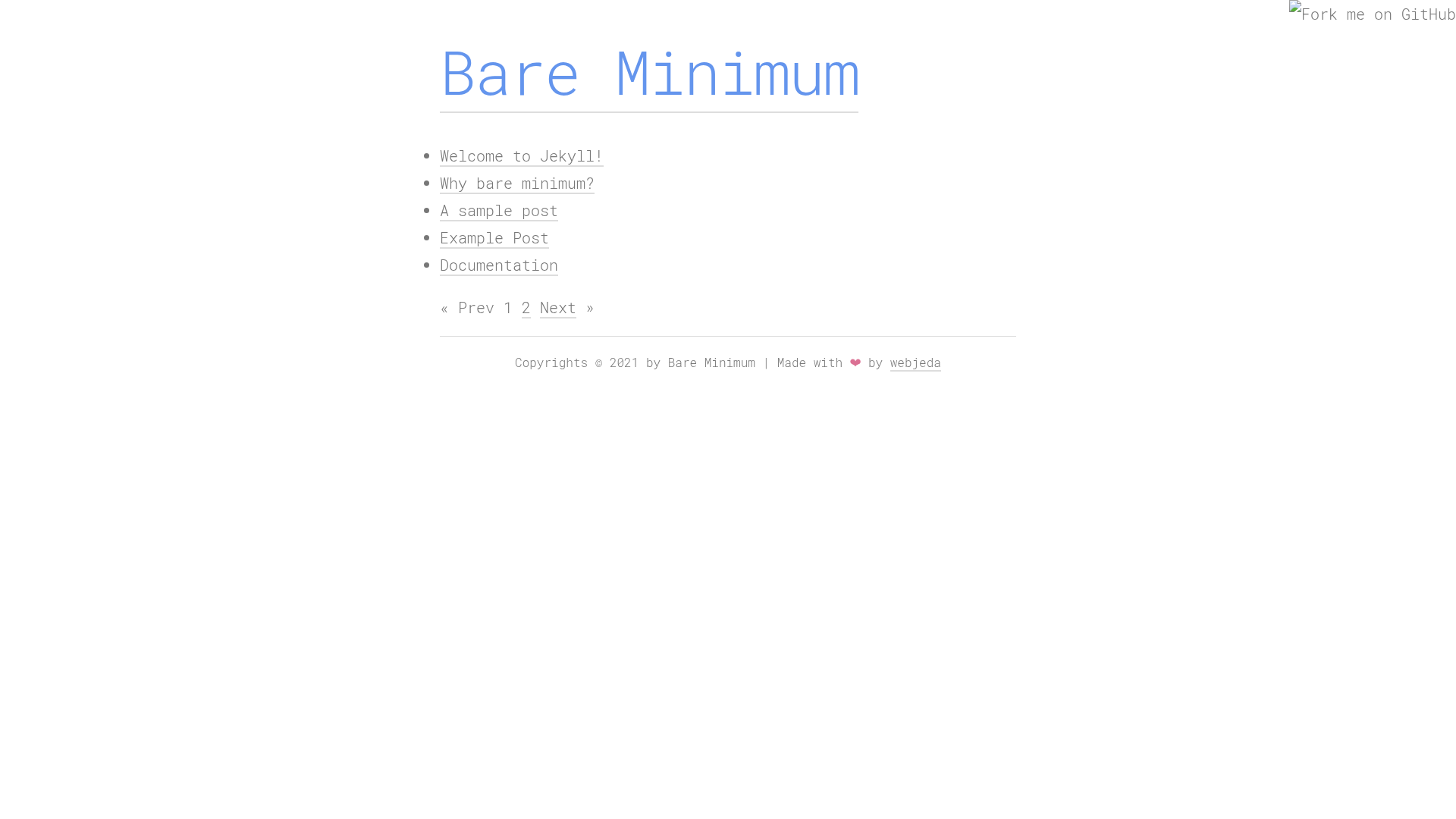
Bare Minimum
A minimal theme for long text posts.
About this template
Bare Minimum is a minimal Jekyll theme designed specifically for long text posts, and it is distributed on GitHub for deployment via GitHub Pages.
What is Bare Minimum?
Bare Minimum is an open-source Jekyll theme that provides a stripped-down layout for long-form writing. It accepts Jekyll-compatible content, such as Markdown, and generates a static site that can be hosted on GitHub Pages. The theme is listed on the jekyll-themes.com directory, where it can be discovered alongside other Jekyll options. Its core purpose, as stated in its description, is to present long text posts in a minimal format.
Key Features
- Minimal design — The theme's name and description emphasize a minimal approach, keeping the layout simple and content-focused.
- Long-form reading — Tailored for long text posts, so readers can focus on the article without sidebars or clutter.
- GitHub Pages ready — Installation instructions involve forking the repository and setting the Pages source to master, enabling static hosting on GitHub Pages.
- Jekyll integration — Built on Jekyll, so it works with Jekyll's standard directory structure, Liquid templates, and Markdown processing.
- Quick start — The setup process is a fork and a settings change, so a new site can be ready in a few minutes.
- Listed on jekyll-themes.com — The theme appears in the jekyll-themes.com directory, making it easy to find.
Who is it for?
- Bloggers — who want a no-frills blog for long-form articles.
- Writers and essayists — who need a clean, readable canvas for their prose.
- Jekyll users — who want a minimal starting point that they can fork and customize for their own site.
Use cases
- Personal blog: publish long-form posts with a layout that keeps the focus on the text.
- Essay collection: present written essays in a minimal style.
- Reading-focused site: create a site where the content is the main attraction.
How does Bare Minimum work?
Getting started involves three steps: first, fork the Bare Minimum repository on GitHub; second, navigate to the repository settings and select master as the GitHub Pages source; third, visit the generated GitHub Pages URL to see your site live. The theme then uses Jekyll to build your posts into static HTML.
Pricing
Bare Minimum is free to use. The GitHub-hosted theme has no listed pricing tiers or paid features, and the installation process is publicly accessible.
FAQ
Is Bare Minimum free?
Yes, Bare Minimum is free to use. It is hosted on GitHub and listed on jekyll-themes.com with no pricing or payment requirements.
How do I install Bare Minimum?
Fork the repository on GitHub, then in the repository settings set the GitHub Pages source branch to master. Your new site becomes available at the default GitHub Pages URL.
What does Bare Minimum do?
It is a minimal Jekyll theme for long text posts, giving your writing a simple, distraction-free layout. You add content as Jekyll posts, and the theme renders them as a static site.
Can I customize Bare Minimum?
Because you fork the repository, you have full access to the theme's files and can modify the HTML and CSS to suit your needs.