Template details
Base Astro
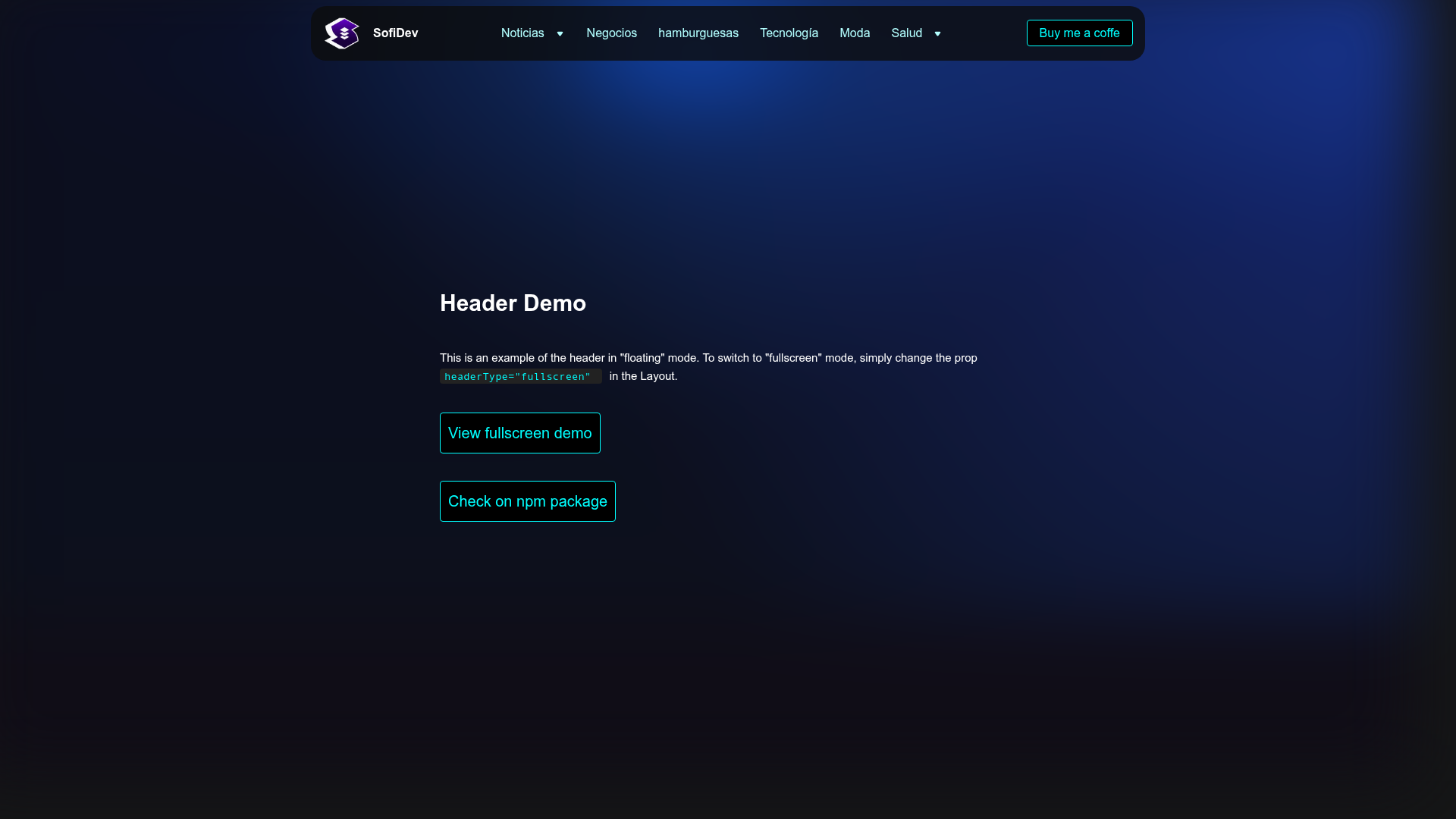
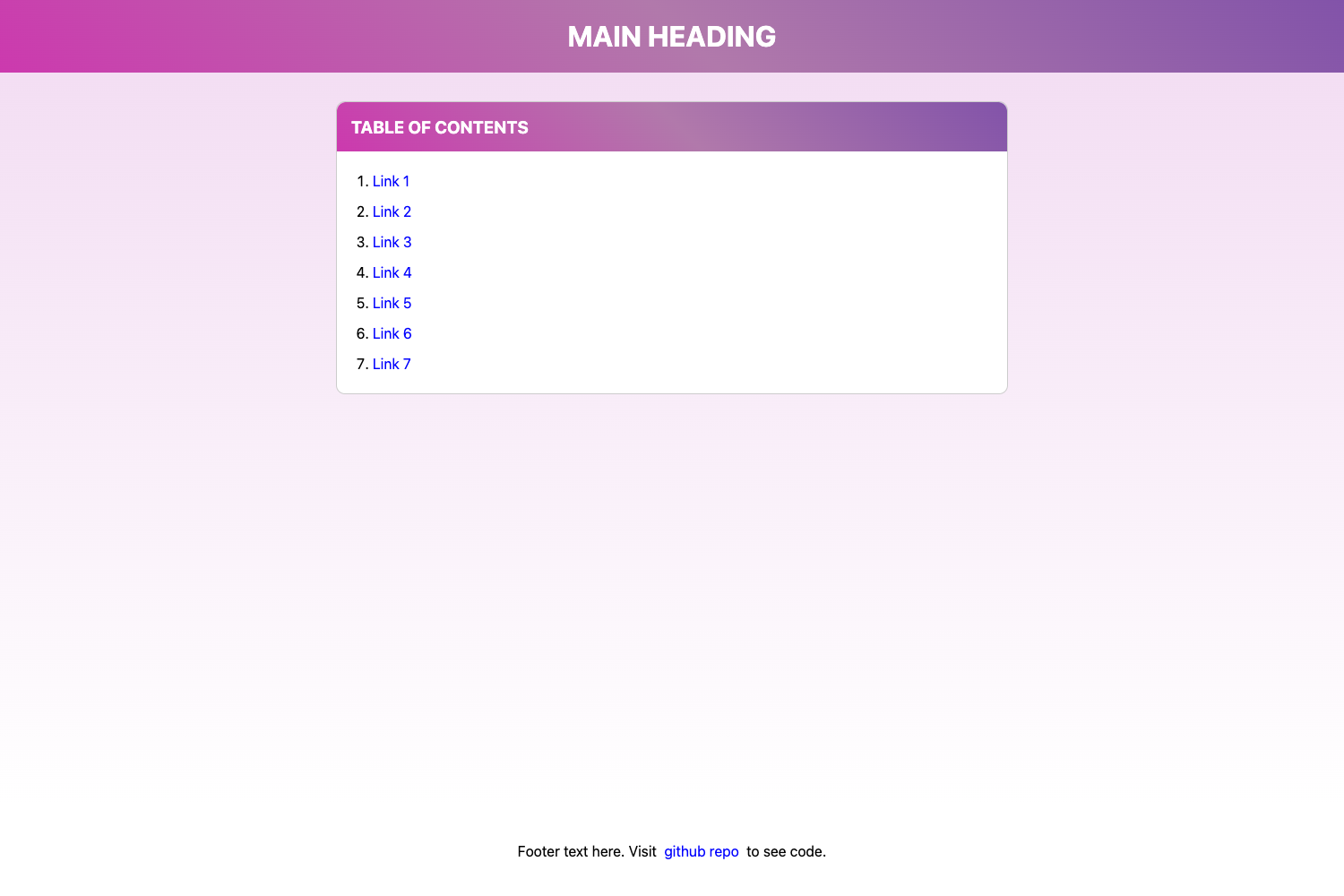
Astro landing page starter with gradient background, responsive hamburger/dropdown menu, and switchable floating/fullscreen headers.
About this template
Base Astro is a free starter template for building landing pages with the Astro framework, centered on a configurable header with responsive hamburger and multi-level dropdown menus plus a gradient background. It is published by SofiDevO on GitHub and is intended to be a clean base for any new landing page project.
What is Base Astro?
Base Astro is a minimal landing page starter built on Astro, the static site generator that ships zero JavaScript by default. The template takes a JavaScript configuration file for navigation items and produces a static site with a gradient background, a responsive header that switches between floating and fullscreen styles, and hamburger/dropdown menus for mobile. It includes a Layout component, a LayoutNoHeader variant, an index page, a 404 page, and an atomic design file structure with atoms such as Button, GradientBg, Logo, and Title. All components are written with TypeScript interfaces for better type safety, while the navigation data is stored as plain JavaScript in menuItems.data.js.
Key Features
- Dynamic Header — Switch between floating and fullscreen styles using the
headerTypeprop onLayout,Layout.astro, or theHeadercomponent directly. - Multi-level Dropdowns — Support nested submenus with any depth; configure menu items in
src/components/header/nav-menu/menuItems.data.jswith asubmenuarray on any item. - Responsive Mobile-first Design — Includes a hamburger button and a separate
MobileNav.astrocomponent for mobile navigation. - Gradient Background — Ships with a dedicated
GradientBgatom component and global styles insrc/styles/global.css. - Atomic Design Structure — Organizes components into atoms, header, layouts, and pages, making the template easy to extend.
- Fast Astro Output — Built on Astro's static site generation, producing HTML pages without a heavy client-side JavaScript runtime.
Who is it for?
- Astro beginners — Learn how to structure a landing page with Astro components, layouts, and pages.
- Frontend developers — Quickly scaffold a landing page and customize navigation through a single data file instead of editing markup.
- Freelancers and agencies — Use it as a starting point for client projects that require a responsive header with nested menus and a gradient background.
What can you do with Base Astro?
- Launch a marketing landing page — Start from
index.astroand add your own sections while keeping the provided header, footer, and gradient background. - Build a site with complex navigation — Define single or multi-level dropdowns in
menuItems.data.jswithout touching component code. - Test two header layouts — Use the floating header for a compact, rounded design or the fullscreen header for an edge-to-edge, full-width look.
- Add pages beyond the home page — The project includes
404.astroand supports additional routes by adding files tosrc/pages.
How does Base Astro work?
- Create a new project with
npm create astro@latest -- --template SofiDevO/base-astro. - Install dependencies with
npm install. - Start the development server with
npm run dev. - Edit
src/components/header/nav-menu/menuItems.data.jsto change menu links, text, and nested submenus. - Switch header style by setting
headerType="fullscreen"orheaderType="floating"onLayout.
FAQ
How do I change the menu items?
Edit the array in src/components/header/nav-menu/menuItems.data.js. Each menu item requires a link and a text property; add a submenu array to create a dropdown, and nest further submenu arrays for multi-level menus.
What is the difference between floating and fullscreen headers?
The floating header has 16px container padding, a max width of 1100px, and an 18px border radius. The fullscreen header has zero padding, spans the full page width, and has no border radius.
Does Base Astro support TypeScript?
Yes, all components include TypeScript interfaces for development experience and type safety, though the menu data file is plain JavaScript.
How do I create a multi-level dropdown?
In your menu data, give a menu item a submenu property containing an array of items. Each item can itself have a submenu, allowing unlimited nesting, as shown in the "Products" example with Software and Hardware subcategories.
Is Base Astro free?
The template is publicly available on GitHub and can be scaffolded directly using the Astro create command, so it is free to use as a starting point for your own projects.