Template details
Sanity Template Astro Clean
Clean starter template with Astro
About this template
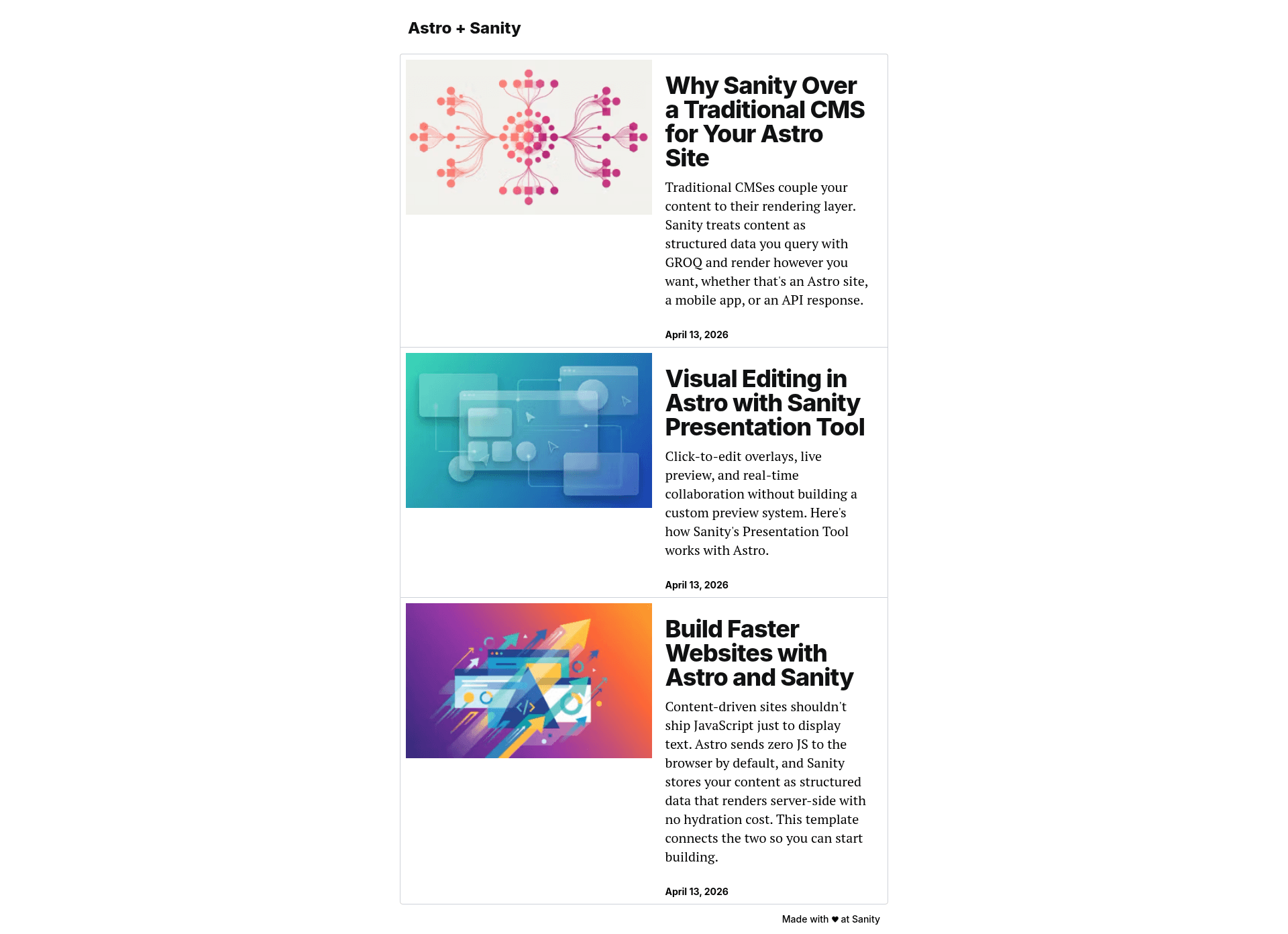
Sanity Template Astro Clean is a boilerplate that pairs the Astro static-site framework with Sanity's hosted Content Lake, giving developers a preconfigured blog starter with visual editing out of the box.
What is Sanity Template Astro Clean?
Sanity Template Astro Clean is an open-source starter template maintained by Sanity (under the sanity-io GitHub organization) that combines an Astro frontend in /frontend with a Sanity Studio in /studio. It accepts content authored in the Studio as input and produces a statically generated blog website with SEO tags, optimized images, and a custom 404 page as output. The template runs on Astro for rendering and connects to the Sanity Content Lake for data fetching. It is available as a GitHub repository with 179 stars.
Key Features
- Visual Editing — The template integrates the Sanity Presentation tool to provide click-to-edit overlays on the Astro site, with stega encoding that automatically marks string fields like title and excerpt.
- Portable Text rendering — Block content from Sanity is rendered on the Astro side using Portable Text, supporting the standard rich-text structure.
- Optimized images — Sanity Image URLs generate responsive
srcsetwith automatic WebP/AVIF format selection and no layout shift (CLS). - SEO-ready pages — Every page includes
<meta>description, Open Graph, and Twitter Card tags, with per-post overrides via a dedicated SEO field in the Studio. - Custom 404 page — Missing posts and invalid routes fall back to a styled 404 page instead of the default Astro error page.
- Environment-variable controls —
PUBLIC_SANITY_STUDIO_URLandPUBLIC_SANITY_VISUAL_EDITING_ENABLEDtoggle the visual-editing system and stega encoding in production. - TypeScript — Both the Astro frontend and the Sanity Studio are written in TypeScript.
Who is it for?
- Astro developers — They get a working Astro + Sanity integration without wiring up the content API manually, so they can focus on customizing the frontend.
- Content teams — Editors and writers can log into Sanity Studio to create and publish
Postdocuments, and see changes reflected in the Astro app instantly via visual editing. - Indie bloggers — Individuals who want a fast, SEO-optimized blog with a hosted CMS can deploy the template to Vercel and manage posts from the Studio.
What can you do with it?
- Launch a blog quickly — Initialize with
npm create sanityand you have a blog with aPostschema, Studio, and Astro frontend ready to run locally in minutes. - Extend the content model — Add new document types by editing
studio/src/schemaTypes/documents/post.tsand the Astro templates that render them. - Collaborate with editors — Invite project members through Sanity Manage, and they can access the deployed Studio to create content without touching code.
How does it work?
- Run
npm create sanity@latest -- --template sanity-io/sanity-template-astro-cleanto initialize the template. - Navigate into the directory and run
npm run devto start both the Astro app onhttp://localhost:4321and the Studio onhttp://localhost:3333. - Sign in to the Studio, create a
Postdocument, publish it, and it appears in the Astro app. - Deploy the Studio with
npx sanity deploy, then deploy the Astro app to Vercel by setting the root directory to/frontendand configuring environment variables.
FAQ
Is Sanity Template Astro Clean free?
The template is open source under the sanity-io GitHub organization; the Astro and Sanity Studio code is free to use. You will need a Sanity project, which offers a free tier with usage limits, but the template itself has no licensing cost.
How does visual editing work in production?
Visual editing is enabled by setting PUBLIC_SANITY_VISUAL_EDITING_ENABLED to "true". In production, the template recommends leaving it unset or "false" so users see the published content perspective, stega encoding is disabled, and data-sanity attributes are removed from the HTML.
What environment variables are required?
The template uses PUBLIC_SANITY_STUDIO_URL (which defaults to http://localhost:3333 for local dev) and PUBLIC_SANITY_VISUAL_EDITING_ENABLED. Before deploying, set PUBLIC_SANITY_STUDIO_URL to your live Studio URL (for example https://your-studio.sanity.studio).
Can I deploy the Astro app to any hosting provider?
Yes. The template documentation covers Vercel deployment with a GitHub repository, but the Astro frontend is static and can be hosted anywhere Astro supports, since it only relies on environment variables for the Sanity connection.