Template details
Black Dashboard
Elegant black dashboard built with Next.js, TypeScript, and Tailwind CSS featuring tables and charts.
About this template
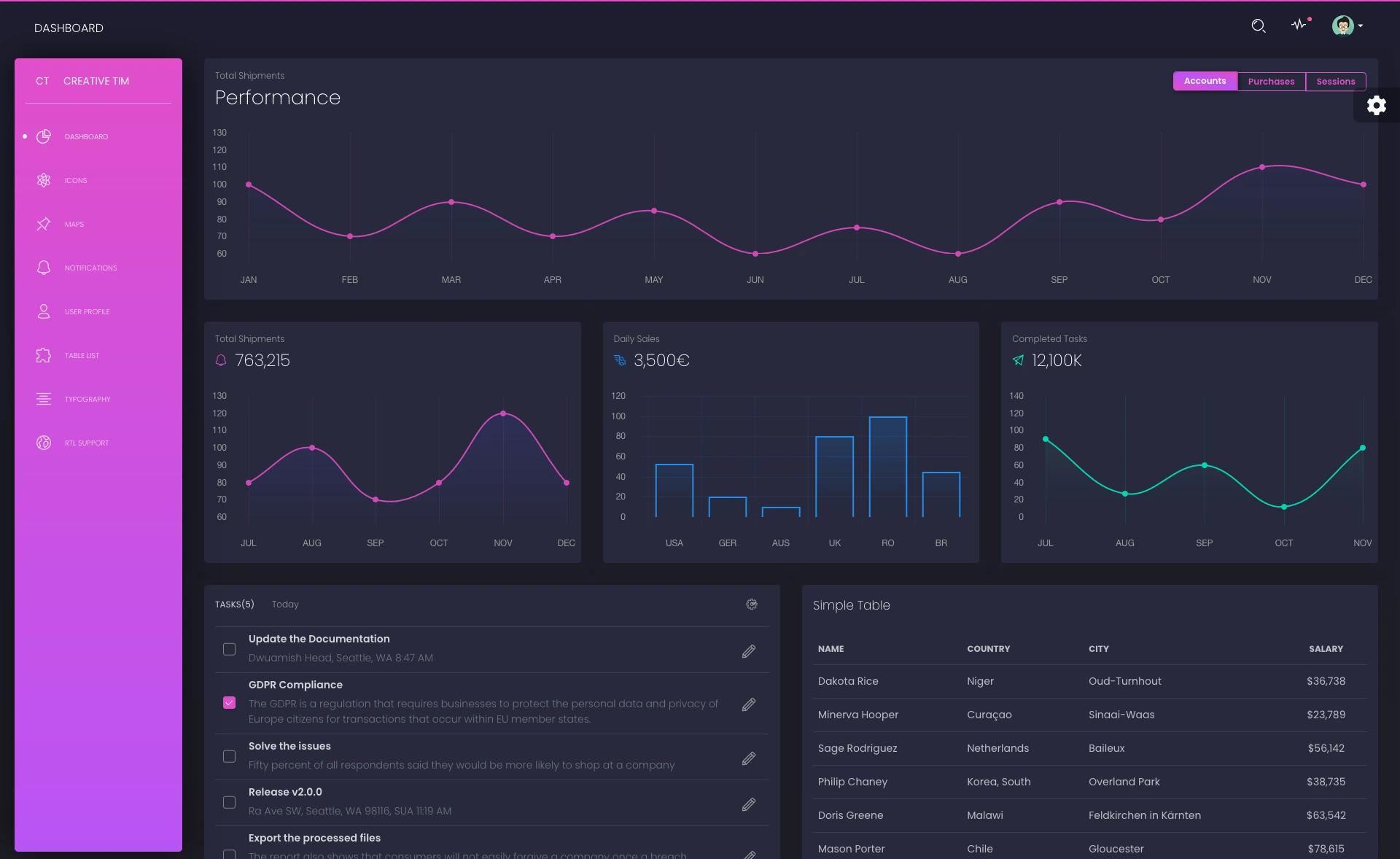
Black Dashboard is an open-source, dark-themed admin dashboard template built with Next.js, TypeScript, Tailwind CSS, Framer Motion, React Table, and Recharts, delivering a pre-built UI for data tables and charts.
What is Black Dashboard?
Black Dashboard is a starting point for building admin panels with a dark aesthetic, combining a Next.js frontend with TypeScript for type safety. It outputs a dashboard interface populated with table components and chart elements, ready to be hooked to live data. The project is hosted as a public GitHub repository with 45 stars, and a live production deployment is available at black-dashboard.vercel.app. The template uses the React Table library for data grids and Recharts for visualizations, both styled through Tailwind CSS utility classes.
Key Features
- Next.js framework — Provides file-based routing, server-side rendering, and static export, with one command deployment to Vercel.
- TypeScript — The codebase uses TypeScript, giving compiled type checking and editor autocomplete across components.
- Tailwind CSS — Utility-first CSS is used to build the dark theme, allowing quick restyling by editing classes in the markup.
- Framer Motion — Animated transitions and hover effects are handled by Framer Motion's React animation primitives.
- React Table — The data table relies on React Table, giving headless access to sorting, filtering, and pagination state.
- Recharts — Charts are rendered with Recharts, which builds responsive line, bar, area, and pie charts from composable SVG components.
- Dark theme design — The entire UI uses a dark color palette, making it suitable for monitoring tools and developer-facing products.
- Production demo — A live version of the dashboard is deployed on Vercel and can be inspected before downloading.
Who is Black Dashboard for?
Black Dashboard suits frontend developers who want a dark-themed admin scaffold without configuring routing, styling, or chart tooling. It also fits startup teams building an MVP analytics or management interface quickly. UI designers can use it as a reference for dark dashboard layouts and component patterns built with Tailwind.
Use cases
- Analytics dashboards — Display key metrics as interactive line and bar charts using Recharts components.
- Data management panels — Present tabular records in a React Table grid with sorting and pagination capabilities.
- Dark-themed admin UIs — Provide a complete dark mode dashboard skeleton that can be rebranded with Tailwind color overrides.
How does Black Dashboard work?
The template runs on Node.js with Yarn package management. After installing dependencies with yarn, developers start a local development server with yarn dev. The default setup includes sample data and demo components, which can be replaced with real API data.
Pricing
Black Dashboard is free. The source code is publicly available on GitHub, and no paid tier or premium features are listed in the repository.
FAQ
Is Black Dashboard free?
Yes, the template is open sourced on GitHub, so anyone can download and use it without payment.
What stack does Black Dashboard use?
It uses Next.js with TypeScript, Tailwind CSS, Framer Motion, React Table, and Recharts.
How do I install Black Dashboard?
Clone the repository, then run yarn to install dependencies and yarn dev to start the development server.