Template details
Vue Now UI Dashboard PRO
Premium Bootstrap 4 & Vue.js admin dashboard template with 6 sidebar colors, reusable components, and example pages.
About this template
Vue Now UI Dashboard PRO is a premium Bootstrap 4 and Vue.js admin dashboard template from Creative Tim, built to give developers a ready-made set of Vue components, example pages, and plugins for building back-office interfaces.
What is Vue Now UI Dashboard PRO?
Vue Now UI Dashboard PRO is the Vue.js port of the original Now UI Dashboard Pro, combining Bootstrap 4 styling with Vue components and vue-router navigation. It takes a developer's project skeleton and outputs a complete admin interface with pages for dashboards, forms, tables, maps, and authentication, all styled with a consistent Now UI design language. The code was written by Cristi Jora, the design by Creative Tim, and it requires basic knowledge of JavaScript, Vue (version 2), and Vue-Router.
Key Features
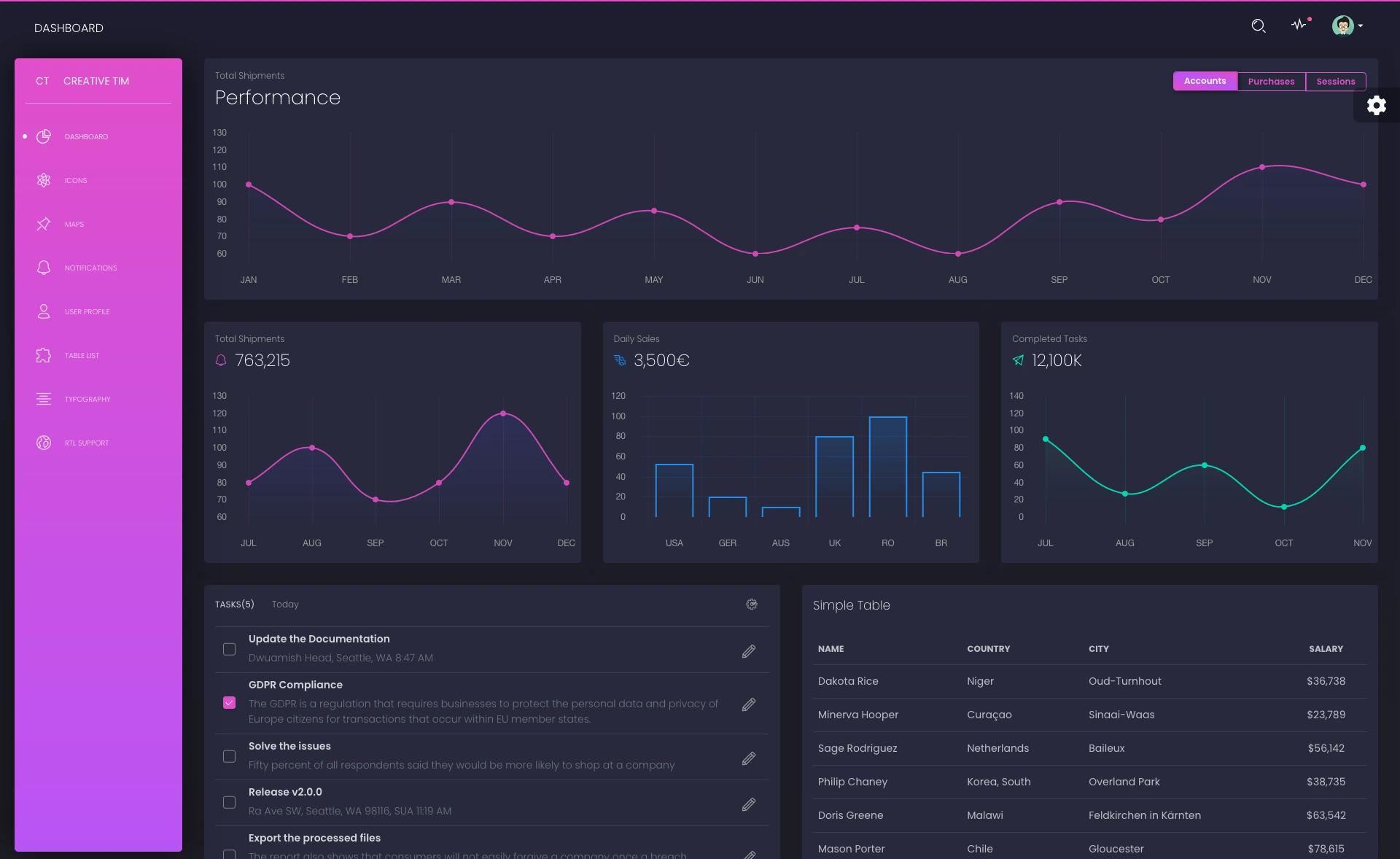
- Sidebar customization — six filter colors (black, azure, green, orange, red, purple) and an optional background image.
- Pre-built pages — includes dashboard, calendar, user profile, login, register, pricing, lock, timeline, and maps pages using Google Maps and vector maps.
- Vue component library — reusable components such as AnimatedNumber, Badge, Button, Dropdown, Modal, Pagination, Progress, Slider, Switch, Table, Tabs, Collapse, Timeline, Wizard, and Breadcrumb.
- Charts — encapsulated BarChart and LineChart components alongside a Charts dashboard page.
- Element UI plugin styling — integrates Element UI's date picker, input, select, tables, tags, and tooltip styles.
- Form and validation examples — regular and extended forms, validation forms with login/register/type/range examples, and a multi-step wizard.
- Notification system — NotificationPlugin with Notification and Notifications components for in-app alerts.
- Vue CLI scaffolding — uses vue-cli with webpack; start with npm install or yarn install, then npm run dev.
Who is it for?
- Vue.js developers who need a pre-built admin dashboard rather than starting from scratch, and who know Vue, Vue-Router, and JavaScript.
- Agencies and freelancers delivering back-office or admin-panel projects who want a consistent UI kit with example pages and components to customize.
- Startups building internal tools — use the included login/register/pricing pages and dashboard widgets to ship an MVP faster.
- Design-conscious teams who want the Now UI design language and the ability to switch sidebar colors without touching core styles.
Use cases
- Admin dashboards: set up a data-dense control panel using the Dashboard, Widgets, Charts, and Stats pages, with cards and tables for metrics.
- User management interfaces: assemble login, register, lock, and user-profile pages into an authentication flow, then extend with regular or paginated tables.
- Data visualization views: build charts with the included BarChart and LineChart components and render them on the dashboard or dedicated Charts page.
- Marketing sites with admin backends: pair the pricing and timeline pages with the admin features to create a product that has both public and authenticated areas.
How does it work?
Download the package from Creative Tim, ensure Node.js is installed, then run npm install or yarn install inside the project folder. Start the development server with npm run dev; the project uses vue-cli with webpack to compile assets. The source structure separates src/assets/sass, src/components, src/pages, and src/routes, so you can edit styles, swap components, and add routes through routes/routes.js.
FAQ
Does Vue Now UI Dashboard PRO require Node.js?
Yes. The quick start requires Node.js installed on your machine, then you run npm install or yarn install and npm run dev to launch the development server with webpack.
Is Vue Now UI Dashboard PRO free?
The PRO version is a paid product from Creative Tim. A free version, Vue Now UI Dashboard, is available for download from the same site with fewer features and pages.
What frontend framework does it use?
It uses Vue.js (version 2, based on the linked guide) with Vue-Router for navigation, Bootstrap 4 for layout and styling, and includes Element UI plugin styling for inputs, selects, and date pickers.
Can I change the sidebar color?
Yes, the template ships with six sidebar filter colors — black, azure, green, orange, red, and purple — and an option to set a background image.
What pages are included?
The download includes dashboard pages with widgets and charts, a calendar, components, forms with validation and wizard steps, maps (Google Maps and vector maps), authentication pages (login, register, lock), pricing, timeline, user profile, and regular, extended, and paginated tables.