Template details
Black White Blue
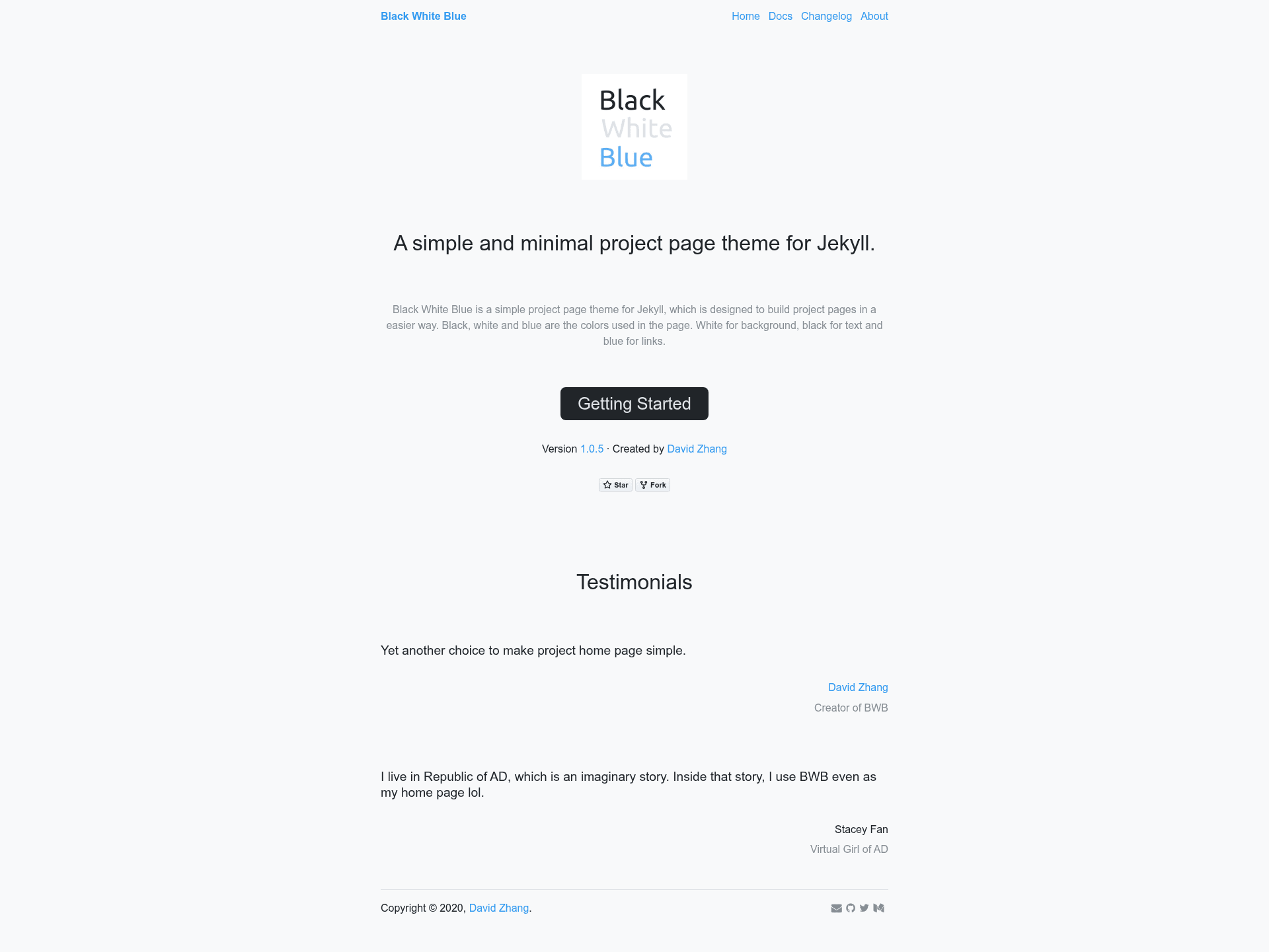
Minimal Jekyll theme for project home pages, using white background, black text, and blue links.
About this template
Black White Blue is a minimalist Jekyll theme for building single-page project home pages, using a strict three-color palette of white background, black text, and blue links.
What is Black White Blue?
Black White Blue is a gem-based Jekyll theme that produces a simple project homepage from a few YAML configuration blocks. It takes project metadata defined in _config.yml and a changelog stored in _data/changelog.yml and outputs a static HTML page with the project's name, subtitle, description, repository link, logo, author details, and optional contact icons. The theme runs on the Jekyll static site generator, is maintained by David Zhang (crispgm), and is released under the MIT License. A live usage example is the Caravan project site.
What makes Black White Blue stand out?
- Project metadata — Define name, subtitle, description, repo, logo, author, and author link in
_config.yml; optional email, Twitter, and Medium fields render as icons in the bottom right. - Changelog support — Maintain a versioned changelog in
_data/changelog.yml; each change can reference a GitHub issue number or commit hash, and the theme auto-generates links to them. - Google Analytics — Set a
google_analyticstrack ID in_config.ymlto enable site tracking. - Disqus comments — Configure a Disqus shortname globally, then enable comments per page by adding
comments: trueto the page frontmatter. - Minimal color scheme — The design intentionally uses only three colors: white for the background, black for text, and blue for links.
- Gem-based installation — Add the gem to your Gemfile, set
theme: black-white-bluein_config.yml, and runbundle install; no copying of theme files is required.
Who should use Black White Blue?
- Open-source developers — Create a clean landing page for a GitHub project with a direct link to the repository and automatically linked changelog.
- Indie hackers — Launch a project page in minutes without writing custom HTML or CSS, and add Google Analytics to measure visits.
- Technical writers — Publish a short project description with a documented changelog and a way for readers to leave comments via Disqus.
What can you do with Black White Blue?
- Project maintainers: Set up a minimal home page that shows the project's name, description, repository link, and author info, with contact icons on the bottom right.
- Release managers: Keep a changelog in
_data/changelog.ymlwhere each version lists changes with links to GitHub issues or commits. - Independent developers: Enable Disqus on a project page by setting
comments: truein frontmatter to gather feedback.
How does Black White Blue work?
Install the theme by adding gem "black-white-blue" to your Gemfile and theme: black-white-blue to _config.yml, then run bundle install. After that, fill in the project block in _config.yml and create _data/changelog.yml for version history. The theme renders the homepage automatically using Jekyll's gem-based theme system.
Pricing
Black White Blue is free and open source, published under the MIT License.
FAQ
Is Black White Blue free?
Yes. The theme is open source under the MIT License, so you can use, modify, and distribute it freely.
How do I install Black White Blue?
Add the line gem "black-white-blue" to your Jekyll site's Gemfile, add theme: black-white-blue to _config.yml, then run bundle install. No additional setup is required for the core theme.
How do I add a changelog to my project page?
Create a file at _data/changelog.yml and add array items with a version and a list of changes. Each change can include text and either an issue number or a commit hash; the theme will generate the appropriate GitHub links.
How do I enable comments on a page?
First set your Disqus shortname in _config.yml under disqus.shortname. Then, in the frontmatter of any page, add comments: true to display the Disqus comment thread.
Does Black White Blue support Google Analytics?
Yes. Add your Google Analytics tracking ID to _config.yml as google_analytics: UA-XXXXXXXX-1, and the theme will include the tracking code in your built site.