Template details
Boilerform
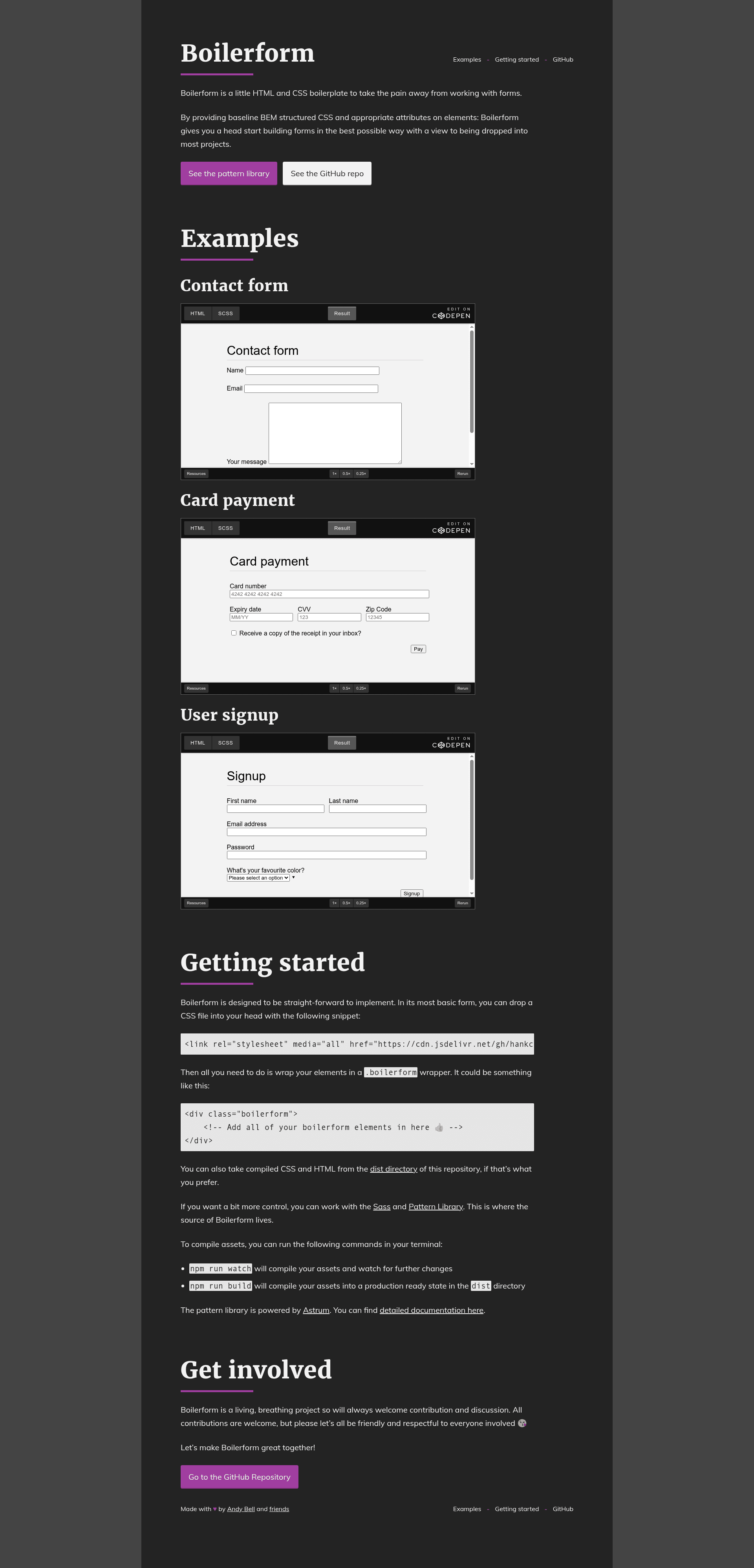
Boilerform is a little HTML and CSS boilerplate to take the pain away from working with forms.
About this template
Boilerform is a boilerplate HTML and CSS kit that gives web forms a consistent, BEM-structured visual style and an optional JavaScript validation layer, designed to be dropped into almost any project. Originally conceived by Chris Coyier on CSS-Tricks and maintained on GitHub by HankChizlJaw, Boilerform distills common form styling tasks into a small, standalone set of files.
What is Boilerform?
Boilerform is a lean HTML and CSS boilerplate for building forms. It provides baseline, BEM-structured CSS for form elements and adds helper attributes that improve the native HTML validation experience. Its inputs are a plain HTML form with a boilerform wrapper class; its outputs are cleanly styled form controls plus optional client-side error states. The project runs entirely in the browser, with no server-side dependencies, and is maintained publicly on GitHub with the idea credited to Chris Coyier.
Key Features
- BEM-structured CSS — Form styles are organized using Block, Element, Modifier naming so you can extend them predictably in a design system.
- CDN quick-start — A single link tag to a jsDelivr-hosted minified CSS file gets the boilerplate running; compiled files are also available in the dist directory.
- Sass source — The design lives in SCSS under assets/scss, giving developers a path to customize variables and compile with npm.
- Validation interface — The bundled JavaScript (boilerform.min.js) hooks into native invalid events for elements with the required attribute, adding visual cues without replacing browser validation.
- No framework lock-in — Boilerform is plain HTML, CSS, and vanilla JavaScript, so it slots into static sites, server-rendered pages, or front-end frameworks.
- Pattern library — A documented pattern library powered by Astrum shows the available form components and how to use them.
Who is it for?
- Front-end developers — use Boilerform to skip the repetitive CSS for inputs, selects, textareas, and buttons when starting a new form.
- Design-system builders — take the BEM and SCSS source as a base for a project's form components and adapt it to the existing design tokens.
- Prototypers and educators — wire up a working form with validation in minutes by pasting the CDN links and adding a wrapper class.
What can you do with Boilerform?
- Style a contact form — add the boilerform class to a wrapper and get consistent focus, disabled, and error styling across browsers.
- Enhance validation messages — load the JS module and mark fields as required to get a custom invalid event interface that you can build on.
- Compile a custom build — run npm run watch to compile assets during development, then npm run build to produce production-ready CSS and JS into dist.
How does Boilerform work?
The CSS file loads through a link tag in the document head; form controls inside a .boilerform wrapper pick up the styles automatically. To enable the validation interface, add the required attribute to elements and include the boilerform.min.js script with async defer near the end of the page. The script listens for invalid events and allows you to add visual feedback without writing custom JavaScript.
FAQ
Is Boilerform free?
Boilerform is publicly available on GitHub without a price tag, and its assets are served via the free jsDelivr CDN. There are no accounts, licenses, or payment requirements mentioned in the repository.
Does Boilerform work with React or Vue?
Boilerform ships as plain HTML, CSS, and JavaScript, so it works in any framework. Because it is style-and-script based, you can import the CSS in a React or Vue project and attach the validation logic alongside your components.
How do I customize the styles?
Fork or clone the repository, edit the SCSS files under assets/scss, and run npm run build. The build process outputs minified production assets to the dist directory that you can ship or copy into your own project.