Template details
Charaka
Minimalistic and responsive blog theme for Hugo, built with Bulma CSS.
About this template
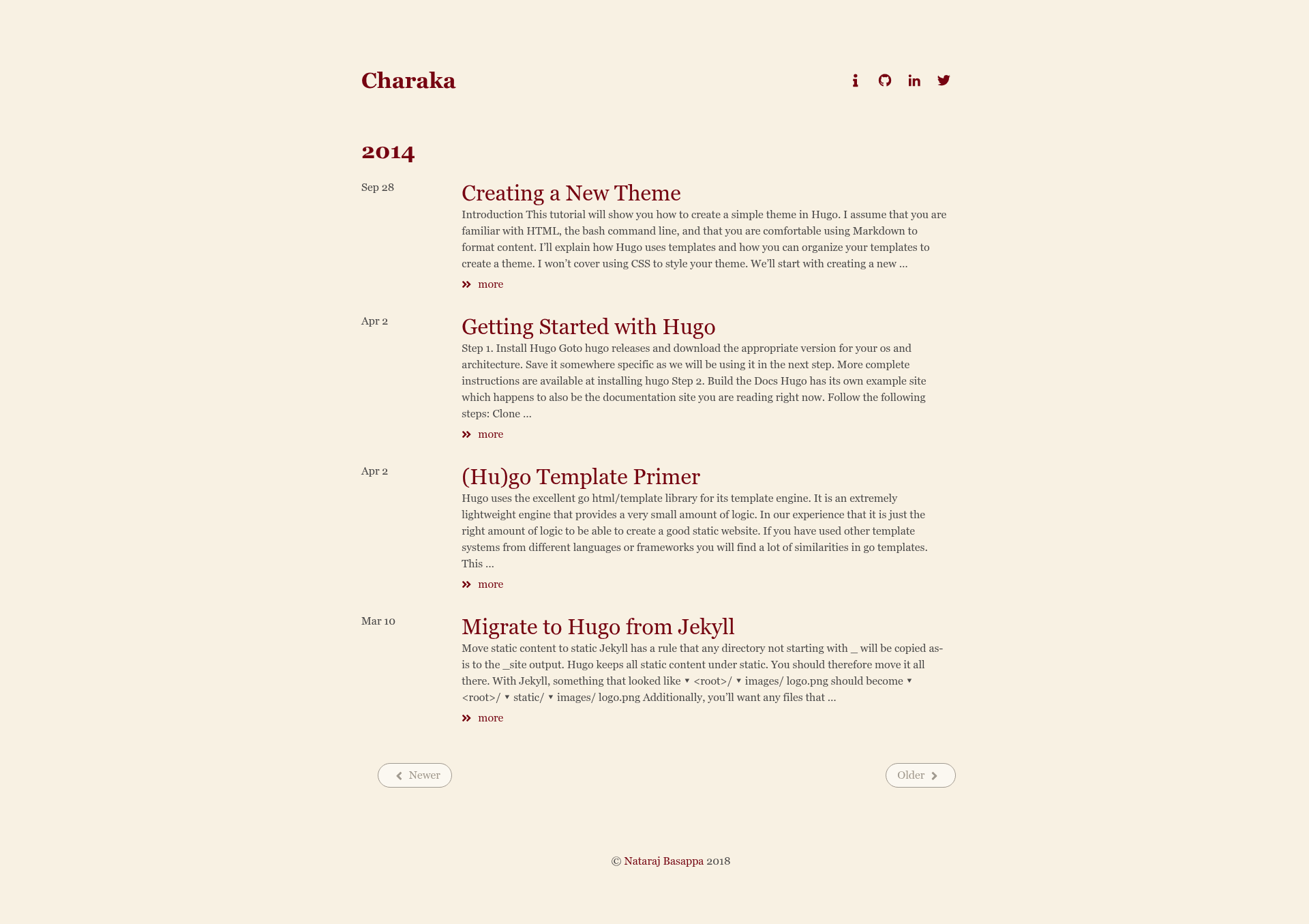
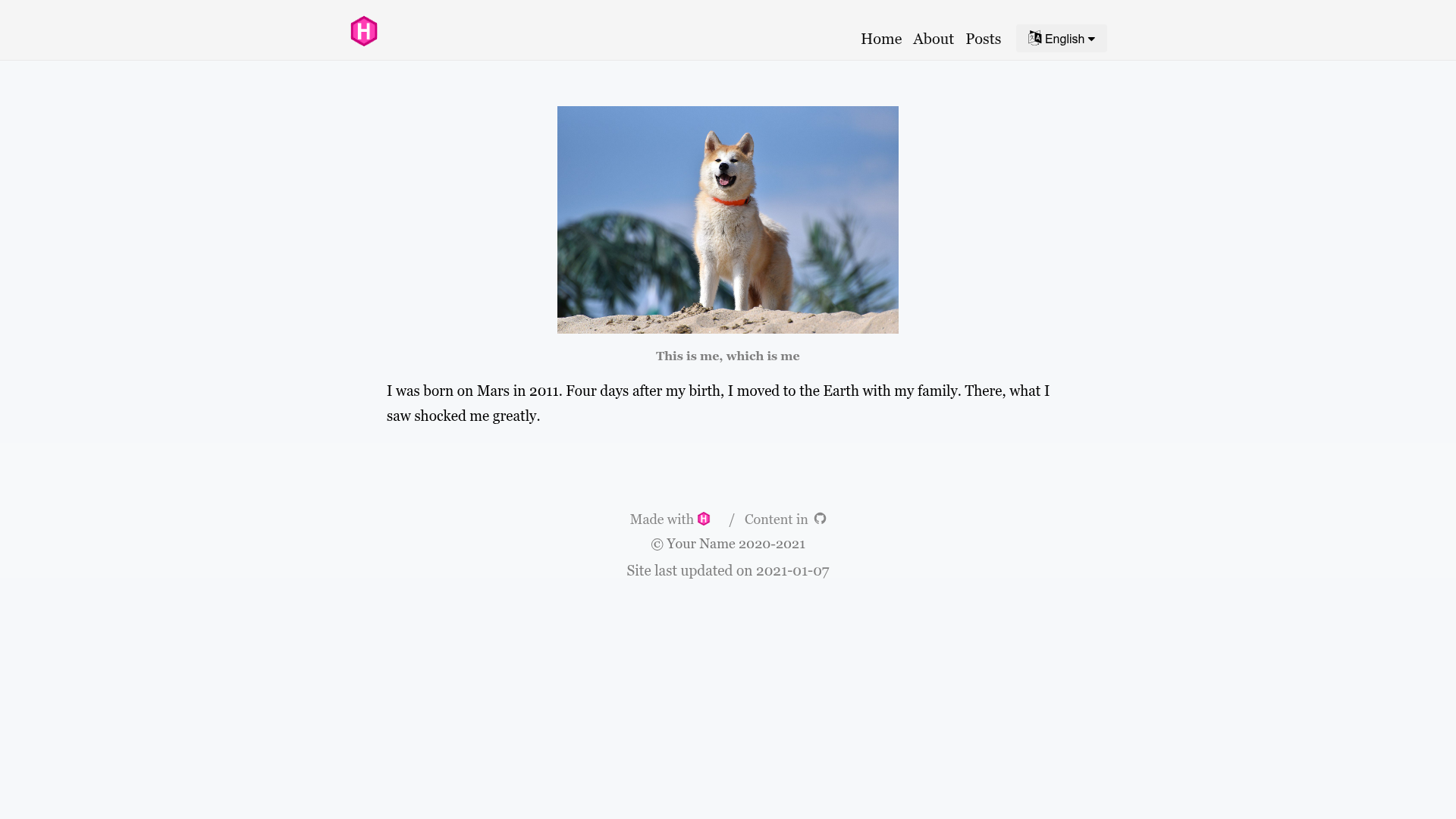
Charaka (ಚರಕ) is a minimalistic and responsive blog theme for the Hugo static site generator, built on the Bulma CSS framework and designed for clean, readable typography. Its core function is to take Markdown content from a Hugo site and render it as a lightweight, mobile-friendly blog or documentation site.
What is Charaka?
Charaka is an open-source Hugo theme created by Nataraj Basappa and released under the MIT License. As a Hugo theme, it inputs standard Hugo content (Markdown files with front matter) and outputs a static HTML website with a minimal blog layout. It uses Bulma, a modern CSS framework, for styling, and includes configuration options for social links, analytics, comments, and syntax highlighting.
Key Features
- Minimalistic design — Charaka follows a clean, content-first layout inspired by the Apple iBooks colour scheme, Hemingway, and Journal themes.
- Responsive layout — Built with Bulma, the theme adapts to screen sizes from mobile phones to wide desktop displays.
- Social icons — The config.toml example supports social links via Font Awesome icons, including GitHub, LinkedIn, and Twitter.
- SCSS customization — The theme's styles are written in SCSS; you can run npm install, edit style.scss, and rebuild with npm run css-build.
- Google Analytics integration — A services.googleAnalytics section in the configuration allows adding your tracking ID.
- Disqus comments — Set the disqusShortname in config to enable Disqus commenting on posts.
- Syntax highlighting — The theme supports Hugo's built-in code highlighter, with codeFences enabled and a 'vulcan' style configured.
- Taxonomy preservation — With preserveTaxonomyNames set to true, tag and category names keep their original casing.
Who is it for?
- Bloggers — Writers who want a simple, uncluttered blog on Hugo without complex design or JavaScript-heavy interactivity.
- Developers — Hugo users who need a theme they can easily customize through SCSS, with built-in hooks for analytics and comments.
- Technical writers — Teams creating documentation sites can use the included exampleSite structure to organize guides and reference pages.
What can you do with Charaka?
- Personal blogs: Publish articles and organize them with tags and categories, retaining original taxonomy names.
- Documentation sites: Copy the exampleSite layout to structure documentation, tutorials, and product manuals.
- Portfolio or link-in-bio pages: Use the social icons in the configuration to link to GitHub, LinkedIn, and other profiles from a minimal landing page.
How does Charaka work?
Charaka follows standard Hugo theme conventions. After cloning the repository into your Hugo themes directory, you copy the provided example config.toml into your site root, add content to the content folder, and run hugo server to preview at localhost:1313. For style changes, install npm dependencies and use the provided npm scripts to compile SCSS to CSS.
Pricing
Charaka is free and open source under the MIT License. No paid tiers, premium themes, or feature-gated functionality are mentioned in the repository; the full source code is available on GitHub.
Alternatives
- Hemingway — A Hugo theme focused on minimalism and readability; one of Charaka's inspirations.
- Journal — Another Hugo theme for journal-style writing; also cited as an inspiration.
FAQ
Is Charaka free?
Yes, Charaka is released under the MIT License, meaning you can use, modify, and distribute it freely, including in commercial projects, with attribution.
What Hugo version do I need for Charaka?
The README states that Hugo v0.145.0 or higher is required to build the theme correctly.
How do I install Charaka?
Clone the repository to your Hugo themes directory, copy the exampleSite config.toml to your project root, and run hugo server. The site will be available at localhost:1313.
Does Charaka support comments and analytics?
Yes, the example configuration includes fields for a Disqus shortname and a Google Analytics tracking ID, so you can enable both with minimal setup.
Can I customize Charaka's appearance?
Yes, the theme uses SCSS. After running npm install, you can edit style.scss and run npm run css-build to compile changes, or use npm run css-watch for live updates.