Template details
Wangana
Responsive Jekyll theme for GitHub-hosted blogs, with SCSS styling and local build via Jekyll.
About this template
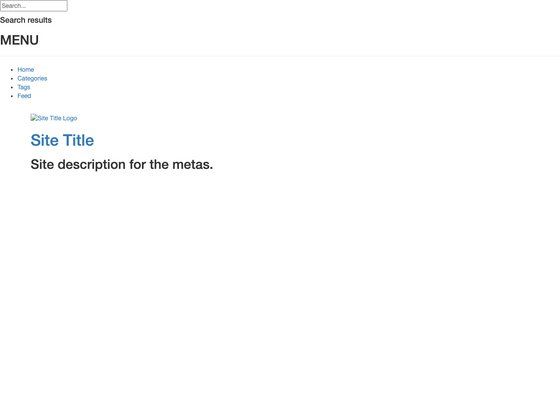
Wangana is a responsive Jekyll theme for GitHub-hosted blogs, providing a minimal, static-site base that you configure through YAML and SCSS rather than a control panel. Created by Nii Adjetey Sowah and released under the MIT License, it is built around the standard Jekyll build pipeline: edit _config.yml for site settings, adjust _assets/_scss/main.scss for colors and fonts, then run jekyll build and jekyll serve --watch to serve the site locally at localhost:4000. A live demo is available at thesowah.github.io/wangana, and the repository has earned 53 stars on GitHub.
What is Wangana?
Wangana is a responsive Jekyll theme designed specifically for powering blogs hosted on GitHub Pages. It takes standard Jekyll inputs — a _config.yml configuration file, SCSS stylesheets under _assets/_scss/, and Markdown posts — and produces a static blog with a mobile-friendly layout. The theme was created by Nii Adjetey Sowah (Twitter: @thesowah) and is open-sourced under the MIT License (Copyright (c) 2014). The repository's master branch is for development, while gh-pages holds the demo site.
Key Features
- Responsive layout — the theme adapts to smartphones, tablets, and desktops, making it suitable for readers on any device.
- Jekyll-native workflow — uses only core Jekyll commands; no plugins or external build tools are required beyond Ruby and Jekyll.
- SCSS theming — colors and fonts are centralized in
_assets/_scss/main.scss, so a full visual re-skin is a matter of editing one SCSS file. - Simplified configuration — site-wide settings live in
_config.yml; uncomment predefined options and edit values to set your blog title, description, and other fields. - GitHub Pages deployment — the included
gh-pagesbranch demonstrates how to publish the theme directly from a GitHub repository. - Open license — the MIT License permits commercial and personal use with attribution, and the repository explicitly welcomes pull requests.
Who is it for?
- Developers and technical writers who want a clean, no-frills Jekyll blog without adopting a full JavaScript framework; they can fork the repository, edit two config files, and deploy to GitHub Pages.
- GitHub users who prefer to host a blog as a static site under a personal or organization account, taking advantage of GitHub Pages' free hosting.
- Jekyll learners who want a small, readable codebase to study how layouts, includes, and SCSS are organized in a minimal theme.
Use cases
- Personal blogs: set up a responsive blog by downloading Wangana, filling in
_config.yml, and writing posts in Markdown. - Project pages: use the static structure to create a lightweight site for a GitHub project, with links to documentation and releases.
- Theme customization practice: fork Wangana to experiment with Jekyll theming — modifying
main.scssand observing the compiled CSS gives immediate feedback.
How does Wangana work?
Wangana follows the standard Jekyll static-site workflow. After downloading or forking the repository, you edit _config.yml to define your blog's global options and adjust main.scss for branding. Running jekyll build compiles the site into static files, and jekyll serve --watch previews it locally at localhost:4000 with automatic rebuilds on changes. To publish on GitHub Pages, push the compiled output or use a gh-pages branch.
FAQ
Is Wangana free?
Yes, Wangana is free and open source under the MIT License (Copyright (c) 2014 Nii Adjetey Sowah). You can use it for personal or commercial projects provided you retain the copyright notice.
How do I run Wangana locally?
Install Ruby and Jekyll, then run jekyll build followed by jekyll serve --watch from the theme's root directory. The site will be available at localhost:4000.
Does Wangana support GitHub Pages?
Yes. The theme is explicitly designed for GitHub-hosted blogs, and the repository includes a gh-pages branch for demo deployment. You can enable GitHub Pages on your fork and push the generated _site folder or use the gh-pages branch.
Can I change the theme colors?
Yes. Colors and fonts are defined in _assets/_scss/main.scss. Edit that file and rebuild the site; the compiled CSS will reflect your changes.
How do I contribute to Wangana?
Fork the repository at github.com/thesowah/wangana, create a feature branch, commit your changes, and open a pull request. The master branch is for development; do not edit the gh-pages branch.