Template details
Chargebee Nextjs Static
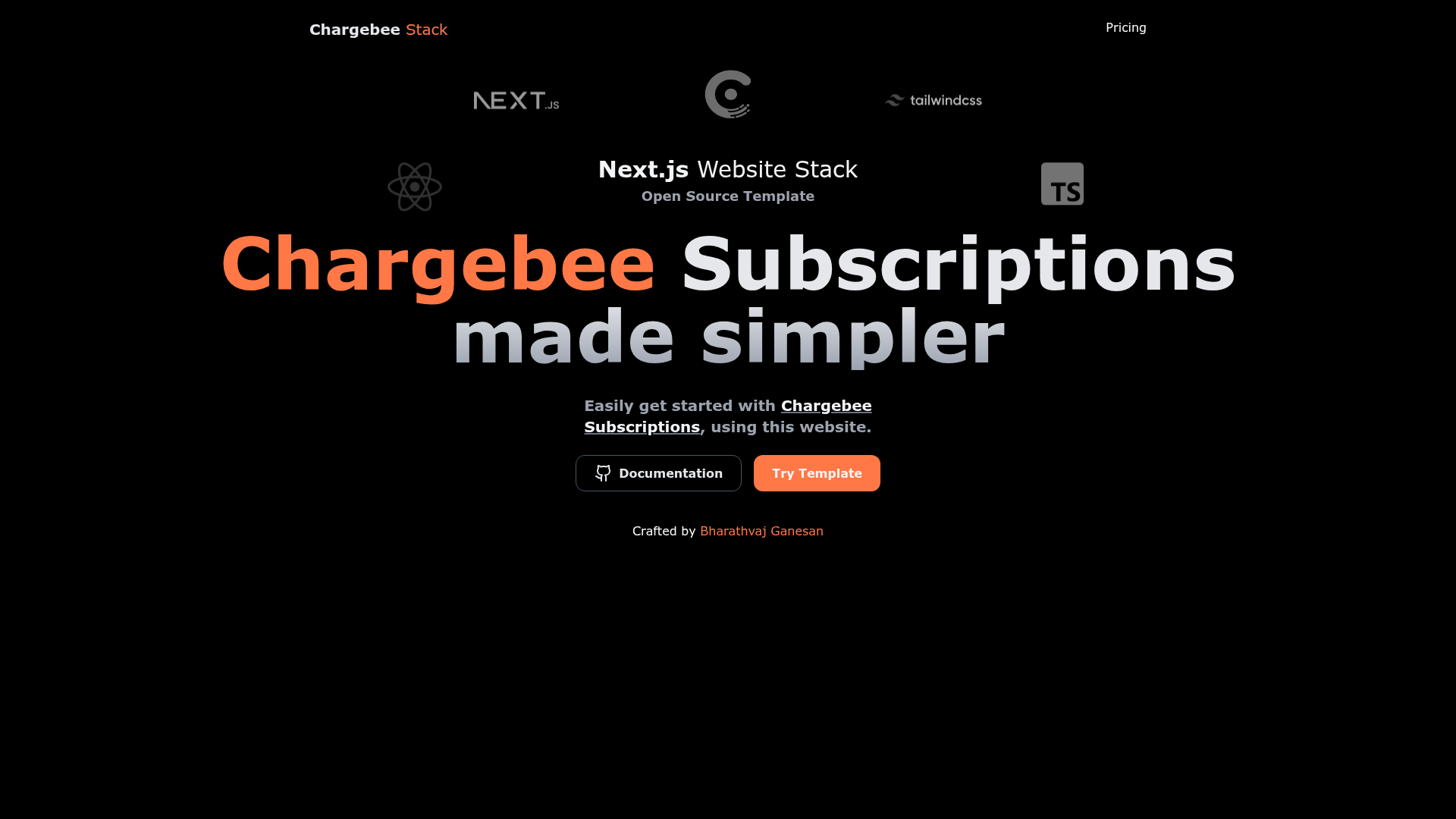
Free Next.js subscription pricing page template for SaaS products, online services and more.
About this template
Chargebee Nextjs Static is a free, MIT-licensed Next.js and TypeScript boilerplate that generates a static subscription pricing page wired to Chargebee Checkout for SaaS products and online services.
What is Chargebee Nextjs Static?
Chargebee Nextjs Static (also labeled the Next.js Subscription Pricing Page Starter) is a free, open-source starter template that outputs a deployable Next.js site featuring a subscription pricing page. It takes a Chargebee site ID (provided as the NEXT_PUBLIC_CHARGEBEE_SITE_ID environment variable) and plan prices defined in utils/chargebee.ts, and produces a static page with Chargebee Checkout embedded for managing subscriptions. The template runs on Next.js with TypeScript, is maintained by bharathvaj-ganesan, and a live demo is hosted at chargebee-nextjs-static.vercel.app.
Key Features
- Next.js + TypeScript — Built on the React framework with TypeScript for type-safe, statically generated pricing pages that can be deployed to Vercel in one click.
- Chargebee Checkout — Handles subscription management through Chargebee's hosted checkout drop-in, so customers can sign up for plans without a custom payment flow.
- Twind styling — Uses Twind, a Tailwind-in-JS solution, to style the pricing page with no separate CSS build step.
- ESLint + Prettier — Ships with ESLint for linting and Prettier for opinionated code formatting.
- Husky git hooks — Installs Husky to run code quality checks automatically on commit.
- Commitizen + Commitlint — Provides conventional commit message tooling so every commit follows a standard format.
- Renovate — Includes Renovate configuration to keep dependencies updated automatically.
- lint-staged — Runs linters against staged git files only, speeding up pre-commit checks.
- Absolute imports — Supports importing folders and files using the
@prefix for cleaner project structure.
Who is it for?
- SaaS founders — Launch a ready-to-use pricing page quickly without building the checkout integration from scratch.
- Developers building subscription products — Use the TypeScript codebase and Chargebee integration as a starting point that can be customized.
- Online service providers — Set up a static pricing page that connects to Chargebee for recurring billing.
What can you do with it?
- SaaS teams: Deploy a pricing page to Vercel via the one-click button and update the environment variable with your Chargebee site ID.
- Developers: Modify the item prices in one file (utils/chargebee.ts) to reflect your own plans, then run the dev server with yarn.
- Open-source contributors: Fork the repository, add a feature, and submit a pull request following the contributing workflow described in the README.
How does Chargebee Nextjs Static work?
To get started, click the "Deploy with Vercel" button in the README to clone the repository and deploy it. Next, set the NEXT_PUBLIC_CHARGEBEE_SITE_ID environment variable to your Chargebee site ID and edit the item prices in utils/chargebee.ts. For local development, run yarn and then yarn dev, and open http://localhost:3000 to view the page.
Pricing
The template is free and open source under the MIT License. You can use and modify it without charge; using Chargebee's checkout service itself may require a separate Chargebee account.
Alternatives
Vercel's nextjs-subscription-payments, which inspired this template and is built around Stripe for subscription payments.
FAQ
Is Chargebee Nextjs Static free?
Yes. The template is released under the MIT License, so it is free to use, modify, and distribute. No payment is required to download or deploy the code itself.
How do I customize the pricing plans?
Edit the item prices in the utils/chargebee.ts file. That file defines the plans that are displayed on the pricing page, and your Chargebee site ID is set through the NEXT_PUBLIC_CHARGEBEE_SITE_ID environment variable.
Does this template use Tailwind CSS?
It uses Twind, a Tailwind-in-JS solution, rather than the standard Tailwind CSS build. Twind turns Tailwind utility classes into the generated CSS at runtime, which keeps the bundle small.
Can I deploy this to Vercel?
Yes. The README includes a "Deploy with Vercel" button that clones the repository and deploys it directly to Vercel. You can then add your Chargebee environment variables in the Vercel dashboard.
What is the live demo?
The demo is hosted at chargebee-nextjs-static.vercel.app and shows the default pricing page.