Template details
Chelia
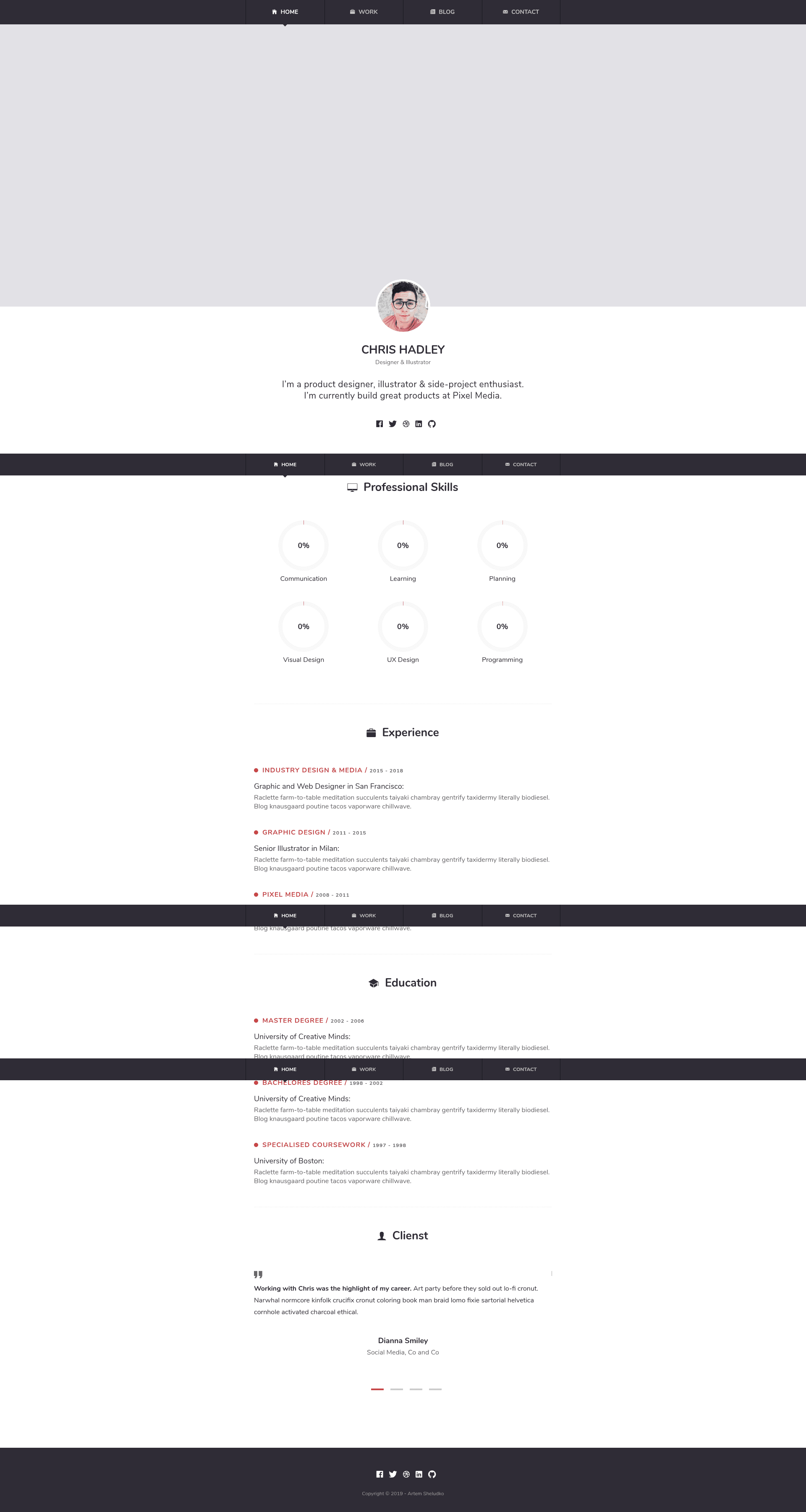
Simple and responsive portfolio theme for Jekyll with Disqus comments, Google Analytics, and project showcase.
About this template
Chelia is a simple, responsive portfolio theme for Jekyll that turns markdown content into a personal portfolio site with project showcase, blog posts, and comment support.
What is Chelia?
Chelia is a minimal, responsive portfolio theme built for Jekyll, a static site generator. It takes markdown files for posts and work projects and produces a static HTML site that runs on GitHub Pages or any Jekyll-compatible host. The theme was created by Artem Sheludko and is distributed under an MIT license.
Key Features
Chelia includes a list of features visible on its repository page:
- Responsive layout — the theme is 100% responsive and optimized for mobile devices, adapting to phone, tablet, and desktop screens.
- Minimal design — a clean, minimal aesthetic with valid HTML5 markup, powered by SASS files that you can edit for custom styling.
- Post sharing — blog posts include sharing links so readers can share content on social networks.
- Disqus comments — built-in support for Disqus; you only need to add your shortname in
_data/settings.yml. - Google Analytics — add your tracking identifier in
_data/settings.ymlto monitor site traffic. - Ionicons and Google Fonts — ships with the Nunito font from Google Fonts and the Ionicons icon set.
- Project showcase — a "Work" section lets you list projects by adding images to
/images/work/and updating theprojectslist in_data. - Third-party scripts — includes FitVids.js, Featherlight, Easypiechart, SmoothState, StickyJs, and Slick Slider for video scaling, lightbox, charts, smooth page transitions, sticky elements, and sliders.
Who is it for?
Chelia is for:
- Developers and designers who want a quick, minimal portfolio site without building from scratch — they can clone the theme, edit
_data/settings.yml, and deploy on GitHub Pages. - Freelancers who need to showcase their services, experience, education, and skills in a professional layout.
- Bloggers who want a simple blog with comment support (Disqus) and social sharing built in.
- Students and job seekers who want an online resume-style portfolio to display work and project samples.
What can you do with Chelia?
You can:
- Display your work: Create work items by adding an image for each project to
/images/work/and updating theprojectsentries in_data; each item shows a name and image in the portfolio grid. - Publish blog posts: Add markdown files to the
_postsdirectory with front matter specifying layout, title, date, and optional image; tags can be added but must avoid spaces (e.g.,ruby-on-rails). - Customize the look: Edit the included SASS files and set Google Analytics and Disqus identifiers via
_data/settings.yml; replacefavicon.icoin the root directory to update the browser tab icon. - Run locally or deploy: Install dependencies with
bundle installand start Jekyll's local server withbundle exec jekyll serve, then deploy to Jekyll hosting like GitHub Pages.
How does Chelia work?
The theme is set up like most Jekyll sites: clone the repository, install the gem dependencies with bundle install, and start a local server with bundle exec jekyll serve. Content is added in markdown files: posts live in _posts with a front matter block that defines layout, title, date, and an optional image; work items are defined in the projects field of _data/settings.yml, and each project's image goes into /images/work/. Disqus comments are activated by adding your Disqus shortname to _data/settings.yml, and Google Analytics is wired by adding your tracking ID to the same file.
FAQ
Is Chelia free?
Yes, Chelia is distributed under the MIT license, meaning you can use, modify, and redistribute it freely. The repository is publicly hosted on GitHub.
How do I add a new blog post?
Create a new markdown file in the _posts directory using Jekyll's recommended file naming (typically YYYY-MM-DD-title.md). In the file's front matter, set the layout to "post", provide a title, date, and optionally an image, and add tags if desired (separate multi-word tags with hyphens, e.g., ruby-on-rails).
How do I add a new project to the Work section?
Add an image for the project to the /images/work/ directory, then edit _data/settings.yml and add a new entry to the projects list with the project's name and the image filename. The theme's homepage will display these projects.
How do I set up Disqus comments?
First, register your website with Disqus to get a shortname. Then open _data/settings.yml and replace the default mr-brown value found on line 26 with your own shortname. If comments fail to load, check Disqus' troubleshooting guide for common issues.
How do I integrate Google Analytics?
Add your Google Analytics tracking identifier (for example, UA-99631805-1) to the google-analytics field in _data/settings.yml. The theme will then include the analytics code on every page.