Template details
Codefolio
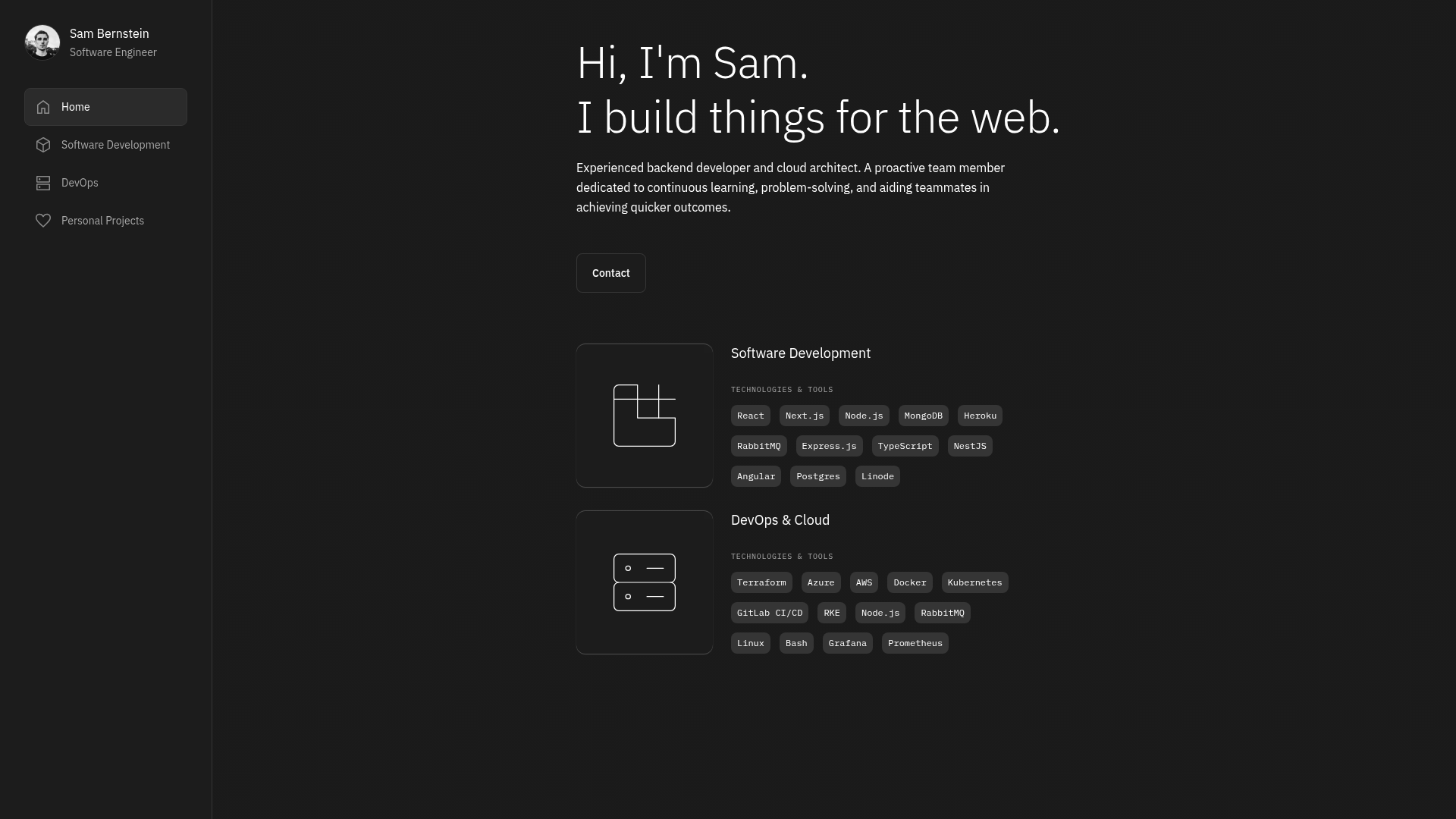
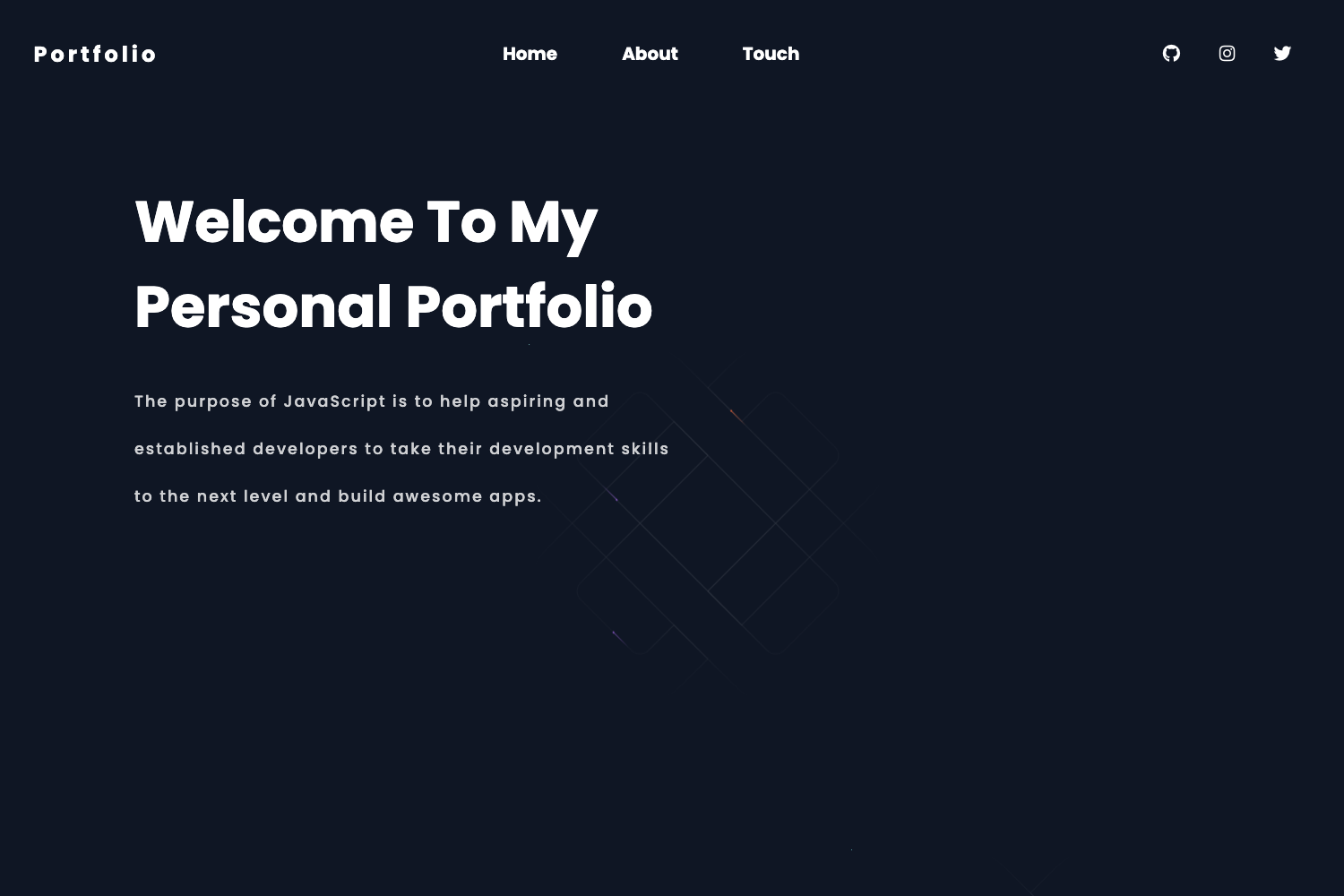
Codefolio is an open-source Astro portfolio theme that helps developers present their projects, skills, and experience through a clean, organized interface.
About this template
Codefolio is an open-source portfolio template built with Astro that lets developers generate a static website to showcase their projects, coding skills, and personal story.
What is Codefolio?
Codefolio is an Astro-based portfolio template that turns a developer's project information into a clean, responsive static site. It accepts content such as project titles, descriptions, and tech stack tags and outputs a portfolio page with categorized project sections. The template is distributed as a public npm package, installable with npm create astro@latest -- --template danielunited/codefolio, and is released under the MIT License.
Key Features
- Astro framework — Built on Astro, a static site generator that produces pre-built HTML, so pages render quickly without heavy client-side JavaScript.
- Static deployment — The site builds to fully static files, allowing deployment on any static hosting platform, with the official Astro deployment guide linked for setup.
- Categorized projects — Project sections are organized into categories, helping visitors browse work by type or topic.
- Tech stack displays — Each project entry can list the technologies used, making a developer's skills visible at a glance.
- Responsive design — The layout adapts to desktop, tablet, and mobile screen sizes, presenting a professional look across devices.
- Interactive setup — Scaffold a new project by running
npm create astro@latest -- --template danielunited/codefolioand answering the interactive prompts, then usenpm run devto preview at http://localhost:4321. - Open-source license — Released under the MIT License, so it can be freely used, modified, and redistributed.
Who is it for?
- Software developers — Build a portfolio to present coding projects and personal story to potential employers or clients.
- Open-source contributors — Showcase repositories and contributions in a structured way with categorized sections and tech stack labels.
- Computer science students — Display class projects and personal experiments to build an online presence early in their careers.
What can you do with Codefolio?
- Job-seeking developers: Publish a static portfolio page that recruiters can view, organized by project category and displaying each project's tech stack.
- Freelance coders: Present past client work in a clean, mobile-friendly layout that loads quickly because it is pre-built static HTML.
- Hobbyist programmers: Maintain a personal site documenting skills and experiments without needing a server or database, since all content is generated at build time.
How does Codefolio work?
The setup follows a standard Astro workflow:
- Run
npm create astro@latest -- --template danielunited/codefolio. - Follow the interactive prompts to create your project directory.
- Run
npm run devto start a local development server at http://localhost:4321. - For production, build the static site and deploy the output to any static hosting provider.
Pricing
The template is free to use because it is open source under the MIT License. There are no paid tiers or recurring fees.
FAQ
Is Codefolio free?
Yes, Codefolio is open source and distributed under the MIT License, so you can use, modify, and share it without paying any license fees.
What framework does Codefolio use?
Codefolio is built with Astro, a static site generator. It outputs plain HTML by default, which means no server-side runtime is required to serve the finished portfolio.
How do I start a new project with Codefolio?
Run npm create astro@latest -- --template danielunited/codefolio and follow the interactive prompts. After the project is scaffolded, navigate into the folder and run npm run dev to see it locally at http://localhost:4321.
Can I deploy Codefolio to any hosting provider?
Yes, because the build process produces static files, you can host the output on any static hosting platform. The Astro deployment guide linked in the repository covers recommended methods for different providers.
Does Codefolio show the tech stack for each project?
Yes, the template includes tech stack displays in project entries, so you can list the technologies used for each project and let visitors see your skills at a glance.