Template details
Components
A collection of React components
About this template
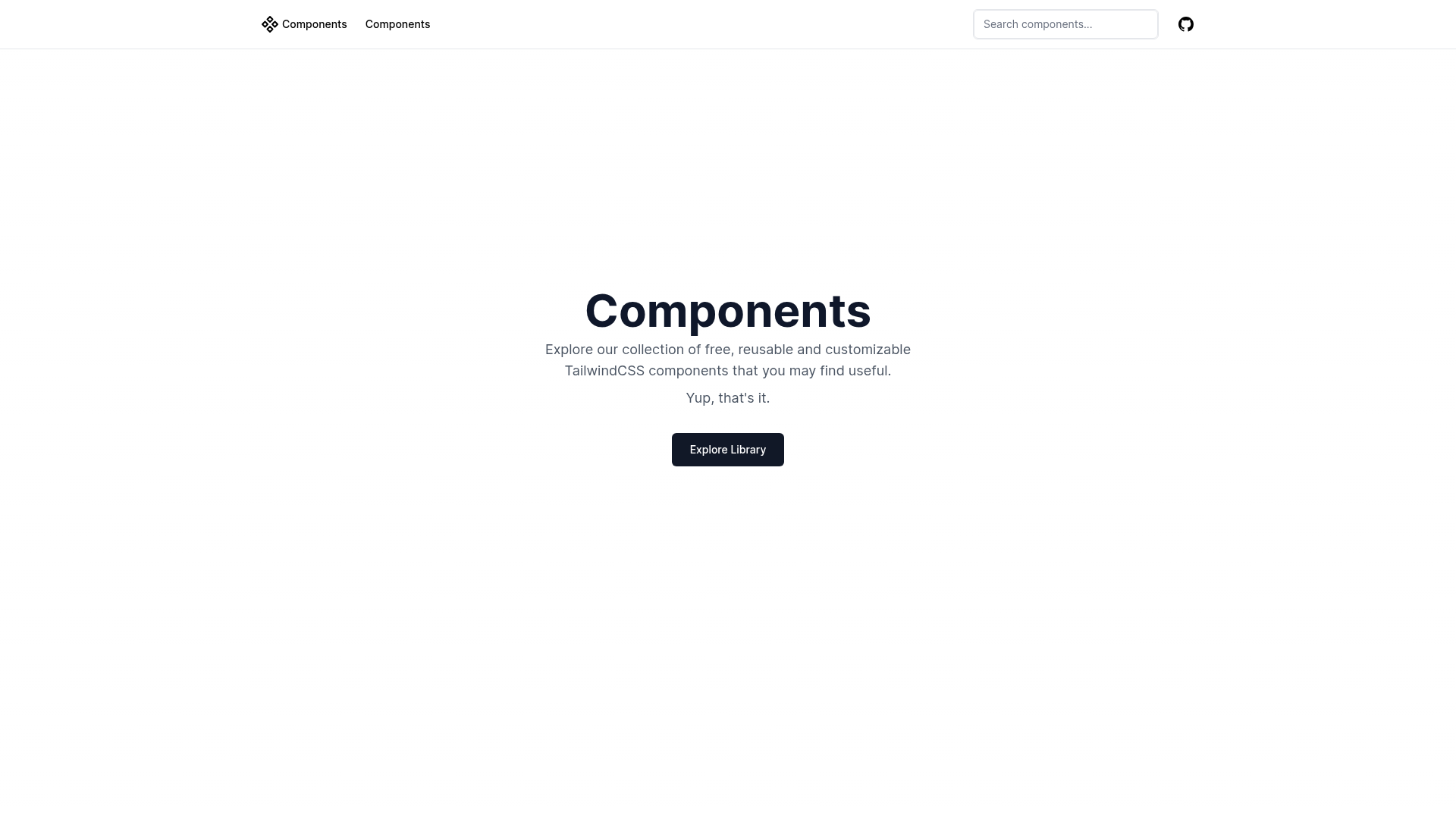
Components is a Next.js starter template for a collection of React components, bootstrapped with create-next-app and organized around the App Router. The template's core function is to serve as a development workspace where React components are built and previewed inside a single page application that runs on localhost:3000. It is built on Next.js and uses the TypeScript-aware file app/page.tsx as the entry point for editing the presented content.
What is Components?
Components is a minimal Next.js project that the repository metadata describes as "a collection of react components." The template itself provides the scaffolding for such a collection: a working Next.js application with the App Router structure, a single main page that auto-updates on file changes, and the next/font module configured to load Inter as the default custom Google Font. Because it was created with create-next-app, it includes the standard configuration for a fresh Next.js app and is ready to run with a few package-manager commands.
Key Features
- Next.js framework — The template is a full Next.js project, giving you SSR, static generation, and API route support out of the box.
- App Router structure — Uses the modern
app/directory, withapp/page.tsxacting as the main page you edit to showcase your components. - Live reload development — Editing
app/page.tsxupdates the browser automatically through the built-in dev server. - Optimized font loading —
next/fontis configured to automatically optimize and load Inter, a custom Google Font, without network requests at runtime. - Multiple package managers — The README lists
npm run dev,yarn dev,pnpm dev, andbun devas valid ways to start development. - Ready for Vercel deployment — Being a create-next-app project, it can be deployed directly to the Vercel Platform from the Next.js creators, with a deployment documentation link included.
- Markdown documentation — The README itself serves as a guide for running, learning, and deploying, linking to the official Next.js docs, interactive tutorial, and GitHub repository.
- React component collection base — The repository description indicates this starter is meant to hold a collection of React components, making it a foundation for building a UI kit or pattern library.
Who is it for?
- React component library authors — Use the template as a scaffold to develop and demo a set of reusable components in a live Next.js environment.
- Front-end developers learning Next.js — The README links to the official documentation and interactive tutorial, and the simple single-page app is a small surface for experimenting with the App Router.
- Teams starting a design system — Since the project already sets up a Next.js app with font optimization, teams can drop in their styled components and use the page as a style guide.
- Developers prototyping with components — A quick way to spin up a local server at port 3000 and test how components behave in a real browser context.
What can you do with Components?
- Preview components locally: Run
npm run devand open localhost:3000 to see the main page that displays your component collection. - Iterate on component code: Edit
app/page.tsxto change what renders, with automatic hot reload as you save. - Deploy a component showcase: Push the project to Vercel to get a live, publicly accessible page that presents the components.
- Extend the existing app: Use the standard Next.js structure to add routes, API endpoints, or static documentation pages around the component collection.
FAQ
How do I run this project locally?
Run npm run dev in the project directory, or use the equivalent yarn dev, pnpm dev, or bun dev command. Then open http://localhost:3000 in your browser to see the result.
Can I use a different package manager?
Yes. The README explicitly lists npm, yarn, pnpm, and bun as supported package managers for running the development server, each with its own command.
How do I deploy this Next.js app?
The README states that the easiest way is to use the Vercel Platform from the creators of Next.js. It also links to the official Next.js deployment documentation for more details.
Does this template use TypeScript?
Yes. The main page file is app/page.tsx, indicating the project uses TypeScript, which is the default for new create-next-app projects.
What font does this template use?
It uses next/font to automatically optimize and load Inter, a custom Google Font. This integration is part of the template's configuration.