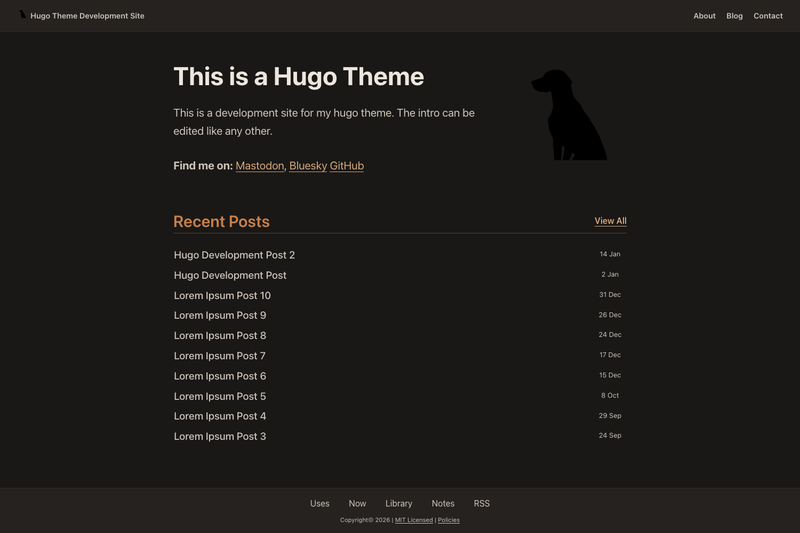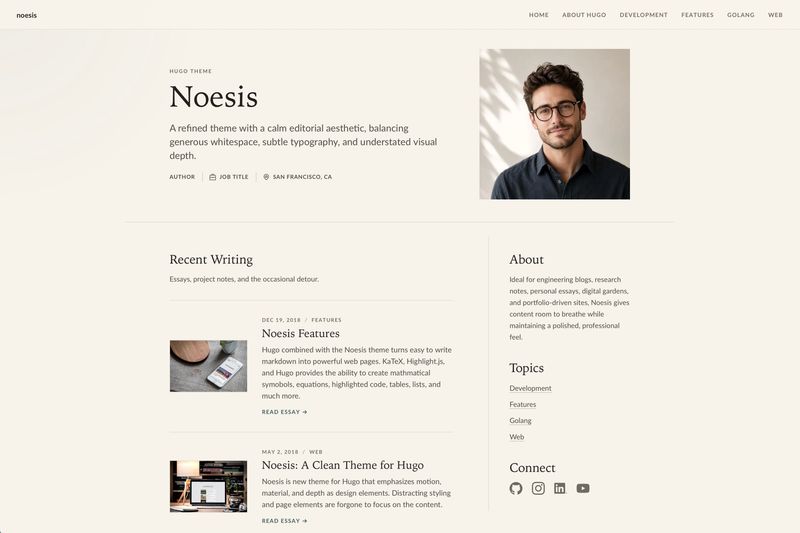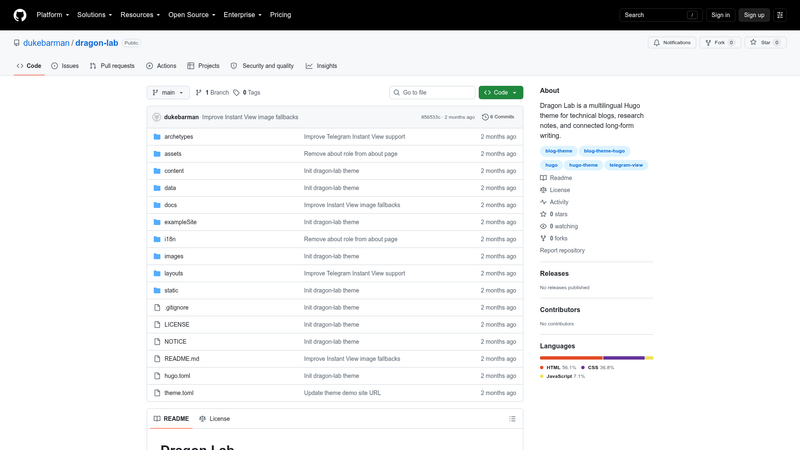
Dragon Lab is a multilingual Hugo blog theme that turns technical articles and research notes into editorial pages with interactive archive graphs built from tags and internal links.
What is Dragon Lab?
Dragon Lab is a free, open-source Hugo Extended theme (version 0.146.0 or newer) by dukeBarman, published on GitHub under the Apache License 2.0. It consumes standard Hugo Markdown posts — title, date, description, tags, categories, plus optional cover, coverAlt, coverCaption, author, authorURL, and images fields — and renders responsive layouts for home, archive list, taxonomy, about, 404, and single-post pages. Single posts carry a metadata rail with the table of contents and a related-post graph, and the configured home output includes both HTML and JSON.
Key Features
Dragon Lab concentrates its feature set on archive discovery, multilingual publishing, and production-ready theme configuration.
- Interactive archive graphs — tag and post graph views connect posts through their tags, categories, and internal Markdown links.
- Multilingual navigation and i18n — UI strings and navigation support multiple languages; the bundled example site ships English and Russian demo content.
- Editorial page layouts — responsive home, list, taxonomy, 404, about, and single-post pages, with main navigation defined through Hugo menus.main entries.
- Hugo Pipes asset pipeline — CSS and JavaScript are fingerprinted at build time; demo config uses monokai code highlighting and the image render hook wraps standalone images as figure elements.
- Article metadata rail — each post page includes metadata, a table of contents, and a related-post graph in its side rail.
- Telegram Instant View support — posts expose stable selectors such as
article[data-iv-article],.iv-title,[data-iv-content], and[data-iv-remove]; code fences becomepre[data-language]blocks; pages include Open Graph and JSON-LD BlogPosting metadata; the repo providesdocs/telegram-instant-view.tpl. - Optional production analytics — Google Analytics and Yandex Metrica IDs go in params, and scripts render only for production builds.
- Configurable footer and about copy — footer attribution can be toggled, and about-page paragraphs, focus areas, and archive text can be overridden through site-level i18n files without editing theme templates.
Who is Dragon Lab for?
Dragon Lab fits individual publishers and small teams who want a structured, cross-linked archive rather than a simple chronological blog.
- Technical bloggers — write Markdown posts in the
postssection and get an editorial home page, taxonomy pages, and a TOC rail on every article. - Researchers and note-keepers — link notes with internal Markdown links and browse connections through the tag and post graph views.
- Multilingual site owners — keep English and Russian (or any Hugo language) content in separate
contentDirdirectory trees with shared theme strings. - Telegram publishers — publish Instant View-ready pages and apply the repository's Telegram template to render articles inside Telegram.
What can you do with Dragon Lab?
With Dragon Lab you can publish a connected technical archive in multiple languages and prepare it for Telegram distribution.
- Cross-linked blog publishing: author posts in Markdown that link to each other; readers discover related writing through tag and internal-link graphs on archive and post pages.
- Per-language branding: set
brandName,brandTagline,homeSubtitle, and description per language so the home page reads naturally in each content directory. - Production analytics: add Google or Yandex analytics identifiers in params and let Dragon Lab inject scripts only when the site builds for production.
- Instant View setup: deploy the theme's IV markup, then paste
docs/telegram-instant-view.tplinto Telegram's template editor and save it for the production domain so posts open as Instant Views.
How does Dragon Lab work?
Install Dragon Lab as a git submodule from github.com/dukebarman/dragon-lab into themes/dragon-lab and set theme = "dragon-lab" along with taxonomies for tag and category, home outputs of HTML and JSON, and goldmark standalone-image handling disabled. Posts live under the posts section, where front matter tags, categories, and internal Markdown links drive archive and graph rendering. Build-time asset fingerprinting runs through Hugo Pipes, and the included example site builds with hugo --source themes/dragon-lab/exampleSite --themesDir ../.. --theme dragon-lab.
Pricing
Dragon Lab is free and open source under the Apache License 2.0, with source on GitHub; there are no paid tiers, subscriptions, or proprietary licenses.
Alternatives
PaperMod, a popular minimal Hugo blog theme known for speed and simplicity; Dragon Lab instead emphasizes interactive archive graphs and bundled Telegram Instant View support.
FAQ
Which Hugo version does Dragon Lab require?
Dragon Lab requires Hugo Extended 0.146.0 or newer because the theme relies on Hugo Pipes to process, bundle, and fingerprint CSS and JavaScript at build time. The standard (non-Extended) Hugo binary will not satisfy the version's feature requirements.
Does Telegram Instant View work immediately after installing Dragon Lab?
No. Dragon Lab only renders Instant View-friendly markup; Telegram requires a saved template per live domain. Open instantview.telegram.org/templates, paste the contents of docs/telegram-instant-view.tpl keeping ~version: "2.1" as the first non-empty line, adjust the ?path rule if posts are not under /posts/, preview, and save for the production domain.
Why does my Telegram preview report that no Instant View is available?
Telegram returns this when the tested URL does not match the template's ?path rule or the page lacks the expected selectors. Dragon Lab exposes article[data-iv-article], .iv-title, and [data-iv-content] on posts; test live production URLs such as example.org/ru/posts/example-post/ rather than local development hosts, and confirm the template was saved for the correct root domain.
Which languages does Dragon Lab include by default?
The theme ships with multilingual navigation and i18n strings, and its exampleSite contains both English and Russian content. Any Hugo language can be added by defining a languages entry with its contentDir and locale and providing site-level i18n files such as i18n/en.toml or i18n/ru.toml to override theme strings like the about-page biography.
How do I customize the about page?
Put an about.md page in each language content directory for the title, description, and imageAlt, and set params.aboutImage and aboutImageAlt for the portrait. The longer biography, focus list, and archive paragraphs come from i18n keys, which you can override in site-level files such as i18n/en.toml without touching theme templates.