Template details
Elevate Template
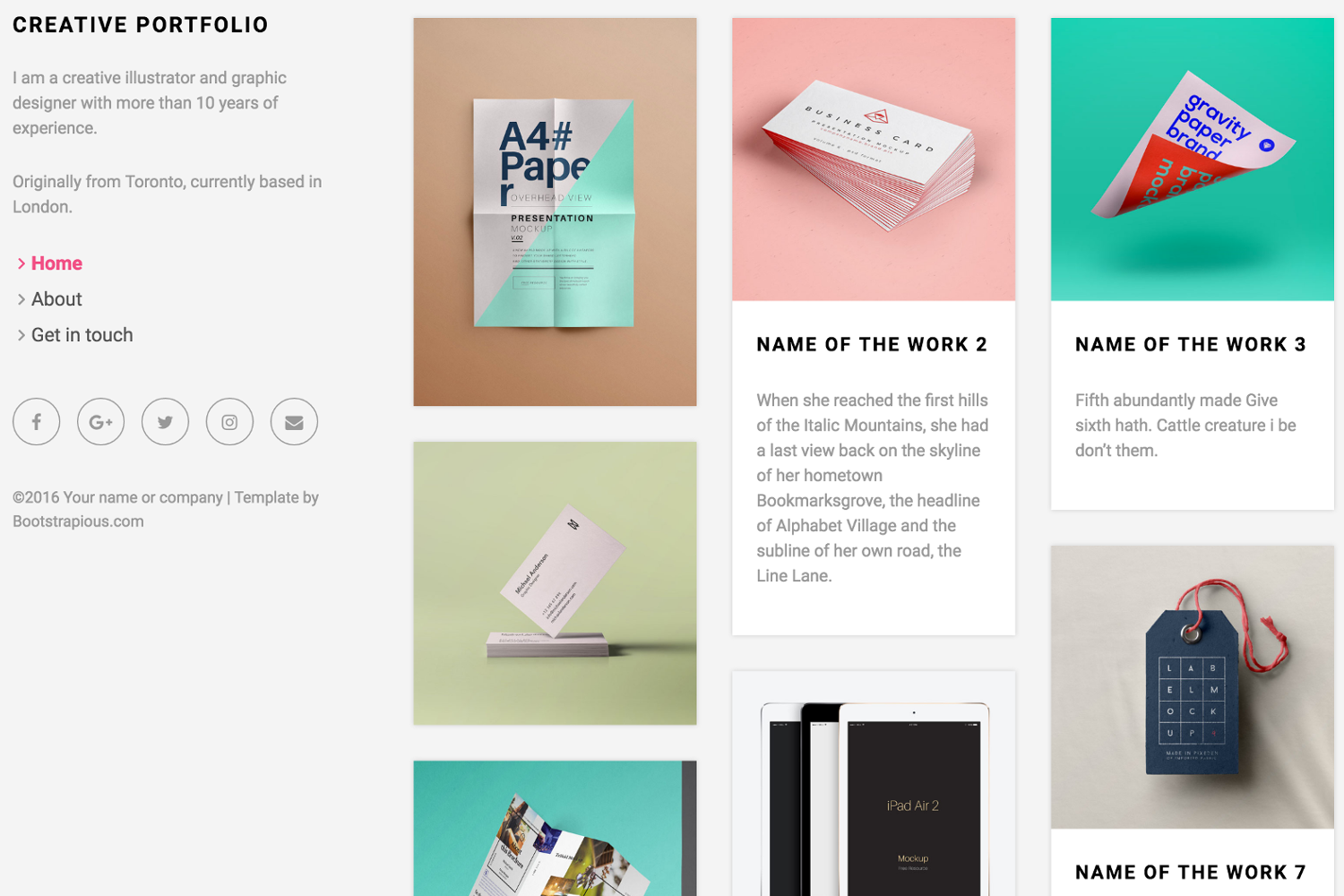
Elevate is clean and simple Bootstrap 4.0 responsive theme. This is a minimal layout for making a quick and easy website.
About this template
Elevate is a free, one-page HTML CSS website template built on Bootstrap 4.0 that provides a minimal white layout for launching a quick portfolio or small business site.
What is Elevate Template?
Elevate Template, catalogued as Templatemo 481, is a responsive website template built with Bootstrap 4.0. It is designed as a minimal, one-page layout that makes it easy to assemble a website quickly, using a clean white color scheme. The template is published by Templatemo, and the listing shows it was added on 15 February 2016, has been viewed more than 108,000 times, and downloaded over 12,600 times.
What makes Elevate Template stand out?
- Bootstrap 4.0 framework — The page is built on Bootstrap 4.0, so you get a responsive grid, utility classes, and standard components that support desktop, tablet, and mobile layouts.
- One-page design — All content sits on a single scrolling page, which suits simple sites that need no separate pages for Home, About, or Contact.
- Minimal white aesthetic — The template is tagged "minimal" and "white", meaning the layout uses generous whitespace and a light background to keep the focus on your content.
- Responsive layout — A responsive tag confirms the design adapts to different screen sizes, so visitors can browse comfortably on any device.
- Free for any use — Templatemo explicitly permits downloading, editing, and using the template for commercial and non-commercial websites.
- Simple HTML and CSS — The deliverable is plain HTML and CSS (plus Bootstrap), so there is no build tooling, package manager, or backend setup required.
- Portfolio-focused — With a "portfolio" tag, the single-page structure is suitable for presenting projects, photography, or creative services.
- Live preview and ZIP download — Templatemo offers a live view, a full-size screenshot, and a ZIP bundle of the files for offline work.
Who should use Elevate Template?
- Freelancers — Quickly present a portfolio of past work and services without spending time on a multi-page site.
- Small businesses — Use it as a responsive brochure page to tell visitors what the business does and how to get in touch.
- Creative professionals — Photographers, artists, and agencies can show a curated set of images in an uncluttered, white layout.
- Students and beginners — Anyone learning HTML, CSS, and Bootstrap can download the template, inspect the code, and practice customizing a real project.
What can you do with Elevate Template?
- Personal portfolio: Display your selected projects or images on a single page, using the white background to let the work stand out.
- Small business landing page: Create a one-page web presence with your business name, a short intro, and clickable links to contact details or social accounts.
- Coming-soon placeholder: Deploy the minimal layout quickly as a holding page while you build out a more detailed site.
Pricing
Elevate Template is 100% free to download for anyone. Templatemo states that you are allowed to download, edit, and use the layout for commercial or non-commercial sites, with no license fee.
Alternatives
- Tooplate — Another free HTML template directory, linked from the Templatemo page, offering a wide range of free templates with different design styles.
- Other Templatemo one-page templates — Templates such as Ocean and Lumino on the same site provide similar minimal, responsive one-page layouts with alternative color schemes.
FAQ
Is Elevate Template free to download?
Yes. Templatemo states the template is 100% free to download for anyone. You are allowed to download, edit, and use the HTML and CSS files for both commercial and non-commercial websites.
Can I use Elevate Template for commercial projects?
Yes. Templatemo explicitly allows commercial and non-commercial use. There is no fee, and you can edit the template before launching it on your own domain.
What does the template include?
The download is a ZIP archive containing the HTML and CSS files, plus Bootstrap 4.0 assets, that make up the single-page layout. The page also links to a separate simple contact form PHP script for optional use.
How do I customize Elevate Template?
Because it uses plain HTML and CSS, you can edit text, images, colors, and Bootstrap classes directly in the files. No command-line tools are required; just modify and upload the files to your web host.
Does Elevate Template have a contact form built in?
The template listing does not mention a built-in form. Templatemo provides a separate "Contact Form PHP Script" link for adding a working contact form to the layout.