Template details
Lautaro Portfolio
A modern Astro + React portfolio template for developers to showcase projects, experience, and skills in a responsive layout.
About this template
Lautaro Portfolio is a personal portfolio template built with Astro and React that produces a fast, responsive website for developers to showcase projects, experience, and skills.
What is Lautaro Portfolio?
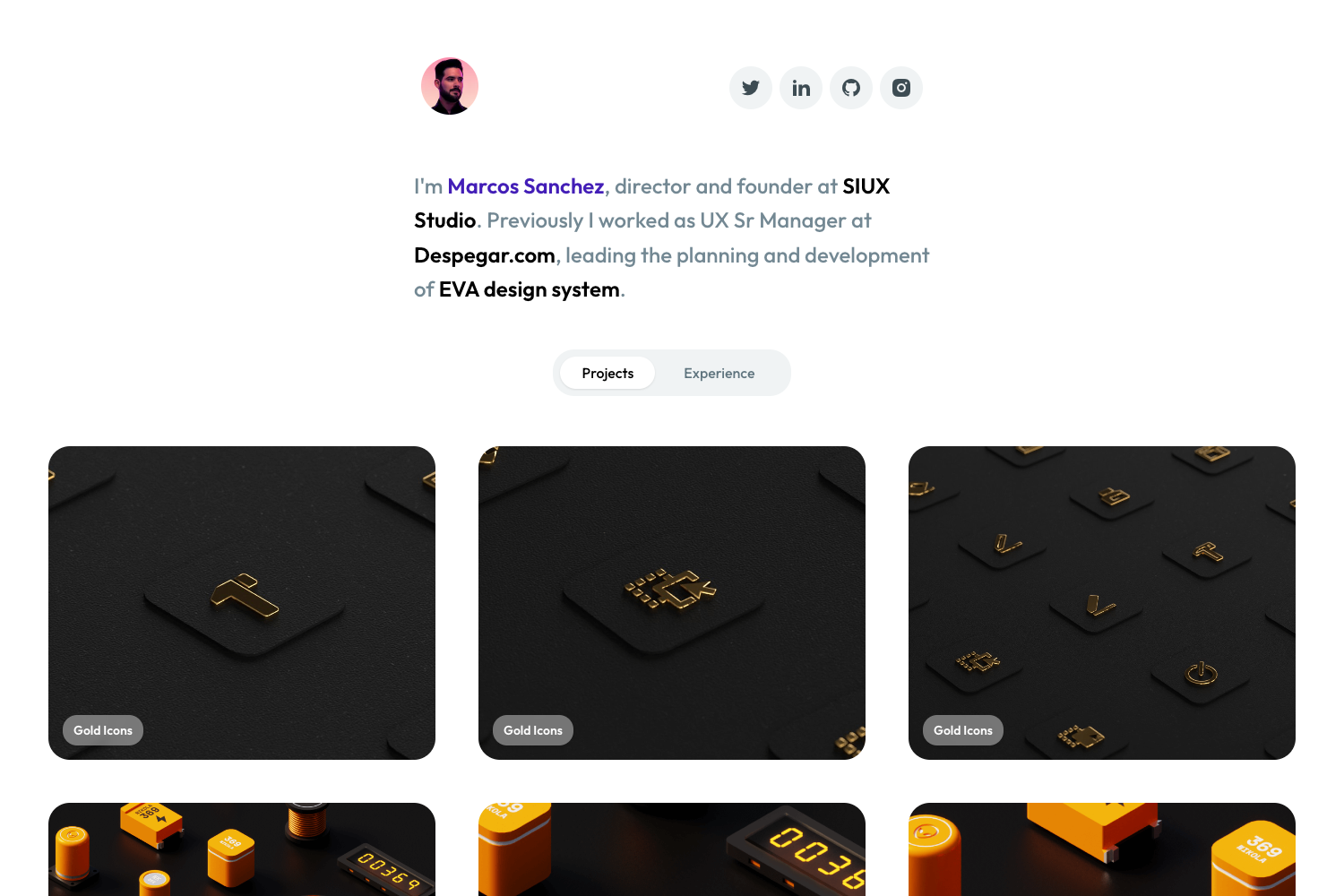
Lautaro Portfolio is an open-source template for personal portfolio websites, built on the Astro static-site framework with React used selectively for interactive components. It takes developer information such as projects and experience from a data folder and renders a multi-section site with About, Projects, Experience, and Contact areas. The template's production build outputs static files via Vite, and the project is published as a GitHub repository with 21 stars.
What makes Lautaro Portfolio stand out?
The template combines Astro's zero-JS-by-default output with React islands for interactivity, using TailwindCSS for styling. Key features include:
- Astro + React architecture — Uses Astro as the static-site framework and React for selective interactive components, balancing performance with interactivity.
- TailwindCSS styling — Styling is handled by TailwindCSS, enabling utility-first responsive design without leaving the markup.
- Dynamic project filtering — A JavaScript filter lets visitors sort projects by category or keyword without a page reload.
- Customizable sections — Includes ready-made sections for About me, Projects, Experience, and Contact, all editable via data files and components.
- Responsive layout — The design adapts to mobile, tablet, and desktop viewports out of the box.
- Clear project structure — Source code is organized into components, layouts, pages, scripts, styles, and data folders for maintainability.
- Standard Astro commands — Development, build, and preview workflows use familiar npm scripts, with the dev server at localhost:4321 and production output to dist.
Who is Lautaro Portfolio for?
The template suits developers who want a clean, low-maintenance portfolio without writing a custom site from scratch. It fits:
- Developer job seekers — Build a personal site that presents projects and experience in a professional layout.
- Freelance developers — Showcase a portfolio of client work with filtering to highlight relevant case studies.
- Open-source contributors — Use the template to document their contributions and technical skills in a clean format.
What can you do with Lautaro Portfolio?
With this template, you can quickly assemble a personal portfolio and adapt it to your needs:
- Developers: Add projects to the data file and each project appears as a card in a filterable grid, letting visitors sort by category.
- Students: Use the template as a starter for a personal portfolio to accompany a resume, running npm run dev to preview changes live.
- Tech enthusiasts: Deploy the static site to any host after running npm run build, since Astro generates plain HTML, CSS, and JS in the dist folder.
How does Lautaro Portfolio work?
The template organizes content and code into separate folders: projects and experience data live in src/data, pages are defined in src/pages, and reusable components sit in src/components. Running npm run dev starts a local server at localhost:4321, while npm run build generates a static site in dist. Interactive behavior like project filtering is handled by JavaScript in src/scripts and React components.
FAQ
How do I run Lautaro Portfolio locally?
Install dependencies with npm install, then start the development server with npm run dev. The site becomes available at localhost:4321, and changes to source files trigger hot reload.
What is the production build command?
Run npm run build to generate a static site in the dist directory. You can then preview that build locally with npm run preview before deploying to a hosting service.
Which styling framework does the template use?
The template uses TailwindCSS for styling, which provides utility classes for responsive design. The styles are organized in the src/styles folder.
Does the template include React components?
Yes, React is used in selective components, meaning only interactive parts (like the project filter) are loaded as React, while the rest of the site remains static Astro output.