Template details
Eleventy Bragdoc
Eleventy theme inspired by Julia Evans's Brag Document, with light/dark themes and GitHub Pages deployment.
About this template
Eleventy Bragdoc is a starter site for building a personal brag document with the Eleventy static site generator, using Nunjucks templates and vanilla CSS.
What is Eleventy Bragdoc?
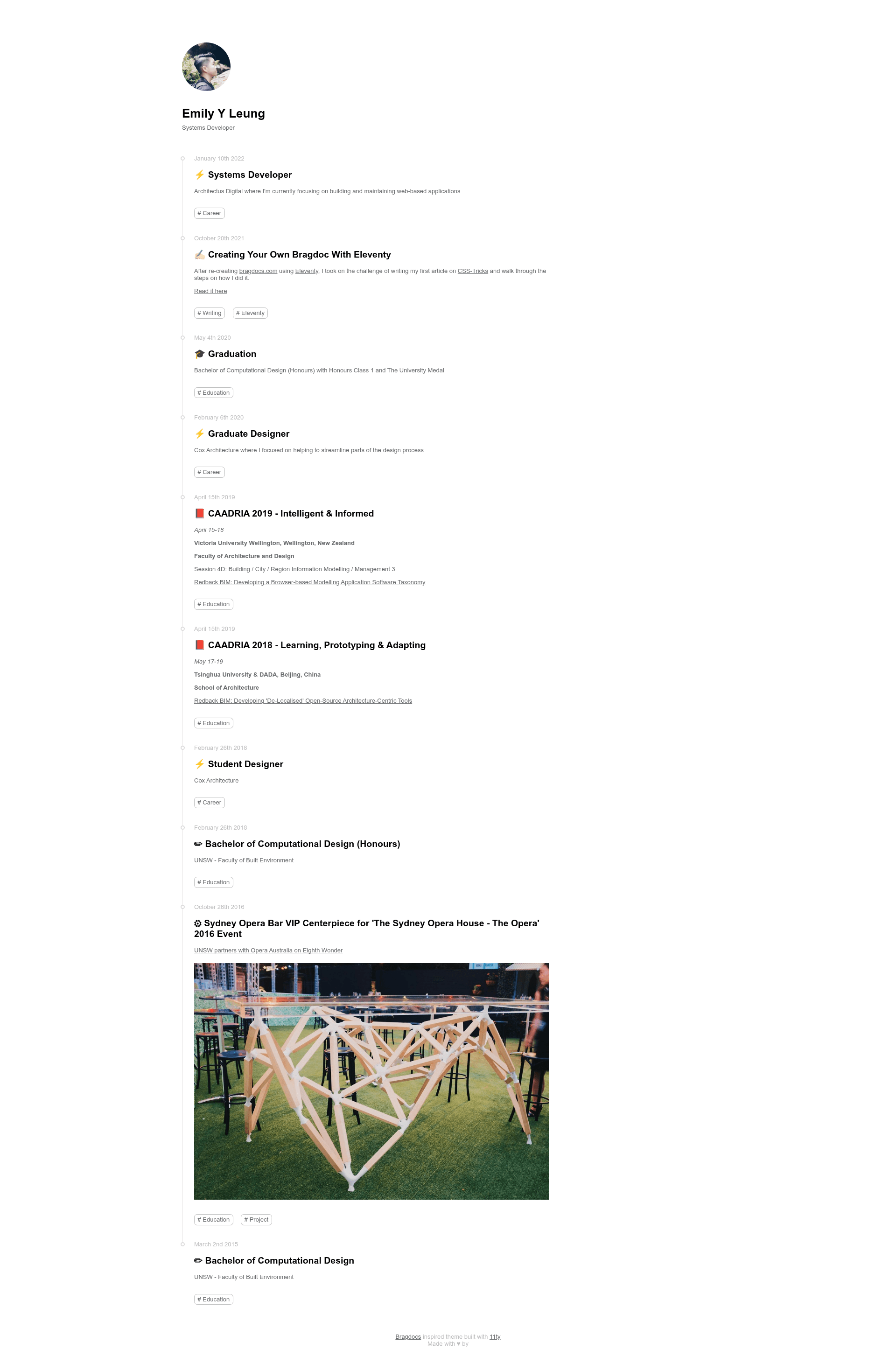
Eleventy Bragdoc is an open-source Eleventy starter template for creating a brag document website — a timeline of professional accomplishments and contributions inspired by Julia Evans's brag document practice. It takes content written in Markdown with YAML frontmatter and generates a static site with a chronological timeline, light/dark themes, and SEO metadata configured in src/data/site.json. Created by Emily Leung, the template runs on Eleventy (11ty) and uses Nunjucks for templating with vanilla JavaScript and CSS; the design is adapted from a CodePen timeline by venkatesh and the Bragdocs design by Jonny Burch at Progression.app.
Key Features
- Eleventy static site generation — Builds a fast static site from Markdown content with no build-time server required.
- Nunjucks templating — Page layouts and partials are written in Nunjucks, including the base layout
src/includes/layouts/base.njk. - Two built-in themes — Light and dark themes, with colors defined as CSS variables at the top of
src/css/styles.css; switch by changing thedata-themeattribute in the base template. - Frontmatter-driven content — Each entry supports an
Iconproperty (Segoe UI Emoji, Notion-style) and apublicboolean to hide or show an entry on the timeline. - Chronological ordering — Entries are sorted with the latest entry at the top automatically.
- Static tags/collections — Leverages Eleventy's collection system to group posts by tags, with a direct link to the official collections documentation.
- SEO base template — Site metadata is centralized in
src/data/site.jsonfor easy customization. - GitHub Pages deployment — Includes a
deploynpm script that pushes the builtpublic/folder to GitHub Pages.
Who is it for?
- Professionals building a brag document — Engineers, designers, and managers who want to track their accomplishments for performance reviews or career growth.
- Job seekers — People creating a portfolio of measurable impact to share with recruiters or hiring managers.
- Eleventy users — Developers who already use or want to learn Eleventy and want a minimal, content-first starter with a timeline layout.
What can you do with it?
- Track your wins over time — Add Markdown entries with dates and tags to maintain a running history of your work.
- Present your accomplishments publicly — Set the
publicproperty toTrueto show an entry on the timeline, orFalseto keep it private. - Deploy your personal site quickly — Use the provided npm scripts to build a static copy into
public/and deploy it to GitHub Pages with one command. - Customize branding — Edit the SEO JSON and CSS variables to change the site name, description, and theme colors in minutes.
How does it work?
After cloning the repository, install dependencies with npm install, then run npm start to start a local development server at http://localhost:8080. Write your brag entries as Markdown files with YAML frontmatter — including icon, public, and tag fields — and Eleventy generates a static site. To publish, run npm run-script build to output to public/, then npm run deploy to push to GitHub Pages.
Pricing
Eleventy Bragdoc is free and open-source, released under the MIT License.
FAQ
Is Eleventy Bragdoc free?
Yes, the project is open source and available under the MIT License, so you can use, modify, and publish it without licensing fees.
How do I switch between light and dark themes?
In src/includes/layouts/base.njk, change the data-theme variable from the default light to dark. The color values are defined as CSS variables at the beginning of src/css/styles.css.
How do I deploy the site to GitHub Pages?
Run npm run-script build to create the static site in public/, then run npm run deploy. The deploy script pushes the built files to GitHub Pages; follow GitHub's Pages documentation to configure your repository.
What frontmatter properties can I use?
Each Markdown entry can include an icon property using Segoe UI Emoji, a public boolean to control visibility on the timeline, and tags for Eleventy collections. Entries are automatically sorted by date with the most recent at the top.