Template details
Eleventy Soft UI Design
Free Eleventy starter with Soft UI Design System and Prismic CMS blog.
About this template
Eleventy Soft UI Design is a free, open-source Eleventy (11ty) starter that adapts Creative Tim's Soft UI Design System into a static site generator with a headless blog powered by Prismic CMS. It is published by AppSeed and ships with a live demo, a Prismic-ready blog, and a build pipeline that handles Sass, webpack, and SVG icons.
What is Eleventy Soft UI Design?
Eleventy Soft UI Design is an Eleventy (11ty) starter project that generates a static marketing website and blog from content stored in Prismic CMS. It takes a Prismic repository URL (set via the PRISMIC_REPOSITORY_NAME environment variable) and produces static HTML pages in Nunjucks templates, styled with the Soft UI Design System built on Bootstrap 5. The template is maintained by AppSeed and includes a presentation page, blog listing, and individual blog post layouts.
Key Features
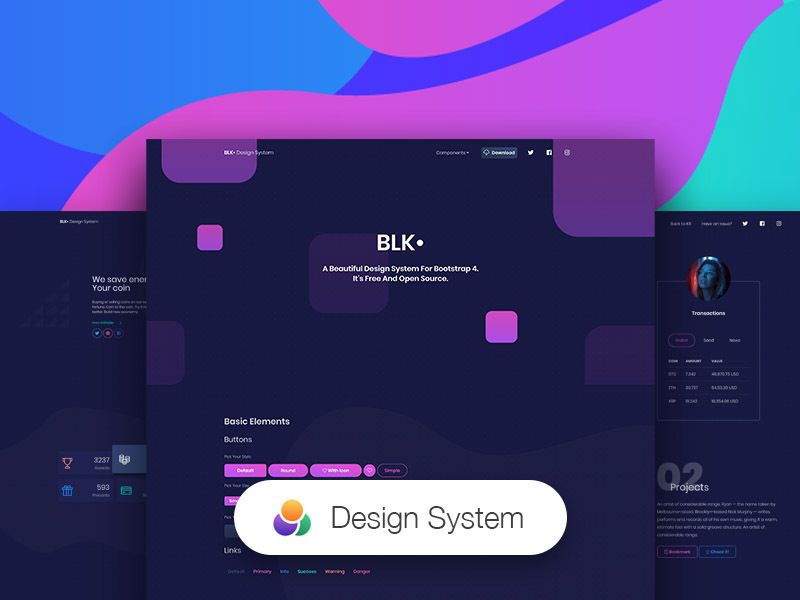
- Soft UI Design System — A Bootstrap 5-based UI kit by Creative Tim with over 70 frontend components including buttons, inputs, navbars, nav tabs, cards, and alerts, configurable through SASS files and classes.
- Prismic CMS integration — Blog posts are fetched from a Prismic repository at build time; a demo API (
https://eleventy-soft-ui-design.prismic.io/api/v2) is provided for testing. - CSS pipeline — Processes Sass with CleanCSS minification for production stylesheets.
- JS bundling with Webpack — Bundles and optimizes JavaScript modules.
- SVG icon sprite generation — Automatically builds an SVG sprite from icon assets.
- Critical CSS and HTML minification — Optimizations applied during the Eleventy build.
- Deployment-ready for Netlify — Includes a
netlify.tomldeployment configuration file.
Who is it for?
Eleventy Soft UI Design is for frontend developers who want a pre-built Eleventy site using a polished Bootstrap 5 UI kit rather than starting from scratch. It suits developers building a portfolio, company presentation, or blog who need a headless CMS workflow with Prismic. It also helps designers and content editors who want to manage blog posts through Prismic while developers handle layout and styling.
What can you do with Eleventy Soft UI Design?
- Developers: generate a static company or personal site with a blog by connecting a Prismic repository and running the Eleventy build.
- Content editors: publish and update blog posts through the Prismic CMS dashboard, which then sync to the generated static pages on rebuild.
- Designers: customize the Soft UI components' colors and styles via SASS variables and classes without touching the site's template logic.
- Open-source contributors: fork the repository from GitHub (app-generator/eleventy-soft-ui-design) and extend the codebase to create new page templates or components.
How does Eleventy Soft UI Design work?
The template is set up in four steps: clone the repository from GitHub, install dependencies with npm i or yarn, configure the Prismic API by renaming .env.sample to .env and setting PRISMIC_REPOSITORY_NAME (or using the provided demo API), and run yarn start to serve the site at http://localhost:8080. During the build, Eleventy pulls blog content from Prismic and generates static pages in the output directory.
FAQ
Is Eleventy Soft UI Design free?
Yes, it is a free open-source starter template provided by AppSeed. You can clone it from the public GitHub repository app-generator/eleventy-soft-ui-design and use it for personal or commercial projects.
Do I need a Prismic account to use this template?
To run the blog with your own content, you need a Prismic repository. Alternatively, you can use the demo API URL included in the setup instructions to test the template without creating an account. The demo API serves a sample content set.
What static site generator does this template use?
This template uses Eleventy (11ty) as the static site generator. It processes Nunjucks templates, Markdown, and data files, and includes standard Eleventy files like .eleventy.js and a src/ directory containing layouts, pages, and includes.
Does the template include a deployment configuration?
Yes, the repository includes a netlify.toml file, making it ready to deploy to Netlify. A live demo version is also hosted at https://eleventy-soft-ui.appseed-srv1.com/.