Template details
Next.js Starter Tailwind
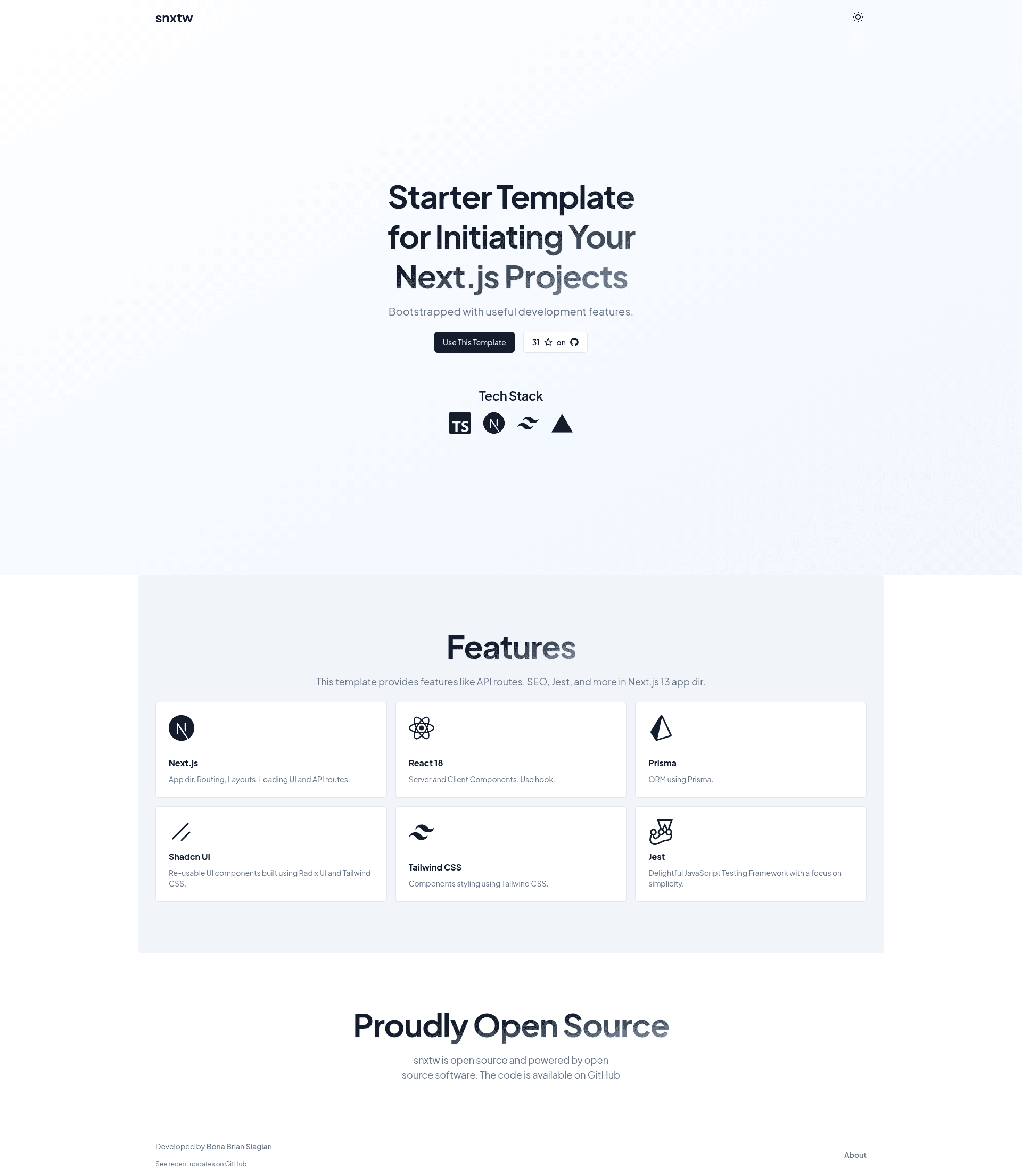
Next.js App Router starter template with Tailwind CSS, TypeScript, and a full linting and commit-hook toolchain.
About this template
Next.js Starter Tailwind (snxtw) is a free boilerplate template that scaffolds a production-ready Next.js App Router project pre-configured with Tailwind CSS, TypeScript, and a complete code-quality toolchain.
What is Next.js Starter Tailwind?
Next.js Starter Tailwind is a GitHub template repository by bonabrian that generates a new Next.js project using the App Router directory structure, Tailwind CSS for styling, and TypeScript for static typing. It takes a project name as input through either the GitHub 'Use this template' button, 'npx create-next-app -e', or 'npx degit', and outputs a fully configured codebase with pre-built components, SEO metadata, and development tooling. The starter runs on Next.js and React and is intended to streamline the initial setup of a web application.
Key Features
- Next.js App Router — Uses the modern App Router directory structure with the source files located under 'src/app', enabling server components and file-based routing.
- Tailwind CSS — Utility-first styling comes pre-configured, so you can apply atomic classes to your markup without additional configuration.
- TypeScript — Written entirely in TypeScript, the template provides type safety and better editor tooling from the first line of code.
- Pre-built Components — The repository ships with reusable component examples you can drop into your pages right away.
- SEO Metadata — Default metadata is baked in so search-engine basics are handled from the start.
- ESLint & Prettier — Linting and formatting are configured to catch errors and keep code style consistent.
- Husky & Lint Staged — Git hooks run lint-staged scripts on files before each commit, preventing bad code from entering the history.
- Conventional Commit Lint — Commit messages are validated against the conventional commits spec for a clean changelog-ready history.
Who is it for?
- Front-end developers who want to bypass the boilerplate setup of Next.js, Tailwind, and TypeScript and focus on application logic.
- Open-source contributors who need a starter with enforced commit message conventions and pre-commit checks for collaborative projects.
- Startup teams launching a new web app can use this as a baseline with one-click deployment options to Vercel, Netlify, or Railway.
What can you do with it?
- Start a new project instantly: Use the 'Use this template' button on GitHub, run 'npx create-next-app -e https://github.com/bonabrian/snxtw project-name', or use 'npx degit bonabrian/snxtw YOUR_APP_NAME' to create a new app.
- Deploy in one click: The README includes deploy buttons for Vercel, Netlify, and Railway, so you can push the starter live without manual setup.
- Customize the default page: Edit 'src/app/page.tsx' to change the landing page and see hot reloading at http://localhost:3000.
How does it work?
The workflow described in the README is: clone or scaffold the template, install dependencies with 'yarn install' (recommended so Husky hooks function correctly), and start the development server with 'yarn dev', which serves the app at http://localhost:3000.
FAQ
Is Next.js Starter Tailwind free?
Yes, it is a public GitHub repository released as a starter template. You can clone it, use the GitHub template feature, or install it via create-next-app and degit at no cost.
Do I need to leave the attribution?
The README requests that when you use the 'Use this template' button, you keep the attribution in your repository so others can discover the template. It is appreciated but not stated as a mandatory condition.
Why should I use Yarn instead of npm?
Yarn is encouraged because the Husky hooks are set up to work properly with Yarn. Running 'yarn install' is the documented command to install dependencies and activate the git hooks.
Which platforms can I deploy to?
The README includes one-click deploy buttons for Vercel, Netlify, and Railway. You can connect your cloned repository to any of these services from the README's badge links.