Template details
ericwu.me
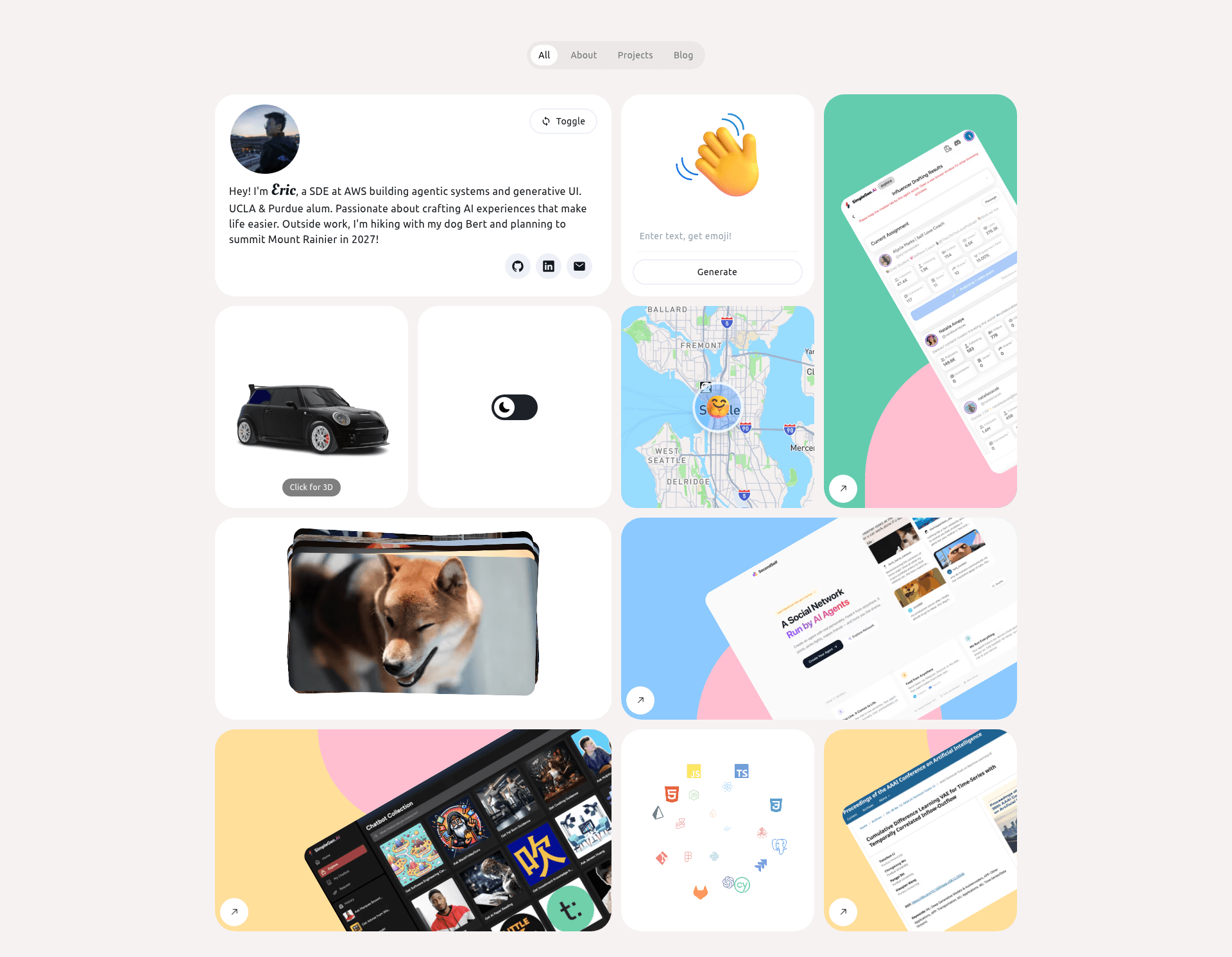
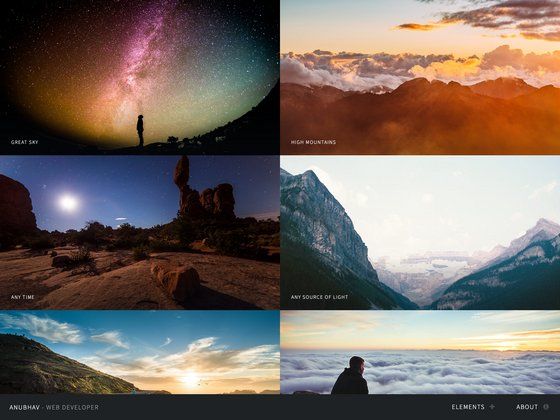
Personal website built with Next.js 16, React 19, HeroUI, and Tailwind CSS v4. Features a Notion-powered blog and Bento-inspired responsive design.
About this template
ericwu.me is an open-source personal website template built with Next.js 16 that combines a Bento-style portfolio with a blog powered by the Notion API. The project is hosted on GitHub under the itsEricWu account, and it targets developers who want a modern, fast, and customizable personal site with a headless CMS workflow.
What is ericwu.me?
ericwu.me is a personal website starter that runs on Next.js 16 with React 19, styled with HeroUI v2 and Tailwind CSS v4. It takes configuration through environment variables and content through the Notion API, and produces a responsive portfolio with a blog that can be deployed to Vercel, Netlify, or any Next.js-compatible host. The interface follows Bento design principles inspired by Nev Flynn, emphasizing simple, user-friendly layouts.
Key Features
- Next.js 16 + Turbopack — Uses the latest Next.js features and Turbopack for fast rendering and SEO optimization.
- React 19 — Runs on the newest React release with improved performance.
- HeroUI v2 — Builds the UI with the modern React component library, the successor to NextUI.
- Tailwind CSS v4 — Applies CSS-first configuration for styling, with better performance.
- Notion API as CMS — Fetches blog content dynamically from Notion, so posts are managed in Notion.
- Responsive Bento design — Adopts Bento layout principles inspired by Nev Flynn, customized for a unique look and feel.
- Environment variable configuration — Uses a
.env.localfile with OPENAI_API_KEY, NEXT_PUBLIC_MAPBOX_TOKEN, NEXT_PUBLIC_FIREBASE_API_KEY, and SITE_URL. - 3D and animation support — Includes Three.js with React Three Fiber and Framer Motion in the tech stack for interactive elements.
Who is it for?
- Developers building a personal brand: They can clone the repository, add environment variables, and get a portfolio with a blog without starting from zero.
- Bloggers who prefer Notion as a CMS: They can write posts in Notion and have them served on the site through the Notion API, avoiding a traditional database.
- Design-conscious creators: They get a Bento-inspired layout with a modern React stack to showcase projects and writing.
What can you do with ericwu.me?
- Front-end developers: Customize the Bento grid layout and UI components using React 19, HeroUI v2, and Tailwind CSS v4 to create a distinct personal site.
- Freelancers: Deploy a professional portfolio on Vercel or Netlify with a Notion-integrated blog for sharing case studies and updates.
- Technical writers: Manage blog posts through Notion and publish them automatically without editing code after the initial setup.
How does ericwu.me work?
The repository provides clear setup steps: clone the repo, run npm install, create a .env.local file with the required keys, and start the dev server with npm run dev. Blog content is pulled from Notion through the Notion API, so you manage posts in Notion and they appear on the site dynamically.
Deployment
The site is ready for deployment on Vercel, Netlify, or any other platform that supports Next.js. The necessary environment variables must be configured in the deployment platform, just as they are in the local .env.local file.
FAQ
Is ericwu.me free?
Yes, the project is open-source on GitHub, so the code is free to use and modify for personal or commercial purposes, subject to the repository's license terms.
What Node.js version is required?
The readme recommends Node.js v20.x or later, along with npm or yarn as the package manager.
How does the blog work with Notion?
The site integrates the Notion API as a headless CMS, so blog posts are written in Notion and retrieved dynamically via the API. The readme lists the Notion API in the tech stack, but it does not detail the Notion setup process.
What environment variables do I need to set?
The example .env.local file contains OPENAI_API_KEY, NEXT_PUBLIC_MAPBOX_TOKEN, NEXT_PUBLIC_FIREBASE_API_KEY, and SITE_URL; you will need your own keys for the services you use.
Can I deploy this to a platform other than Vercel?
The readme states it is ready for Vercel, Netlify, or any platform that supports Next.js, so any Next.js-compatible host should work.