Template details
Feature Flags with Optimizely
Learn how to use Optimizely to run feature flags and A/B experiments at the edge with Vercel Edge Middleware.
About this template
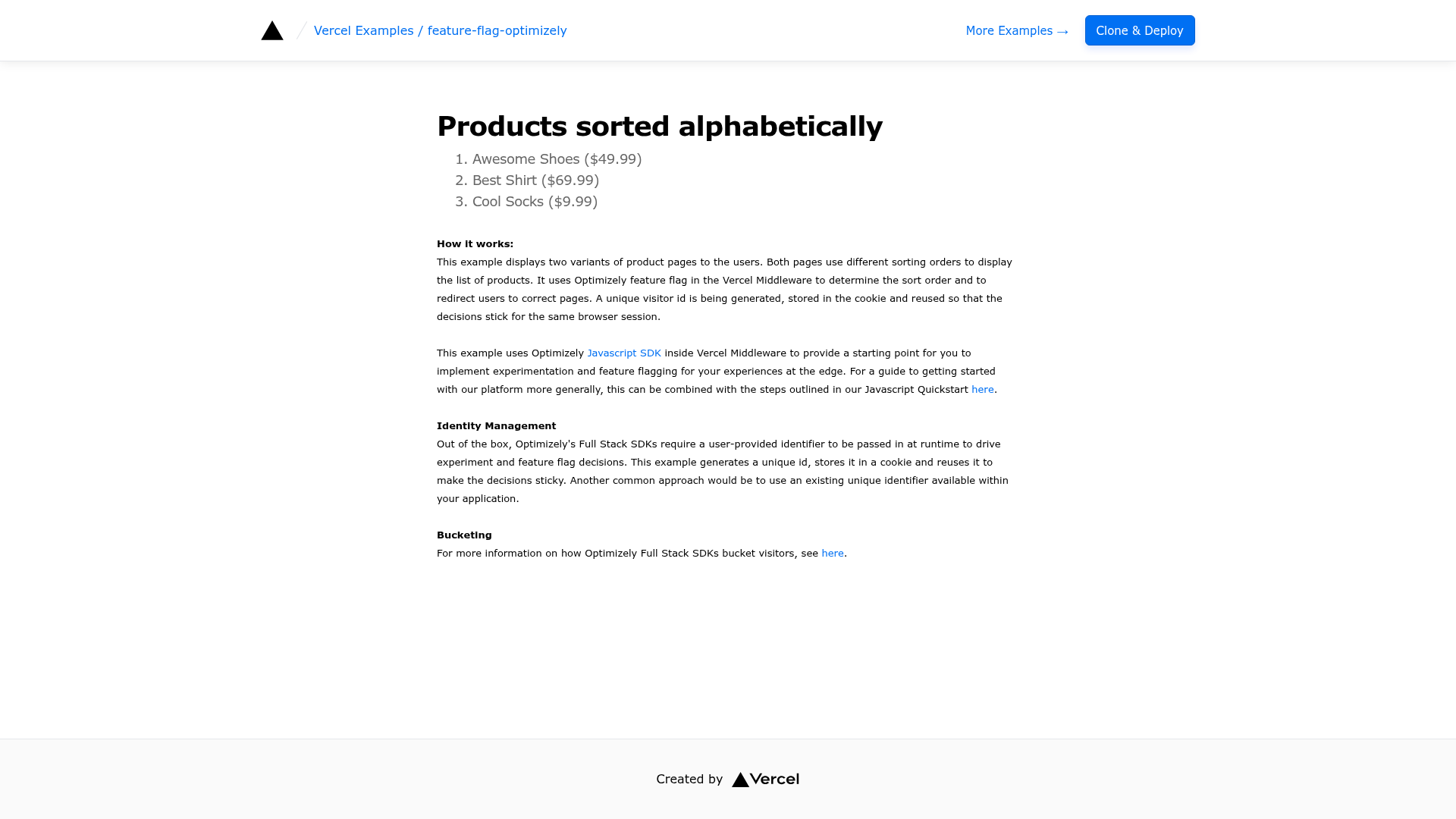
Feature Flags with Optimizely is a Next.js starter template from Vercel's examples repository that demonstrates running Optimizely Full Stack feature flagging and A/B experiments inside Edge Middleware on Vercel. The template uses the Optimizely JavaScript SDK to evaluate a product_sort feature flag at the edge and returns different sorting methods based on a user cookie.
What is Feature Flags with Optimizely?
This template is a ready-to-deploy Next.js application that integrates Optimizely Full Stack with Vercel Edge Middleware. It takes an Optimizely SDK Key and a datafile from the Optimizely CDN as inputs, and outputs middleware behavior that delivers different feature variations to users based on flag rules. The project is built with Next.js and Tailwind CSS, and is designed to be deployed to Vercel with a one-click clone.
Key Features
- Edge Middleware execution — The Optimizely JavaScript SDK runs inside Vercel Edge Middleware, so feature flag decisions are made at the network edge with minimal performance impact.
- Example feature flag — The template ships with a
product_sortflag and asort_methodvariable, configured to deliver either "alphabetical" or "popular_first" sorting based on a 50% traffic rule. - Cookie-based identity management — A unique ID is generated, stored in a cookie, and reused to keep experiment and flag decisions sticky across requests.
- Auto-update via webhooks — Vercel Deploy Hooks combined with Optimizely Webhooks trigger a new build whenever the Optimizely project changes, and every build fetches the latest datafile.
- One-click Vercel deployment — The template supports direct deployment from the Vercel dashboard with an environment variable for the Optimizely SDK Key.
- Tailwind CSS styling — The example UI uses Tailwind CSS, ready for customizing the demo page.
Who is it for?
This template is for Next.js developers who want to add feature flags to edge-rendered applications. It suits teams already using Optimizely or evaluating experimentation platforms, and product engineers who need to roll out features gradually and roll them back instantly without deploying new code.
What can you do with it?
- Gradually roll out features — Use the provided
product_sortflag to expose a new sorting algorithm to 50% of traffic in the primary environment, then adjust the percentage at any time. - Run A/B experiments — Create variations in Optimizely and let Edge Middleware serve different versions to users, with identity stored in cookies for stable assignment.
- Keep deployed code in sync with Optimizely — Connect a Vercel Deploy Hook to an Optimizely Webhook so any change in the Optimizely UI triggers a fresh build that re-fetches the datafile.
How does it work?
First, you register a free Optimizely account, create a feature flag and variable, and set up a targeted delivery rule. Then you copy the SDK key from Settings > Primary Environment, add it as the OPTIMIZELY_SDK_KEY environment variable in Vercel, and deploy the template. At runtime, Edge Middleware reads the user's cookie ID, calls the Optimizely SDK to evaluate the flag, and returns the appropriate variation. When you change flags in Optimizely, a webhook can hit a Vercel Deploy Hook to rebuild the app and pull the updated datafile.
FAQ
Do I need an Optimizely account?
Yes, a free Optimizely account is required. The setup instructions link to Optimizely's free feature flagging sign-up page and assume you have a Flags-enabled project.
What environment variable does this template require?
It requires OPTIMIZELY_SDK_KEY, which you copy from Optimizely's Settings > Primary Environment and paste into your Vercel project's Environment Variables section.
How often is the datafile updated?
The template fetches the latest datafile from the Optimizely CDN during every build. To make updates automatic, you can create a Deploy Hook in Vercel and configure an Optimizely Webhook to call it whenever your flags change.
What is the example flag in this template?
The example creates a flag named product_sort with a string variable sort_method. The default variation uses "alphabetical", while the "on" variation sets it to "popular_first", and a targeted delivery rule delivers that variation to 50% of traffic.