Template details
Fem Devjobs
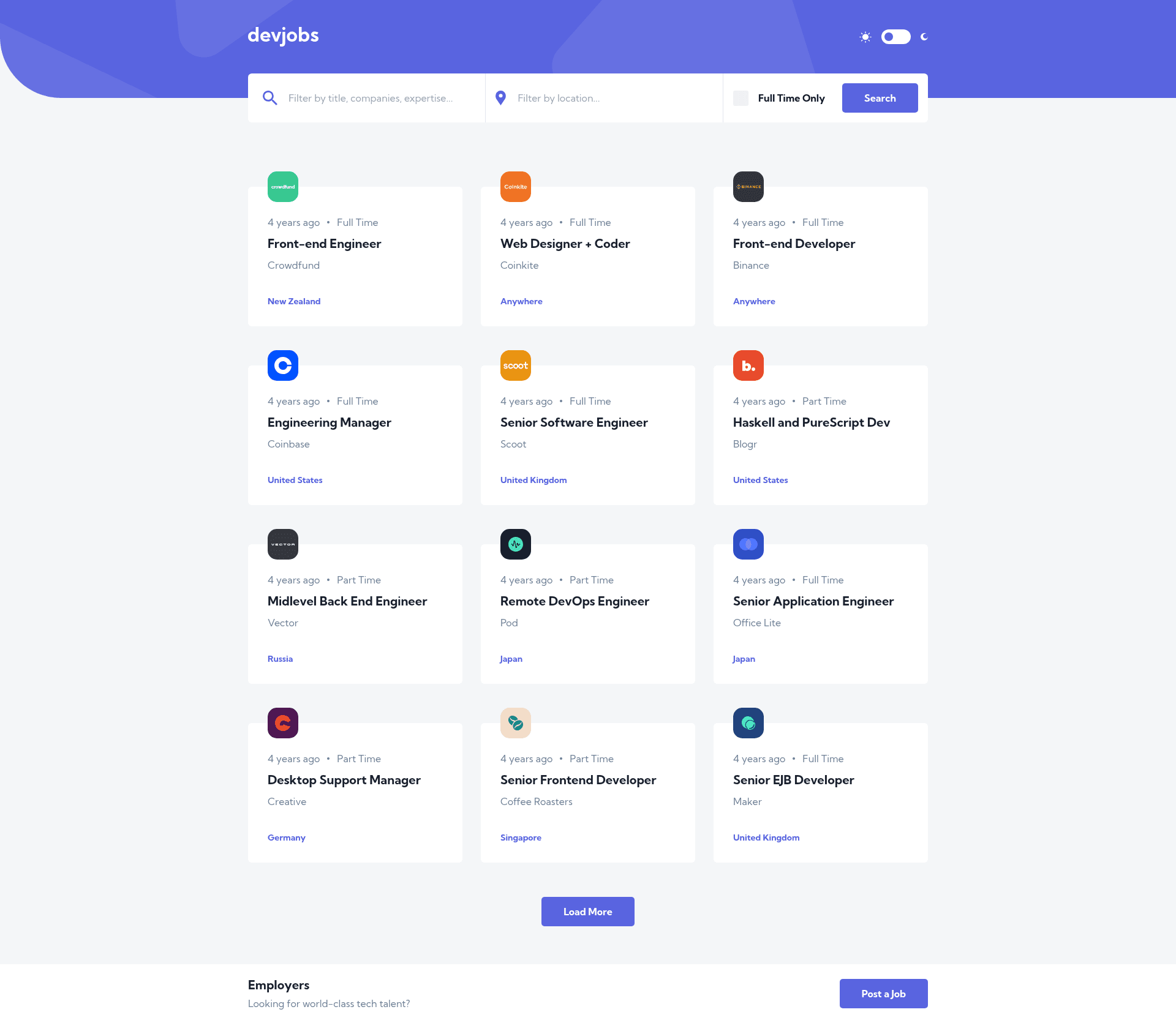
Devjobs website with Post Job form and approval via CMS.
About this template
Fem Devjobs is a responsive, mobile-first job board web template built with Next.js, Tailwind CSS, and Sanity CMS that combines public job posting with an admin approval workflow.
What is Fem Devjobs?
Fem Devjobs is a front-end project that started as a coding challenge and evolved into a functional devjobs dashboard. It takes job postings submitted through a modal form, validates them with React Hook Form and Yup, sends them to Sanity CMS through Next.js API routes, and displays approved posts on a dynamic job listing page. The application runs on Next.js with static site generation, styled by Tailwind CSS, and uses Sanity as a headless content management system.
Key Features
- Next.js dynamic routing — job listings are generated using Static Site Generation, producing multiple static page permutations for performance.
- Tailwind CSS mobile-first design — the entire dashboard is styled with Tailwind, built mobile-first from the start.
- Sanity headless CMS backend — job data is hosted in Sanity, giving administrators a no-code interface to approve and edit job posts.
- Job posting modal with validation — anyone can submit a job through a front-page modal, validated client-side by React Hook Form and Yup before reaching the API.
- Admin approval workflow — submitted jobs are reviewed in Sanity Studio and only appear on the front page after being approved.
- Dark mode with system preference — a Next-Theme custom hook integrates system dark mode as default while allowing manual toggling, and the state is rehydrated on page reload.
Who is it for?
- Front-end developers — as a reference implementation for combining Next.js, Tailwind, and a headless CMS with form validation and dark-mode handling.
- Job board operators — as a starting point for a job listing site that needs moderated, user-submitted content without building a custom admin panel.
- Community managers — as a way to accept job posts from anyone while retaining approval control through Sanity Studio.
What can you do with it?
- Post a job listing: Submit a job through the modal form with validation; the listing is queued for admin approval.
- Manage listings via CMS: Edit and approve posts in Sanity's no-code interface without touching code.
- Browse jobs with client-side routing: View job details on pages generated statically by Next.js.
How does it work?
The workflow is straightforward: a user opens the modal, fills the form, and the data is validated with React Hook Form and Yup. On success, the job post is passed to a Next.js API route, which writes it to Sanity CMS. An administrator then reviews it in Sanity Studio and approves it, making it visible on the front page.
Pros and cons
- Pros: Static Site Generation delivers fast page loads; mobile-first styling works across devices; the CMS separation lets non-developers manage content; dark mode follows system settings and persists.
- Cons: Requires a Sanity project set up to store job data; job posts only appear after manual approval, so there is a delay before new listings go live.
FAQ
How does the job approval process work?
When a user submits a job through the modal, the post is sent to Sanity via a Next.js API route. It enters a draft state in Sanity Studio, where an administrator reviews it and publishes it. Only published jobs appear on the public dashboard.
Does the template support dark mode?
Yes. It uses a Next-Theme custom hook that reads the system dark mode setting as the default and also provides a manual toggle. The chosen state is preserved on page reload via rehydration.
What CMS backend is used?
Sanity, a headless CMS, hosts the job data. Its no-code interface allows job posts to be edited and approved without writing code.
Is there a separate admin panel?
No separate admin panel was built. Instead, Sanity Studio serves as the admin interface for approving and editing job posts submitted from the front page.