Template details
Flowbite Illustrations
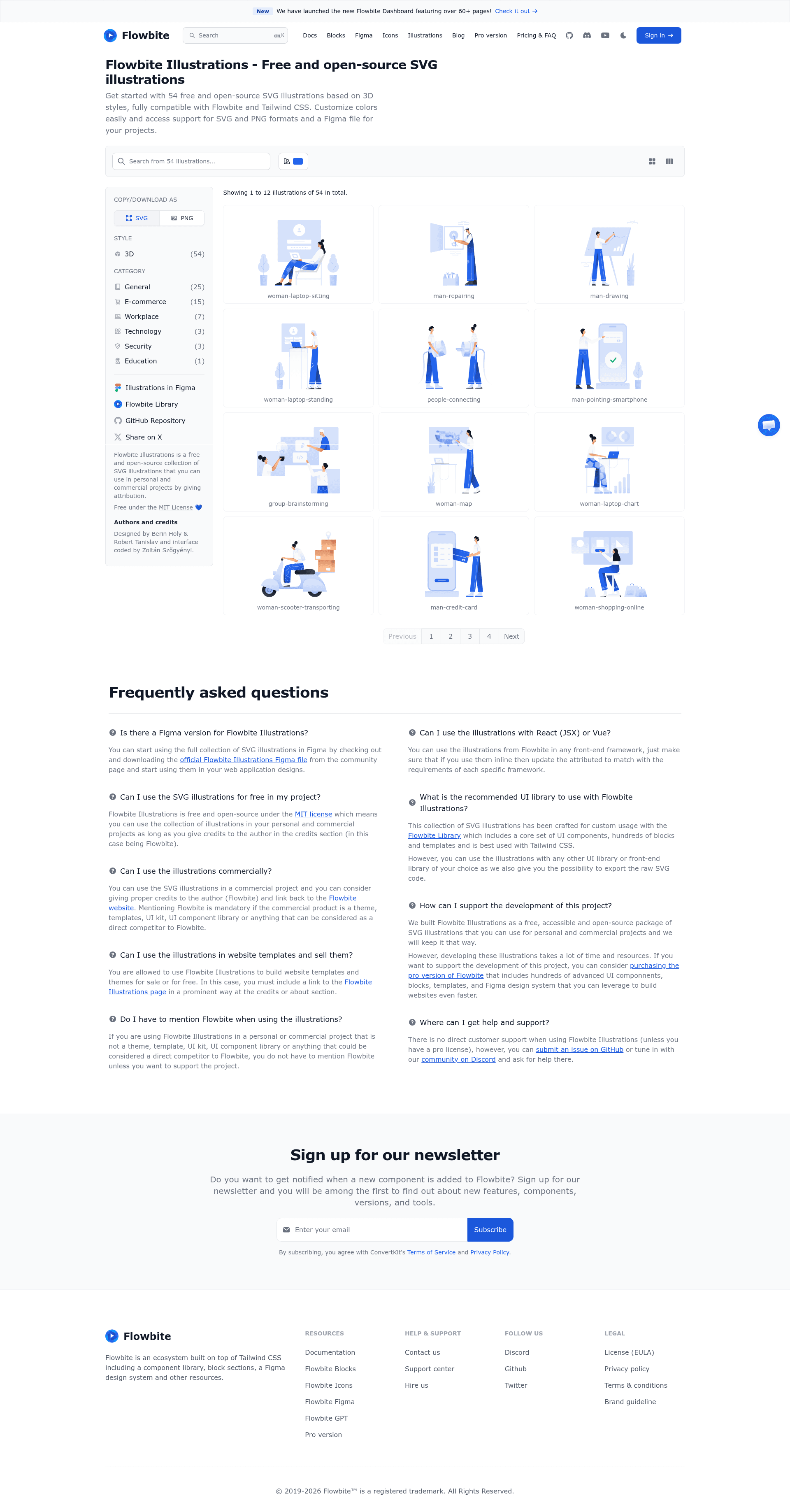
Free and open-source collection of 54+ SVG illustrations built for Tailwind CSS and Figma with color and dark/light mode options.
About this template
Flowbite Illustrations is a free, open-source collection of over 54 SVG illustrations designed for Tailwind CSS and Figma that you can copy-paste directly into any web project. Created by the Flowbite team at Bergside Inc., it solves the recurring problem of needing polished, on-brand visuals for empty states, onboarding flows, and error pages without commissioning custom art.
What is Flowbite Illustrations?
Flowbite Illustrations is a free and open-source set of 54+ SVG illustrations from Flowbite (Bergside Inc.) that provides raw SVG code and downloadable PNGs for use in Tailwind CSS projects and Figma designs. The illustrations support color configuration and dark/light mode, and because they are standard SVG files they work with any tech stack, from plain HTML to React, Vue, or Angular. The collection is accessible on the Flowbite website and also as a Figma community file.
Key Features
- Free and open source — Released under the MIT License, the illustrations can be used in personal and commercial projects without licensing fees.
- 54+ SVG illustrations — A hand-designed set covering common UI scenarios like empty states, onboarding, and error pages.
- Copy-paste raw SVG — Each illustration's raw SVG source is provided so you can embed it directly into any markup without build tools.
- PNG download — Every illustration can also be downloaded as a PNG for use in documents, slide decks, or non-web deliverables.
- Color configuration — Change the color of each illustration on the site to match your brand before copying the code.
- Dark and light mode — Toggle between dark and light variants so the illustrations stay consistent with your theme.
- Figma community file — A duplicate-ready Figma file lets designers work with the exact same assets developers use.
- Flowbite ecosystem — Complements Flowbite Icons (500+ solid and outline SVG icons) and Flowbite Blocks (330+ Tailwind CSS sections).
Who is it for?
Flowbite Illustrations is for web developers building with Tailwind CSS who want ready-made SVG graphics for empty states, error pages, and onboarding screens. It is also for UI/UX designers who use Figma and need a consistent illustration set that matches the implementation. Product teams and freelancers shipping MVPs or client sites benefit from having a free, professionally designed asset library that accelerates delivery.
What can you do with it?
- Developers: Copy the raw SVG code into a React, Vue, or plain HTML component to add visual context to empty states and error pages.
- Designers: Duplicate the Figma community file to reuse the illustrations in high-fidelity mockups and hand them off for development.
- Tailwind users: Embed the color-adjusted SVG into a Tailwind project and switch between dark and light modes to match the theme.
- Content creators: Download PNG versions of illustrations for blog posts, presentation decks, or social media graphics.
How does Flowbite Illustrations work?
Visit the Flowbite Illustrations page, browse the collection, select an illustration, and either copy the raw SVG code or download the PNG file. You can adjust the color and toggle dark or light mode before copying, and if you work in Figma, duplicate the community file to start using the illustrations immediately.
Pricing
Flowbite Illustrations is free and open-source under the MIT License. While Flowbite Pro is a paid product with advanced UI components, sections, pages, and a Figma design system, the illustration collection itself remains free for everyone.
FAQ
Is Flowbite Illustrations free?
Yes, Flowbite Illustrations is free and open-source under the MIT License, so you can use it for personal and commercial projects without paying.
How do I use the illustrations?
Go to the Flowbite Illustrations page, pick an illustration, copy the raw SVG code or download a PNG, and paste it into your project. You can also change colors and switch between dark and light modes before copying.
Does Flowbite Illustrations work with any framework?
Yes, because the illustrations are standard SVG files they work with any tech stack, including plain HTML, React, Vue, Angular, and Tailwind CSS projects.
Is there a Figma version?
Yes, there is a Figma community file that you can duplicate directly into your Figma project. It was integrated into Figma by Robert Tanislav.
Who created Flowbite Illustrations?
The illustrations were designed by Berin Holy, the Figma integration was done by Robert Tanislav, and the interface was coded by Zoltán Szőgyényi for Flowbite (Bergside Inc.).