Template details
Foam Template Gatsby Kb
A Foam/Obsidian template using gatsby-theme-kb for publishing your knowledge base
About this template
Foam Template Gatsby Kb
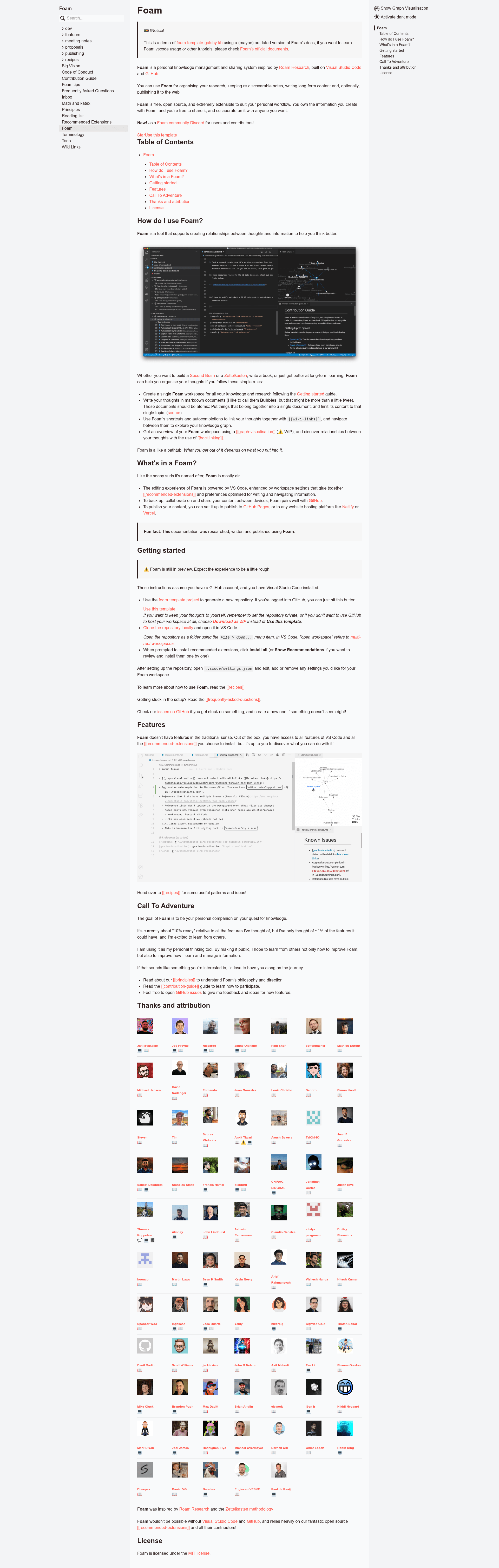
Foam Template Gatsby Kb is a documentation template that turns a Foam or Obsidian vault of Markdown notes into a static knowledge-base website using Gatsby and the gatsby-theme-kb theme. It is a GitHub template repository, so you start by pressing the "Use this template" button and cloning your own copy into VS Code.
What is Foam Template Gatsby Kb?
Foam Template Gatsby Kb is a GitHub template repository created for users of Foam (and compatible with Obsidian) who want to publish their local knowledge base as a static website. It takes Markdown notes written in a Foam workspace — including [[wiki-links]], tags, and backlinks — and compiles them into a Gatsby site. The site output is configured through _layouts/gatsby-config.js, where you set the path prefix, site title, author, and description. The core theme is gatsby-theme-kb, and the template adds plugins for code syntax highlighting with gatsby-remark-prismjs, math rendering with remark-math and rehype-katex, and copying linked static files with gatsby-plugin-copy-files-enhanced.
Key Features
- Gatsby-based static generation — Uses Gatsby with gatsby-theme-kb, producing a static site with client-side navigation and backlink support.
- Foam and Obsidian compatible — Works with Foam's wiki-link syntax and can be pointed at an Obsidian vault by adjusting the settings in
.vscode/settings.json. - Math support — LaTeX math in notes is rendered on the published site through remark-math and rehype-katex.
- Code syntax highlighting — Includes gatsby-remark-prismjs with
noInlineHighlight: true; you can replace it with shiki or twoslash using an example linked in the README. - Asset copying —
gatsby-plugin-copy-files-enhancedserves files from anassetsdirectory at the absolute path/assets; additional directories can be added by duplicating the plugin config. - Built-in deployment workflows — A GitHub Actions workflow (
.github/workflows/Deploy.yml) builds on every push tomasterand publishes to thegh-pagesbranch; Vercel deployment instructions are also provided. - Starter notes — The repo includes
inbox,foam-tips, andtodomarkdown files that demonstrate how wiki-links and backlinks behave.
Who is it for?
- Foam or Obsidian users — If you keep a second brain in Markdown, this template gives you a direct path to publish it as a website with backlinks.
- Developers — You can customize the Gatsby config, add plugins, or fork the theme; the workspace is opened as a folder in VS Code, not a traditional multi-root workspace.
- Technical writers and documentation maintainers — Publish a docs site with math support and code highlighting, and deploy it through GitHub Pages or Vercel.
- Private note-takers — Fork the template to a private GitHub repository if you do not want the published site to be public; the deployment workflows still work.
What can you do with this template?
- Publish a personal knowledge base — Convert a Foam workspace into a static site hosted on GitHub Pages or Vercel, including wiki-link navigation and backlinks.
- Share documentation with math — Write notes containing LaTeX expressions and have them rendered by KaTeX on the published site.
- Show code examples — Use the PrismJS highlighting config to display syntax-highlighted code blocks; replace with shiki/twoslash if you prefer.
- Deploy custom asset directories — Add more
gatsby-plugin-copy-files-enhancedsections to serve images or other static files under absolute paths.
How does it work?
Set up the template by forking it with the "Use this template" button, cloning the repo, and opening it in VS Code with the recommended extensions installed. Then edit _layouts/gatsby-config.js to change the path prefix and site metadata. To deploy, choose Vercel and set _layouts as the source directory with the Gatsby.js framework preset, or enable GitHub Pages and push to master to trigger the included GitHub Actions workflow, which builds the site to the gh-pages branch.
Pros and cons
Pros
- Free and open source — it is a GitHub template, so there is no subscription or paid tier mentioned.
- Both GitHub Pages and Vercel deployment are documented with exact steps.
- Supports math, code highlighting, and static assets out of the box.
- Works with both Foam and Obsidian vaults.
Cons
[[wiki-links]]do not render in the GitHub.com Markdown preview until foambubble/foam issue #16 is resolved; they work in VS Code and in the rendered GitHub Pages site.
FAQ
Is this template free to use?
Yes. The template is a GitHub repository you can fork, clone, and deploy freely. No pricing or licensing fee is mentioned in the README. You need a GitHub account and VS Code to get started.
Does it work with Obsidian?
The repository description explicitly calls it a "Foam/Obsidian template." The gatsby-theme-kb theme and the link-reference configuration are compatible with both Foam's wiki-link syntax and Obsidian's Markdown vaults.
How do I deploy to GitHub Pages?
After enabling GitHub Pages in your repository settings with gh-pages as the source, push to the master branch. The .github/workflows/Deploy.yml workflow automatically builds the Gatsby site and adds the generated files to the gh-pages branch. The public URL will be something like https://yourname.github.io/your-repo-name/.
Why won't my wiki-links work in the GitHub preview?
This is a known limitation of GitHub's Markdown preview with Foam-style wiki-links, tracked in foambubble/foam issue #16. Until that is resolved, links are generated as reference-style definitions at the bottom of each file, which work in VS Code and in the rendered site.