Template details
Gulp.js Tutorial
Code examples for a 16-part Gulp.js tutorial series covering build automation, Sass/PostCSS, Jekyll, and deployment.
About this template
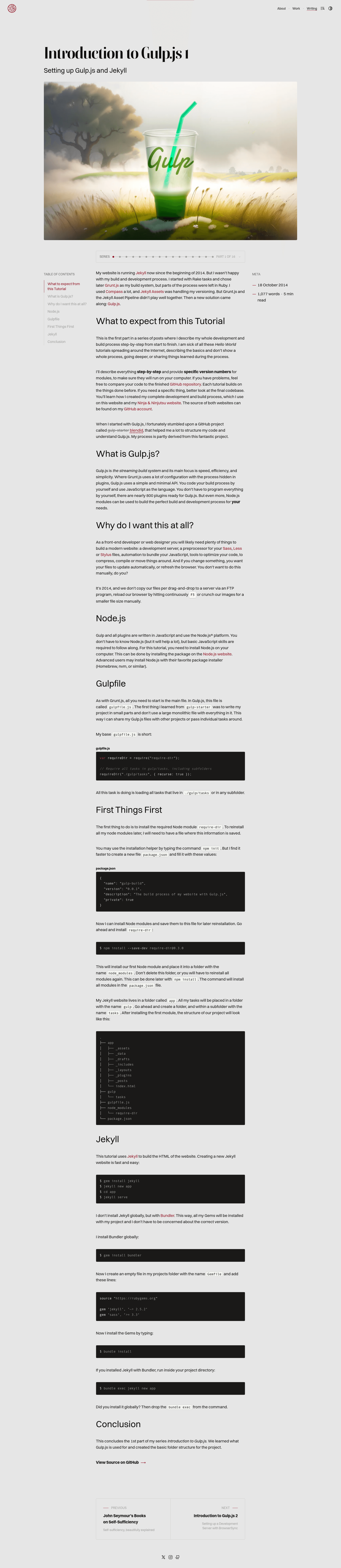
Gulp.js Tutorial is a free, open-source code repository that accompanies a 16-part blog series on stefanimhoff.de by Stefan Imhoff, teaching how to create a complete Gulp build pipeline for a Jekyll static site.
What is Gulp.js Tutorial?
The Gulp.js Tutorial is a companion code repository for a step-by-step blog series on stefanimhoff.de, written by Stefan Imhoff. It takes a Jekyll project with assets such as Sass/SCSS, JavaScript, images, and fonts, and processes them through a Gulp pipeline to produce an optimized static website. The project runs on Node.js, uses Gulp as the task runner, and centralizes configuration in gulp/config.js. The repository includes example files, a complete build setup, and instructions for installing Node with nvm, Yarn, Bundler, Bower, and Fontcustom.
Key Features
- Development server with BrowserSync —
yarn startbuilds assets and the Jekyll site, starts a local server, and automatically reloads when files change. - CSS generation with PostCSS (or Sass) — the master branch uses PostCSS, while the
ruby-sassbranch provides the older Sass/Compass version. - JavaScript bundling with Browserify — bundles CommonJS modules into a single JavaScript file for the browser.
- Image and font optimization — converts images to WebP, compresses files with Gzip, generates icon webfonts with Fontcustom, and creates CSS image sprites.
- Base64 encoding — inlines small images directly into CSS as Base64 to reduce HTTP requests.
- Linting — checks the syntax of SCSS and JavaScript files for errors.
- Asset revisioning — appends content hashes to filenames so browsers always fetch updated assets.
- Production build and Rsync deployment —
yarn run publishoptimizes all assets and runs a production Jekyll build;yarn run deploycopies the generated files to a server via Rsync.
Who is it for?
- Front-end developers who want to learn how to set up a Gulp workflow by following a tested tutorial series with working code.
- Jekyll users who need a Gulp-based asset pipeline for their static site and want to generate CSS, bundle JavaScript, and optimize images automatically.
- Developers exploring PostCSS who want to compare it with Sass in the same project by switching between the
masterandruby-sassbranches.
What can you do with it?
- Set up a development environment — run
yarn startand get a local server with live reload, SCSS/PostCSS compilation, and JavaScript bundling. - Create a production build — run
yarn run publishto optimize CSS, JavaScript, images, and HTML, and produce a versioned build for release. - Deploy a static site — configure the Rsync settings in
gulp/config.jsand runyarn run deployto upload the generated site to your server. - Automate asset processing — generate sprites, webfonts, WebP images, and Base64-encoded backgrounds with a single command.
How does the tutorial work?
The repository is organized around the 16 tutorial posts, each adding a new capability to the Gulpfile. After cloning, install dependencies with bundle, bower install, and npm install (or Yarn). Then edit gulp/config.js to set your deployment target and other project-specific settings. The tutorials are ordered from setup through development server, build tasks, CSS generation, JavaScript bundling, image processing, linting, production optimization, revisioning, and finally deployment.
Pros and cons
- Pros: Complete 16-part tutorial with explanations for every task; covers BrowserSync, PostCSS/Sass, Browserify, sprites, webfonts, linting, revisioning, WebP, Gzip, and Rsync; includes both development and production pipelines; provides a
ruby-sassbranch for legacy workflows. - Cons: The tutorial specifies Node.js 6.3.1, which is an old version and will likely need updating for current Node releases; some tool versions in the code may be outdated since the series was published some time ago.
FAQ
What Node.js version does the tutorial require?
The tutorial instructs you to install Node version 6.3.1 using nvm. If you are using a newer Node version, you may need to update some Gulp plugins or the configuration, but the general Gulp workflow will still work.
Can I use Sass instead of PostCSS?
Yes. Although the current master branch uses PostCSS, the repository has a ruby-sass branch where you can see the original Sass and Compass setup. You can switch to that branch if you prefer the older approach.
How do I deploy the generated website?
Run yarn run deploy. This command uses Rsync to copy the generated files to your server. You must first set the hostname, username, and destination values in gulp/config.js.
What is the difference between start, publish, and deploy?
yarn start runs a development server with live reload and file watching. yarn run publish creates an optimized production build (minifies assets, generates WebP, and adds hashed filenames). yarn run deploy builds the production version and then uploads it to your server via Rsync.
Are there example images and fonts in the repository?
Yes. The tutorial includes the Gulp.js logo, a pattern from Subtle Patterns, and SVG/PNG icons from the IcoMoon Icon Pack to demonstrate the image and font processing tasks.