Template details
Millidocs Dark
A clean dark documentation theme for Jekyll with client-side search and syntax highlighting.
About this template
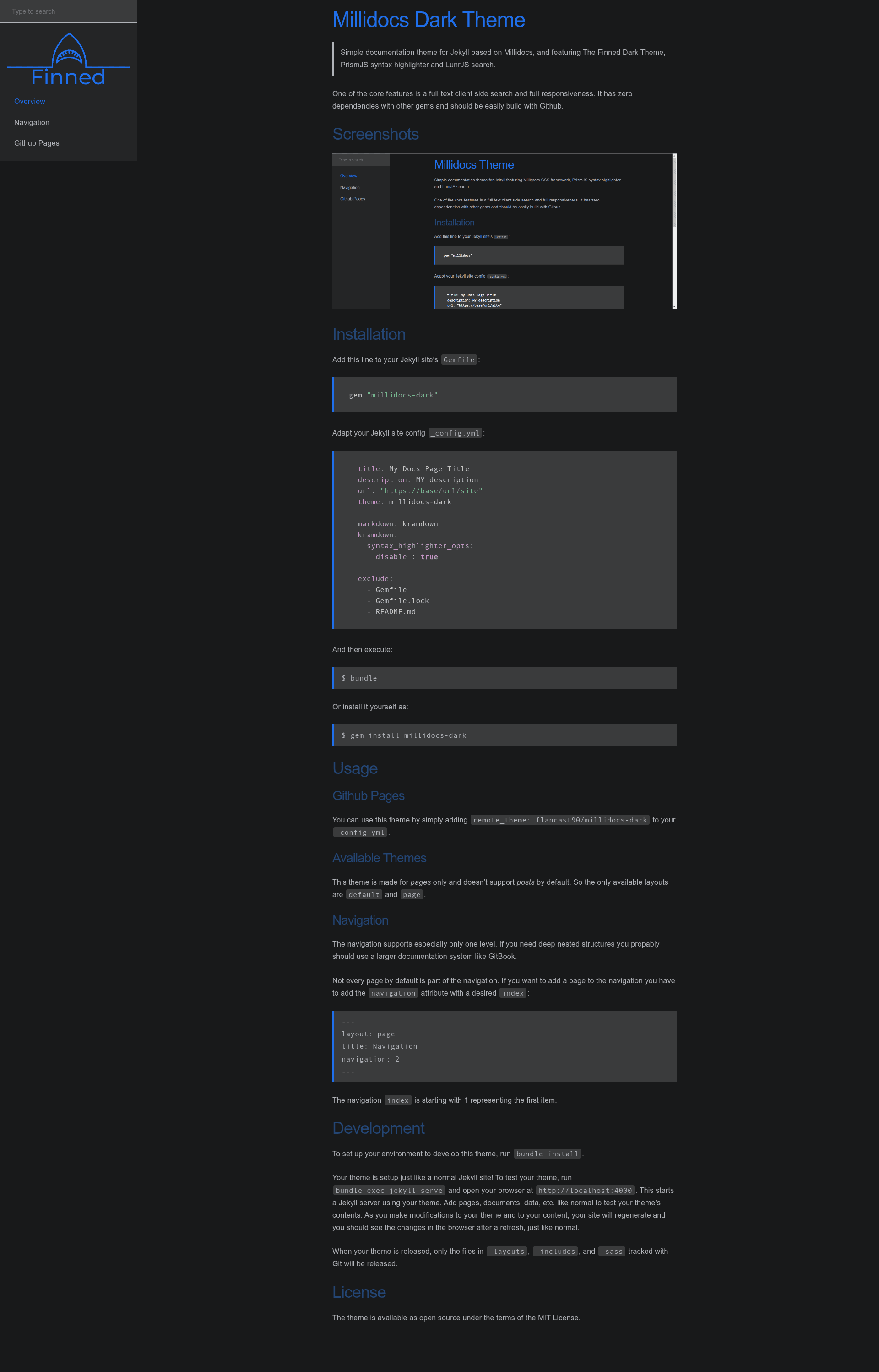
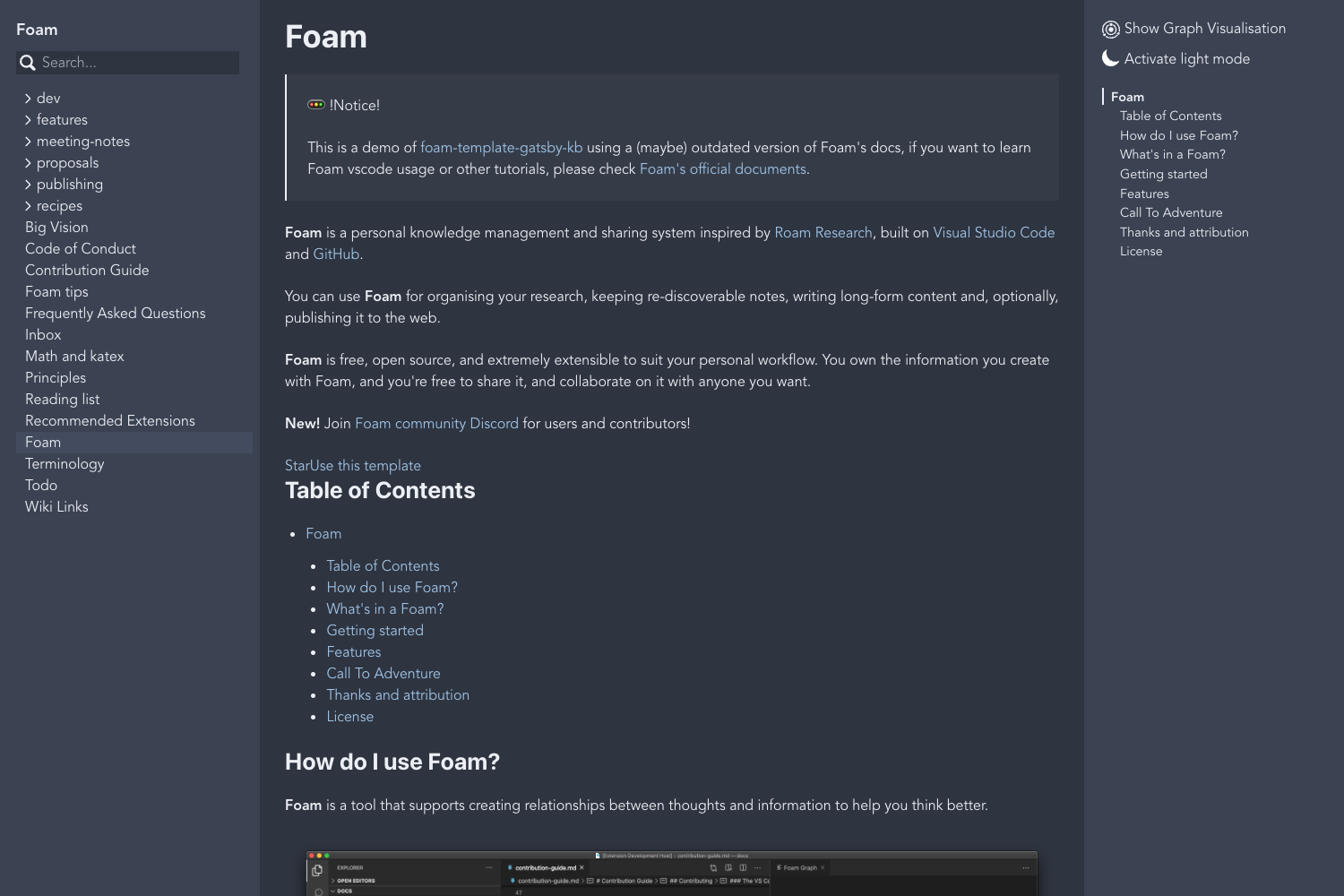
Millidocs Dark is a Jekyll documentation theme that generates a dark, responsive static documentation site with client-side full-text search and syntax highlighting.
What is Millidocs Dark?
Millidocs Dark is a dark-themed documentation template for Jekyll, derived from Alexander Heimbuch's Millidocs. It takes Jekyll pages written in Markdown with YAML front matter and produces a static documentation website. The theme bundles PrismJS for syntax highlighting and LunrJS for client-side full-text search, and it has zero gem dependencies beyond Jekyll itself. The repository is maintained by flancast90 and released under the MIT License.
Key Features
- Dark theme — Based on The Finned Dark Theme, providing a dark color scheme out of the box for documentation pages.
- Client-side full-text search — Integrates LunrJS so visitors can search documentation content without a server, directly in the browser.
- Syntax highlighting — Uses PrismJS to highlight code blocks across multiple programming languages.
- Fully responsive layout — The theme adapts to mobile, tablet, and desktop screen widths.
- No extra gem dependencies — Works with a standard Jekyll installation; only the theme itself is added to the Gemfile.
- GitHub Pages support — Install via
remote_theme: flancast90/millidocs-darkin your_config.yml. - Single-level navigation — Pages can be ordered with a
navigationfront matter attribute (index starting at 1). - Two layouts only — Provides
defaultandpagelayouts; it does not support Jekyll posts.
Who is it for?
- Open-source project maintainers who need a simple, clean documentation site hosted on GitHub Pages with zero server-side components.
- Developers building product docs who want a dark-themed, searchable static site without configuring a CMS or database.
- Technical writers who prefer writing in Markdown and want a minimal, fast-loading documentation template with few moving parts.
What can you do with Millidocs Dark?
- Project documentation: Publish API references, user guides, and onboarding docs as a set of Jekyll pages with automatic search.
- Internal knowledge base: Build a lightweight, searchable wiki for a team by organizing pages with the navigation index.
- Product manuals: Create a clean, dark-themed manual that is fully responsive for reading on phones and tablets.
How does Millidocs Dark work?
Installation follows the standard Jekyll theme workflow: add gem "millidocs-dark" to your Gemfile, set theme: millidocs-dark in _config.yml, and run bundle. For GitHub Pages, set remote_theme: flancast90/millidocs-dark instead. After adding pages with YAML front matter (including an optional navigation number), run bundle exec jekyll serve to preview locally at http://localhost:4000.
Pros and cons
- Pros: Free and open source (MIT); fully client-side search; responsive; no extra gems; easy GitHub Pages deployment.
- Cons: Navigation supports only one level; content is limited to pages (posts are not supported by default). For deep nested structures the project suggests a larger system like GitBook.
Alternatives
- GitBook — a larger documentation system that supports deeply nested page structures, as noted in the theme's README.
- Millidocs — the original light-themed Jekyll documentation theme that Millidocs Dark is based on.
FAQ
Is Millidocs Dark free?
Yes, Millidocs Dark is open source and released under the MIT License, so you can use, modify, and distribute it freely.
Does Millidocs Dark support blog posts?
No, the theme is designed for pages only and does not support Jekyll posts by default. The available layouts are default and page.
How do I add a page to the navigation?
Add a navigation attribute with an index number to the page's YAML front matter. The first item starts at 1, and only one level of navigation is supported.
Can I use Millidocs Dark with GitHub Pages?
Yes, using the remote_theme: flancast90/millidocs-dark setting in your _config.yml lets you deploy the theme on GitHub Pages without building locally.
What search engine does Millidocs Dark use?
It uses LunrJS, a client-side search library, so users can search your documentation directly in the browser without any server-side processing.