Template details
Folio
Free Bootstrap 5 one-page personal portfolio template with filterable gallery, lightbox, blog page, and contact form.
About this template
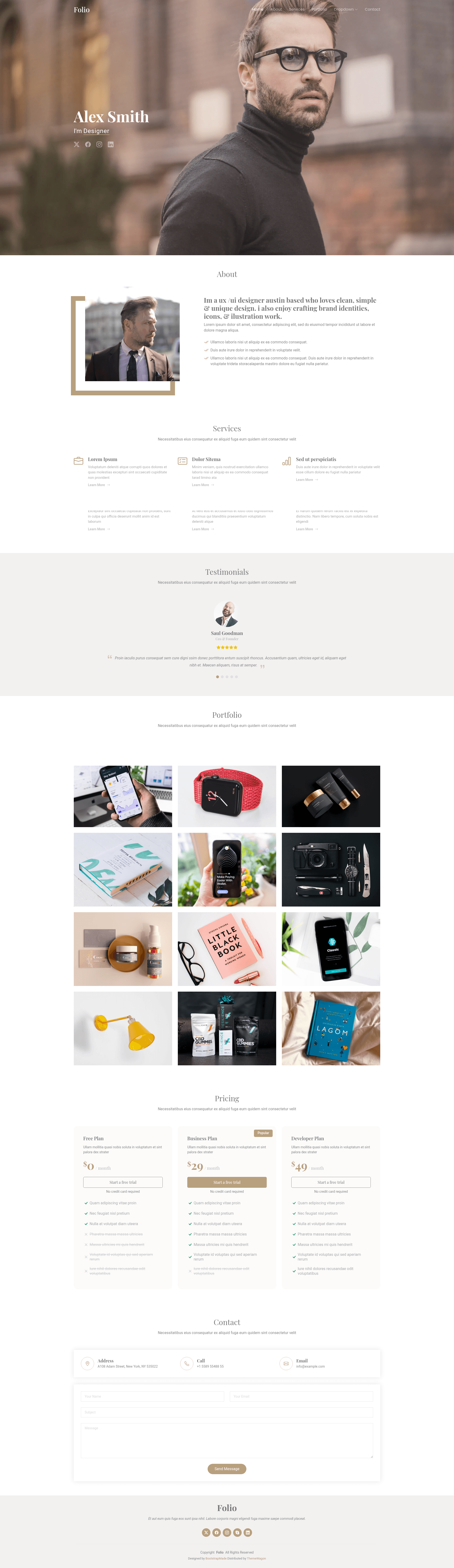
Folio is a free Bootstrap 5 one-page personal website template from ThemeWagon, built by BootstrapMade, for creating portfolio and showcase pages with a filterable gallery, lightbox, and blog page.
What is Folio?
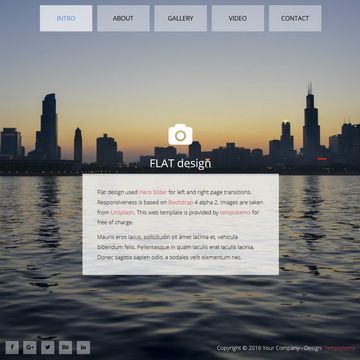
Folio is a free HTML5 Bootstrap 5 personal website template that lets you build a one-page portfolio or showcase site. It takes demo content, images, and text and produces a responsive, single-page website with a hero header, sticky navigation, filterable portfolio gallery, and a blog page. The template runs on plain HTML, CSS, and JavaScript with jQuery plugins, and is created by BootstrapMade and distributed by ThemeWagon.
Key Features
- Bootstrap 5 framework — built on the world's most popular CSS framework, with responsive design and cross-browser support for Chrome, Edge, Firefox, Opera, Safari, and mobile.
- One-page layout — includes a hero header with animated text and a sticky navigation bar that appears on scroll.
- Filterable gallery — uses the Isotope plugin to sort portfolio items by category, paired with a Magnific Popup lightbox for viewing images.
- Carousel slider — an Owl Carousel slider with Ionicons icons for showcasing testimonials or highlights.
- Ready blog page — a single blog page included to demonstrate how to add a blog section.
- JS contact form — a form UI is integrated (requires modifications to become functional).
- Social media icons — ready-to-use icons for linking social profiles.
- Package contents — 3 HTML files, 3 CSS files, 1 JavaScript file, 1 JS contact form, 6 JS plugins, and demo images.
Who is it for?
- Freelancers and creative professionals — build a personal portfolio to showcase work and attract clients.
- Job seekers — create an online resume or profile page with samples and contact information.
- Small businesses — set up a simple one-page corporate or company profile with a gallery and contact form.
- Developers and designers — use the clean Bootstrap 5 codebase as a starting point for custom projects.
What can you do with Folio?
- Showcase your work: upload images to the filterable Isotope gallery and organize them by category for visitors to browse.
- Introduce yourself: replace the demo text and image in the about section with your own bio and photo.
- Publish blog posts: use the included blog page layout to write and link individual articles.
- Collect messages: the integrated contact form UI gives you the layout, though you'll need to wire it to a backend or service to receive submissions.
Pricing
Folio is free to download. ThemeWagon lists it under a free license that allows open-source use, commercial projects, and lifetime free updates.
FAQ
Is Folio free to use?
Yes, Folio is a free template. ThemeWagon's license allows use in commercial projects and includes lifetime free updates.
What files are included in Folio?
The download contains 3 HTML files, 3 CSS files, 1 JavaScript file, one JS-based contact form, 6 jQuery plugins, and demo images.
Does Folio include a working contact form?
The template has a contact form UI, but the page states it needs some modifications to make it functional. You'll need to add your own backend or email service integration.
Which browsers and devices are supported?
Folio is responsive and compatible with Chrome, Edge, Firefox, Opera, Safari, and mobile devices.
Who created Folio?
Folio was created by BootstrapMade and is distributed on ThemeWagon. The template credits Bootstrap 5, Hover.css, Ionicons, Isotope, Magnific Popup, and Owl Carousel.