Template details
fullstack-template
Production-ready full-stack template with FastAPI or Go Chi backends, React 19, Docker, Nginx, and Expo mobile.
About this template
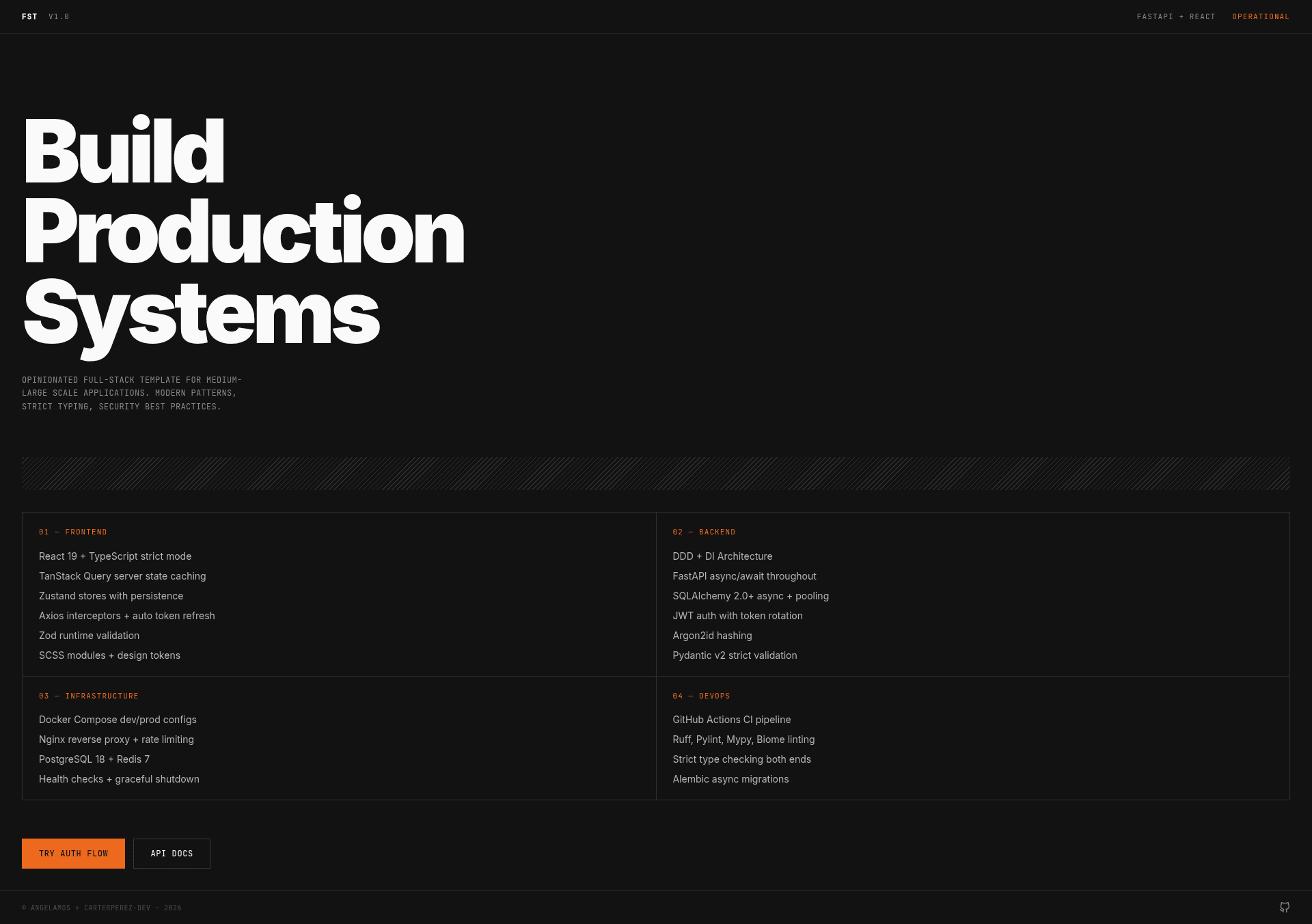
fullstack-template is a production-ready boilerplate for full-stack web applications, offering three stack variants — FastAPI + React, Go Chi + React, and Expo React Native — with Docker Compose, Nginx, and a just-command workflow.
What is fullstack-template?
fullstack-template is a GitHub repository template created by CarterPerez-dev that scaffolds a full-stack application with a Python FastAPI backend (default) or Go Chi backend, a React 19 + TypeScript frontend, and an optional Expo mobile app. You provide a project name and environment configuration, and the setup script generates a working project with backend dependencies installed via uv sync, frontend dependencies via pnpm install, and a .env file with a generated SECRET_KEY. It is designed to run locally with Docker Compose files (compose.yml, compose.go.yml) and includes a production Nginx reverse proxy configuration.
Key Features
- Three stack variants — The default FastAPI + React stack uses
compose.ymlanddev.compose.yml; the Go Chi stack usescompose.go.ymlanddev.compose.go.ymlwith backend code inalternate-backends/go-chi/; the mobile option lives inmobile/ios-expo/and connects to any backend via API without Docker. - React 19 + TypeScript frontend — Uses TanStack Query for server-state fetching, Zustand for client state, and a SCSS-based design system with OKLCH color variables and utility classes.
- FastAPI backend with security patterns — Includes JWT authentication and Argon2id password hashing, database models, repository pattern, services, API endpoints, testing, and production deployment guidance.
- Nginx reverse proxy — Configured with rate limiting, WebSocket proxying, caching strategies, security headers, and performance tuning for development and production.
- Docker & Compose setup — Multi-stage Dockerfiles, health checks, network segmentation, resource limits, and security hardening are documented in the wiki.
- Automated setup script —
setup.shcopies.env.exampleto.env, moves template files like LICENSE and CONTRIBUTING to the root, and installs all dependencies; ajustcommand runner alternative is available. - Documentation wiki — Separate pages cover backend architecture, frontend architecture, Nginx configuration, and Docker/Compose details.
Who is it for?
- Full-stack developers who want a production-ready starting point for a web app with FastAPI or Go Chi and React, without wiring authentication, Docker, and Nginx from scratch.
- Startup teams that need to quickly scaffold a new project with a consistent repository layout, environment variables, and documented deployment patterns.
- Mobile developers who want to build an iOS Expo app that consumes the same backend API, using the
mobile/ios-expo/directory. - Developers using the
justcommand runner who prefer a single entry point for setup, migrations, and dev commands instead of remembering individual Docker commands.
What can you do with fullstack-template?
- Scaffold a new SaaS backend: Use the FastAPI stack, create database models, then run
just migration-local "initial"andjust migrate-local headto apply migrations. - Deploy with Docker: Start development with
docker compose -f dev.compose.yml upor production with the base compose file, relying on the included health checks and network segmentation. - Add a mobile client: Navigate to
mobile/ios-expo/, follow the iOS-specific README, configure the API endpoint, and connect the Expo app to your backend. - Switch backend language: Use the Go Chi alternate backend in
alternate-backends/go-chi/with its own compose file, keeping the same React frontend.
How does fullstack-template work?
- Create a new repository from the GitHub template using the "Use this template" button or
gh repo create my-project --template CarterPerez-dev/fullstack-template. - Run
./setup.shorjust setupto generate.env, move template files, and install backend and frontend dependencies. - Edit
.env, then start development withjust dev-upor the relevant compose file. Runjustto list all available commands.
FAQ
Is fullstack-template free to use?
Yes, the repository is offered under the MIT License, as stated in the included LICENSE file. You can freely use it for personal or commercial projects.
What backends are included?
The default backend is Python FastAPI. An alternate Go Chi backend is available in alternate-backends/go-chi/, started with compose.go.yml and dev.compose.go.yml.
Does it include a mobile app?
Yes, mobile/ios-expo/ contains an Expo + React Native application for iOS. It connects to any backend via API and does not require Docker.
What frontend libraries does it use?
The frontend uses React 19 with TypeScript, TanStack Query for data fetching, Zustand for state management, and SCSS with OKLCH color variables for styling.
Does the template support PostgreSQL and Redis?
The repository topics list postgresql and redis, and the Docker/Compose documentation covers the infrastructure used by the full-stack setup.