Template details
Galaxy
Free dark Bootstrap blog template by Themefisher with Gulp workflow, live reload, and production build.
About this template
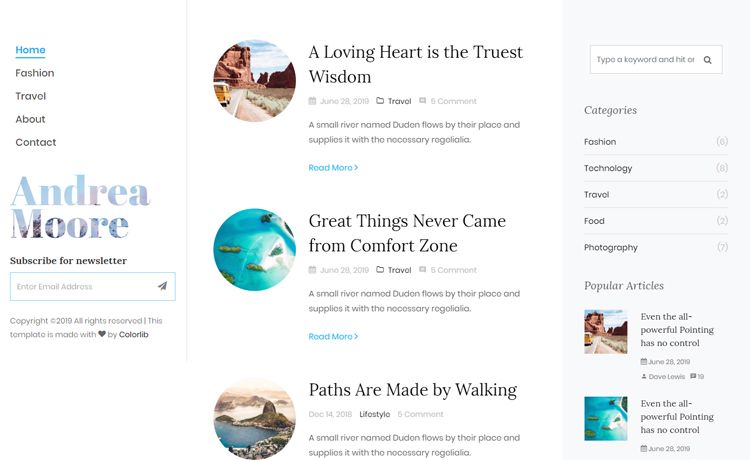
Galaxy is a free, dark-themed Bootstrap blog template developed by Themefisher that provides a simple HTML/CSS workflow and an optional Gulp build system for local development and production builds.
What is Galaxy?
Galaxy is a free Bootstrap blog template with a dark color scheme, created and maintained by Themefisher. The template takes HTML and CSS files as its source, and with the optional Gulp setup it outputs a production-ready theme folder. It is open source under the MIT license, and the included images are for preview only.
Key Features
- Dark theme design — Galaxy ships with a dark color palette out of the box, so the template presents a moody aesthetic without extra theming work.
- Bootstrap-based layout — The template is built on Bootstrap, offering a responsive grid and reusable components familiar to most web developers.
- Free MIT license — The code is released under the MIT license, allowing free use and modification, with no attribution required for code.
- Gulp build system — Advanced usage includes a Gulp-powered workflow with
npm run devfor live-reload development andnpm run buildto produce a deployablethemefolder. - Basic HTML/CSS editing — For simple changes, you can edit the HTML and CSS files directly in the
themefolder and openindex.htmlin a browser to preview. - GitHub hosting and issues — The template is hosted on GitHub with a public issue tracker; users are encouraged to report bugs there.
Who is Galaxy for?
Galaxy fits bloggers and front-end developers who want a ready-made dark blog layout. A blogger can download the template, edit the HTML files, and publish a personal blog without writing CSS from scratch. A freelance web developer can use the Gulp workflow to customize the template for client projects and output a clean theme directory for deployment. It is also useful for developers learning Bootstrap or Gulp, since the template includes a working build setup.
What can you do with Galaxy?
- Personal bloggers: quickly set up a dark-style blog by editing the template's HTML and CSS, then previewing
index.htmllocally. - Freelance developers: scaffold a client blog from the Bootstrap base and use
npm run buildto generate a production-readythemefolder for deployment. - Front-end learners: study how a Gulp-based workflow bootstraps a Bootstrap template, including live reload and production building.
How does Galaxy work?
The template can be used in two ways: basic static editing or a Gulp-driven workflow. In basic usage, you edit the HTML and CSS files inside the theme folder and open index.html in any browser to see changes. For advanced usage, you install Node.js and Gulp CLI globally, run npm install inside the template, and then use npm run dev to launch a local server with live reload, or npm run build to produce the optimized theme folder.
License and support
Galaxy is released under the MIT license for code, meaning you can modify and reuse it freely. The images bundled with the template are for demonstration purposes only and are not covered by that license, so you need to replace them with your own assets. For bug reports, the official channel is the GitHub Issues page; for paid technical support, Themefisher provides consultation via email.
FAQ
Is Galaxy free?
Yes, Galaxy is free to use. The code is released under the MIT license, which permits free commercial and personal use, modification, and distribution. The only restriction is that the demo images are not included in the license.
Do I need Gulp to use Galaxy?
No. You can use Galaxy in basic mode by editing the HTML and CSS files directly in the theme folder and opening index.html in a browser. The Gulp workflow is an advanced option that adds live reload and production build commands.
Can I use the images in the template on my site?
No. The images in the download are for demonstration purposes only. They have their own licenses and Themefisher does not have permission to share them. You must replace them with your own images before publishing.
How do I get support for Galaxy?
For bug reports, open an issue on the Galaxy GitHub repository. If you need technical support or help integrating the product, Themefisher offers paid support via email, as stated on the template page.